
Metro UI CSS: You can have a tiled website too
Microsoft's new UI, once known by the name of Metro, has caused quite some buzz in the tech world. Meanwhile the name has been dropped, which again caused quite a buzz in the tech world. We don´t know why this was done nor do we know if the next Windows will be a market success. What we know is, that Metro as a design style has its fans. If you are one of them, we have great news for you. Thanks to Metro UI CSS you can give your very own website the same tiled look, the interface of the next generation Windows will have. Go ahead!
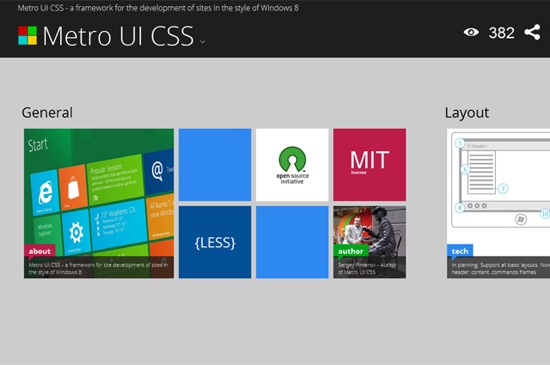 Metro UI CSS
 is actively developed by Sergey Pimenov, who proves generous enough to leave the tool for us to use free of charge under the MIT license. Pimenov not only copied the typical Metro design, but also implemented a variety of effects from the original Microsoft product, for example the fade-in of subtitles on pictures or the switch buttons.
Metro UI CSS
Metro UI CSS is actively developed by Sergey Pimenov, who proves generous enough to leave the tool for us to use free of charge under the MIT license. Pimenov not only copied the typical Metro design, but also implemented a variety of effects from the original Microsoft product, for example the fade-in of subtitles on pictures or the switch buttons.
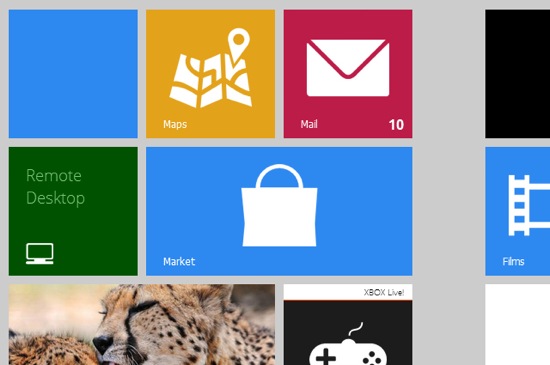 Metro: Tiles
Ever seen Metro on a tablet? On these devices, Microsoft implemented vertical scrolling as the standard scroll direction. That's just the way Pimenov implemented it in Metro UI CSS. Using a touch-device you can elegantly scroll through your website. You're not forced to, though, as mouse scrolling is also supported.
Metro: Tiles
Ever seen Metro on a tablet? On these devices, Microsoft implemented vertical scrolling as the standard scroll direction. That's just the way Pimenov implemented it in Metro UI CSS. Using a touch-device you can elegantly scroll through your website. You're not forced to, though, as mouse scrolling is also supported.
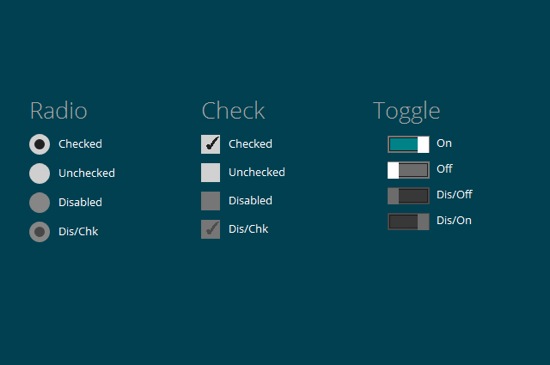 Metro: Buttons
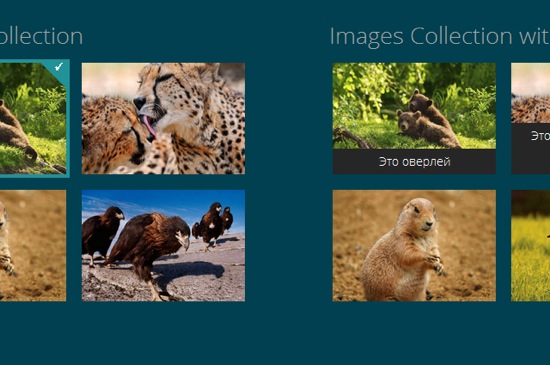 Metro: Pictures
If you like to learn along the guidelines of a thorough documentation, Metro UI CSS is not for you. Because there simply is no documentation. The demo can be downloaded, that's it. But it contains all elements for which the Metro style is available and thus should be a good starting point for the first steps to your very own tiled website. Several effects are invoked simply by calling the corresponding classes. You can easily find out by sneaking through the source code. Metro UI CSS needs a modern browser. Microsoft's own Internet Exploder is supported from version 9 onwards.
(dpe)
Metro: Pictures
If you like to learn along the guidelines of a thorough documentation, Metro UI CSS is not for you. Because there simply is no documentation. The demo can be downloaded, that's it. But it contains all elements for which the Metro style is available and thus should be a good starting point for the first steps to your very own tiled website. Several effects are invoked simply by calling the corresponding classes. You can easily find out by sneaking through the source code. Metro UI CSS needs a modern browser. Microsoft's own Internet Exploder is supported from version 9 onwards.
(dpe)
Metro UI CSS
Metro UI CSS is actively developed by Sergey Pimenov, who proves generous enough to leave the tool for us to use free of charge under the MIT license. Pimenov not only copied the typical Metro design, but also implemented a variety of effects from the original Microsoft product, for example the fade-in of subtitles on pictures or the switch buttons.
Metro UI CSS: A feature-rich framework
Get your own impression of what Metro UI CSS is capable of by visiting the demo. You'll find several pages with examples of how pictures, forms, buttons and the typical tiles, bound to substitute the former Windows icons, look and interact.
Metro: Tiles
Ever seen Metro on a tablet? On these devices, Microsoft implemented vertical scrolling as the standard scroll direction. That's just the way Pimenov implemented it in Metro UI CSS. Using a touch-device you can elegantly scroll through your website. You're not forced to, though, as mouse scrolling is also supported.
Metro: Buttons
Metro UI CSS: Made with, yes, CSS and JavaScript
Metro UI CSS is not pure CSS, but relies on several JavaScript libraries for advanced functionality. The foundation is, as it often is, jQuery with some complementing plugins and the new superstar Bootstrap. Pimenov wants it mentioned, that he also integrated some of his very own JavaScript functions.
Metro: Pictures
If you like to learn along the guidelines of a thorough documentation, Metro UI CSS is not for you. Because there simply is no documentation. The demo can be downloaded, that's it. But it contains all elements for which the Metro style is available and thus should be a good starting point for the first steps to your very own tiled website. Several effects are invoked simply by calling the corresponding classes. You can easily find out by sneaking through the source code. Metro UI CSS needs a modern browser. Microsoft's own Internet Exploder is supported from version 9 onwards.
(dpe)
Thanks for the review. Will soon be added to the project documentation, new items, adaptability, a new website project. Just want to say that the project Includes the program Microsoft BizSpark Startups
“proves generous enough to leave the tool for us to use free of charge under the MIT license.”
I think Microsoft may take issue if he was charging money to distribute a UI this similar to Metro.
>Metro^W
>Windows 8 UI Style
*fixed!*
So how do I download it?
use the following link : https://github.com/olton/Metro-UI-CSS/zipball/master
I have problems with Chrome and IE browsers when testing the demo downloaded. What I can do for compatibility at all?
Hey Mitch,
I have been using this framework for sometime for one of my projects now. This does work fine in Chrome (20), Firefox (14), IE 9. I have tested on these.
Are you sure you are running it through a local server?
Thanks!
Sagar
new version is available
Thanks, we’ll check that out.
i like window 8 theme, sample but very beauty
Very nice n catchy work :)
At first, i was thinking of using twitter bootstrap to build the web ui for my new project. BUT, after i checked the Metro UI CSS and i was really impressed.
My tired looking site needs a new look and I have been looking for something just like this! THANK YOU!
Can you please add the option for having different colors for each member of the accordion component?
apply to the tag built-in classes bg-color-* and fg-color-*
Can i use as free for Commercial use please tell me.
Metro UI CSS include 2 type of license: MIT & Commercial. See details on off site
Hi,
i see on your website that you dont have safari logo in the supported web browser. Dose this CSS support safari web browser?
And dou have any documentation or tutorial which we can refer?
thanks and exited to use your CSS.
Arpan.
Safari is supported
Hi Sergey,
I must say the template is really awesome…kudos !
I am a drupal developer and I was thinking of porting it to Drupal but I am not sure whether your Template License allows me to do so or not. If yes, then can you please provide me conditions associated with it.
Thanks
Rahul
Hi, is it possible to create a version compatible with joomla! or WordPress ?
It would be wonderful !
I’m playing around with metro ui and so far think it is great. But i would like to randomise the order of the tiles each time the page is loaded. This should be possible despite multiple tile sizes as it is fully responsive to changes in the screen size and re-orders itself then.
Thanks,
Al
I made the small project on Metro UI CSS Murabel – quite working framework…
Sergey thanks
i have created a page using Metro UI CSS. but when i click on the tile it does not open any page in a new tab. What should i do so that i will be able to open the link (mentioned in the tile) in a new tab ?