
Designer´s Toolbox : 15+ Time Saving Tools- What´s your Secret?
Every Designer has his favorite tools and add-ons that definitely comes in handy when needed. What is more useful than simple, time-saving and handy tools you can use in the development process? Here is a roundup of 15 tools, services and add-ons that is worth your time.
Let us know your experience with the tools listed here or and others that you use to keep you going.
I would like to create a gallery here on Noupe to showcase the best Tools, Services and Add-ons that will definitely save time and effort for designers and developers.
Let us know your favorite tool, just add its link and why do you like it.
You might be interested to check other related posts for more useful tools:
- 13+ Fantastic Tools For Knowing How They’re Doing It
- Handy Designer’s Tools “On The Fly”
- 23+ Impressive Tools for Faster Javascript/Ajax Development
Online Service and Tools
- Postable

We all hate switching all the %u201C< " and ">%u201D signs in our code to %u201C<%u201D and %u201C>%u201D, respectively. This makes including code snippets on any blog very annoying. Postable manages to handle this issue easily, just paste your code in there, hit the button and get your post-friendly code.
- Amazon Simple Storage Service (Amazon S3)
Amazon S3 provides a simple web services to store your files, images and database. S3 is fast, super cheap (you only pay for what you use) and reliable.

Convert bitmap images to vector images with a few simple clicks

Everytime you move to a new host, you will need to change the DNS info to point your domain to the new host, you just don't know when exactly the DNS is propagated. DNSPinger is a web-based tool that pings the website you mentioned every 3 minutes for 24 hours and e-mails you when the Ip is updated (new DNS is activated).
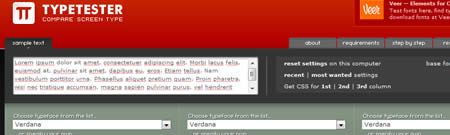
The Typetester is an online application for comparison of the fonts for the screen. Its primary role is to make web designer’s life easier.

Copyscape service makes it easy to find copies of your content on the Web. Copyscape finds sites that have copied your content without permission, as well as those that have quoted you. Every time i use copyscape, i get disappointed with the number of sites that copy our content without even adding a link to our source article. Defending your content should be the primary object after publishing it, so you should start to use this service soon.
Cross Browser Compatibility
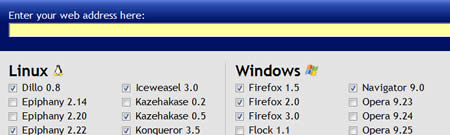
Browsershots makes screenshots of your web design in various browsers across all different OS platforms. Browsershots is so popular that you will need to wait a few minutes for this service to render screenshots of your website.

Offer a free trial for 24 hours where you can test your website in all browsers and OS.
15-IETester
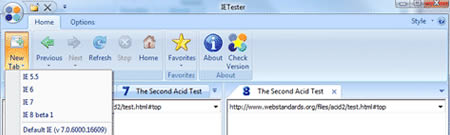
A free web browser allowing you to browse websites with the JavaScript & rendering engines of IE8 beta 1, IE7 IE 6 and IE5.5 on Vista and XP
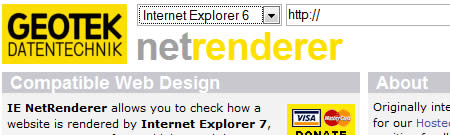
IE NetRenderer allows you to check how a website is rendered by Internet Explorer 7, 6 or 5.5. Just type in a URL in the field and try it out - it's free!
Website Performance
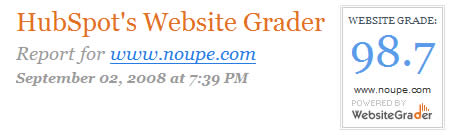
Website Grader is a free seo tool that measures the marketing effectiveness of a website. It provides a score that incorporates things like website traffic, SEO, social popularity and other technical factors.
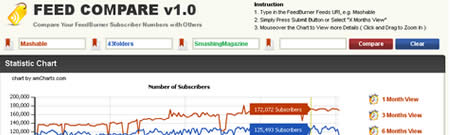
A free web application that you can use for comparing FeedBurner feeds. This tool is great for checking out your competition and noticing trends in growth.
Web site speed test to improve website performance. Calculates page size, composition, and download time. The script calculates the size of individual elements and sums up each type of web page component. Based on these page characteristics the script then offers advice on how to improve page load time.
Firefox Add-Ons
Draw out a ruler to get the pixel width and height of any elements on a webpage. Makes your life much easier when you're developing and trying to fit pieces together.
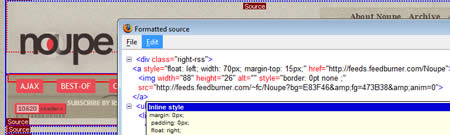
Ever wanted to know the style of every element of the page without having to view the .css file, here is the best add-on to let you view the style on the fly. You can see exactly which CSS rules match for an element. The rules are displayed including file name and line number. The topmost element is that with the highest priority.
- Firebug
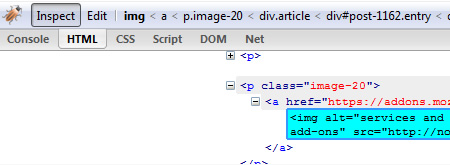
One of the best add-ons. I can't recommend this plugin enough! You can edit, debug, and monitor CSS, HTML, and JavaScript live in any web page. You will even learn CSS if you use it.
I also use http://www.crossbrowsertesting.com/ – Much more affordable!
I agree with Jon Aizlewood, the Web Developer Toolbar for firefox is awesome. just got done using it :)
I also don’t know if this is considered what you’re after, but I have 4 wireframe layouts coded since most of the blog layouts and magazine style layouts I do hold a lot of the same structure (ie: header, nav, content, sidebar, footer, ect). This is a huge time saver (30 miuntes average for each site I code is saved).
Nice collection and really helpful for trying to squeeze more into the day and be more productive. Thanks…
Great list, but have you heard of typechart?
http://typechart.com/
for some reason I prefer that over typetester, however both tools are helpful in their own ways.
Nice collection, but the MeasureIt-Extension is also included into the WebDeveloper-Toolbar (Miscaellaneous/DisplayRuler )
@Webstandard-team – never knew about Miscaellaneous/DisplayRuler options so thanks a million for that.
The rest are brilliant, bookmarked for future reference.
Thanks
The floating Frog
Great post. I use the Firefox Image Download Add-on all the time (https://addons.mozilla.org/en-US/firefox/addon/2503) – it downloads every image on a page and this helps speed up image downloads.
Great list Noupe! but you can’t forget the Web Developer Toolbar for Firefox. I use it religiously, from the Document outline for SEO, to the Ctrl-alt-Y for div outlines, to the easy CSS view of any page. Great, priceless tool for web designers/developers
@Nouman Saleem,
Typechart seems to be useful. I will add it to the gallery.
@Webstandard-Team,
I never noticed this option before, it looks much better than the Measure-It add-on.
@Jon Aizlewood,
I use the WebDeveloper-Toolbar as well. Its priceless.
This should be added to the gallery as well.
Thanks very much for mentioning DNSPinger.
BTW, I loved “view formatted source” plugin, looks very handy.
Awesome collection here. Web Developer Tool and Firebug are my major “secrets”. Other than that – CSSTidy for standardizing and minifying my CSS automatically and YSlow for making sure everything’s in the most optimized shape I can get them before launching live.
Yet another resource bookmark.
Great list and great comments, a couple good suggestions within. I have used a firefox addon from SEO Book,
http://tools.seobook.com/firefox/seo-for-firefox.html
It pulls a variety of market research data within Google.
My first to grab and install from this list is Postables. That is very handy, I have been using text files.
Cheers and Thanks for the research,
Jeromy
hi there,
thanks for the nice tips.
some time ago i also collected a list like this:
it’s in german, but if you just follow the links you’ll see… http://www.zachl.at/tobi/blog/?p=313
cheers, tobi
Nice tools.
You can also use Feed Analysis to get a much more detailed report about your Feedburner feed too.
thanks for the list.this could my work more easy.
Ronald
wow, great list, u know i never missing to read ur great post even once.
thank for you GREAT job dude! very usefull
Excuse me, what is the nature of time if it is to be saved?
IETester doesn’t render IE6 correctly. It may look like it’s ok, but check it in Virtual PC running IE6 and you’ll see where IETester falls down.
Good suggestions in this list – I use the WebDev Firefox extension and Browsershots all the time.
I get a lot of feedback on these two, and many people tell me they’ve become part of their daily tool collection:
http://www.designmeme.com/xray/ and
http://www.designmeme.com/professorx/
Great list! I really enjoy IETester and IE NetRender. One of my other favorites is xray, especially when something just isn’t working: http://www.westciv.com/xray/. The MeasureIt and Website Grader have been added to my list, thanks!
What a great list. I’ve been looking for a site to compare feed numbers for a while now and FeedCompare looks perfect. Also the Copyscape website looks very useful.
Thanks for posting!
This is an amazing list! I remember when I last changed my web host, I had to keep checking back my site to see whether the DNS had propagated. If only I had known of DNSpinger
Great list. I really found Typetester to be really fun and addictive. I also wanted to add to your list an option to Postable called CodePaste that can be found here: http://paste.bradleygill.com
Thanks Again,
Mark
http://www.visual28.com
Brilliant list, thanks for taking the time to put that together!
I’ve been trying out Faststone Capture recently. It’s a nice tool for screenshots, with lots of formatting options built in – http://www.faststone.org/FSCaptureDetail.htm
Hope that’s useful
Cheers, Jon
What about FireBug?
That is a great list, thanks for sharing it.
Here’s a CSS generator for making rounded corners without images.
http://www.spiffycorners.com
Awesome list!
I love FireBug! It’s the one plug in I can’t live without. It has taught me so much about CSS. I don’t know where I would be without it
Great collection of tools. Thanx… I use myself browsershots and firebug. Helped me to solve a lot of Ajax troubles.
Awesome list.
I love web site grader. I’ve used it before, but forgot the link. thanks