
10 Intelligent Ways of using [FORM] Elements
When you combine some neat functionality courtesy of PHP with the cleverness of javascript you can produce some pretty smart results using the <form> tag. In an effort to help you take it up a notch, we’d like to share some methods for helping your site anticipate a user’s next move.
The post below is made up of 10 smart and intelligent ways of using <form> elements to produce some neat effects, components and plugins, they are all of the highest quality and more or less easy to configure. Give them a try.
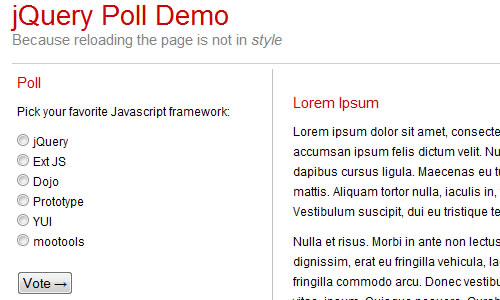
1. Creating a Dynamic Poll with jQuery and PHP
<div id="poll-container">
<h3>Poll</h3>
<form id='poll' action="poll.php" method="post" accept-charset="utf-8">
<p>Pick your favorite Javascript framework:</p>
<p><input type="radio" name="poll" value="opt1" id="opt1" /><label for='opt1'> jQuery</label><br />
<input type="radio" name="poll" value="opt2" id="opt2" /><label for='opt2'> Ext JS</label><br />
<input type="radio" name="poll" value="opt6" id="opt6" /><label for='opt6'> mootools</label><br /><br />
<input type="submit" value="Vote →" /></p>
</form>
</div>
This form will be processed by the PHP for now, and when we get the Javascript running, by jQuery. The PHP and Javascript are designed to pull the option ID from the value tag.
Check out the demo
2. FancyUpload - Swiff meets Ajax (v3.0)
FancyUpload is a file-input replacement which features an unobtrusive, multiple-file selection menu and queued upload with an animated progress bar. It is easy to setup, is server independent, completely styleable via CSS and XHTML and uses MooTools to work in all.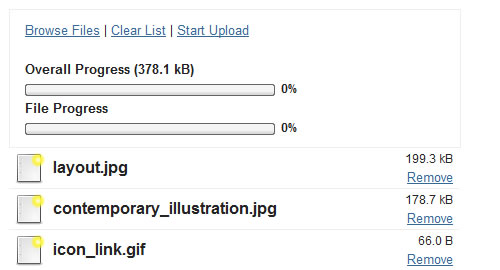
<form action="../script.php" method="post" enctype="multipart/form-data" id="form-demo">
 	<fieldset id="demo-fallback">
		<legend>File Upload</legend>
		<p>
			This form is just an example fallback for the unobtrusive behaviour of FancyUpload.
			If this part is not changed, something must be wrong with your code.
		</p>
		<label for="demo-photoupload">
			Upload a Photo:
			<input type="file" name="Filedata" />
		</label>
	</fieldset>
3. Fancy Capatcha
Ajax Fancy Captcha is a jQuery plugin that helps you protect your web pages from boys and spammers in a new, intuitive way of completing “verify humanity” tasks. In order to do that users are asked to drag and drop specified item into a circle. The code calls captcha.php file and gets a random number. Php file just generates simple number and put it in session. When AJAX got that number it creates items based on that number. Lets imagine that we have array of “pencil”, “scissors”, “clock”, “heart”, “note”, so if number 3 is returned it will take “heart” and look for item-heart.png file in /imgs directory.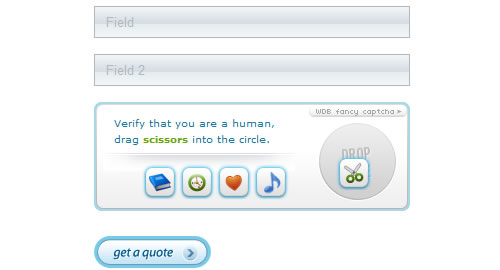
4. TextboxList
TextboxList turns normal textboxes into a widget which can be navigated with the keyboard, effectively turning your input into a “list” of items that can be easily deleted. It comes with an Autocomplete plugin.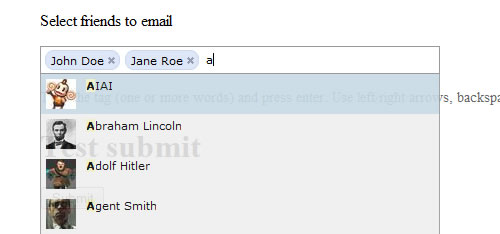
5. jQuery UI Slider from a Select Element
The plugin uses progressive enhancement to replace an already-functional HTML select element with a jQuery UI slider control, and adds a number of features for both visual users and those on assistive technologies.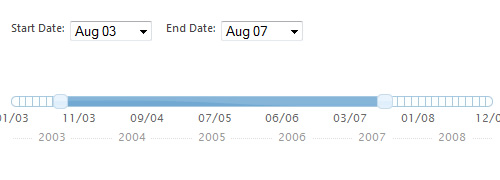
6. jQuery Password Strength Meter
Password Strength Meter is a jQuery plug-in that provides a smart algorithm that shows the strength of the input.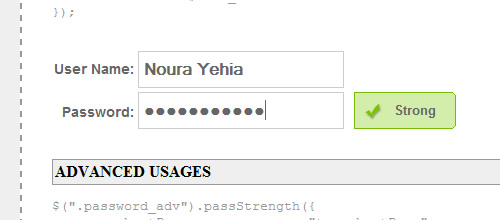
7. jQuery Keypad
A jQuery plugin that attaches a popup keyboard to a text field for mouse-driven entry or adds an inline keypad in a division or span. It can display the letters/numbers randomized which is a very effective security solution against key loggers.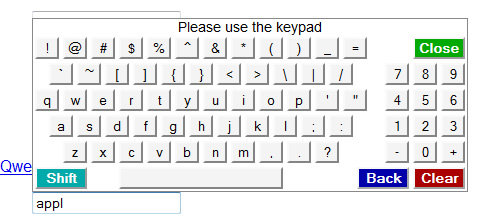
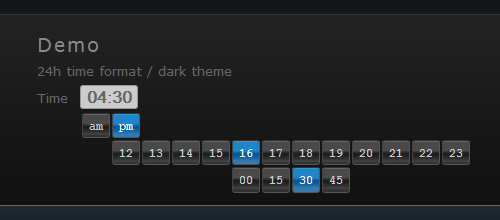
8. jquery.timepickr
jquery.timepickr was created in a attempt to make the process of inputing time in a form as easy and natural as possible. Using it is so simple, you just need to call the timepickr function with the id of the form.$(function(){
$('#test-1').timepickr({
handle: '#trigger-test'
convention: 12 });
});
9. Spellify
Spellify is a script.aculo.us based spell checker, for form fields that utilizes Google as its spell check engine. PHP 4+ with CURL library installed, script.aculo.us and Prototype JavaScript Framework.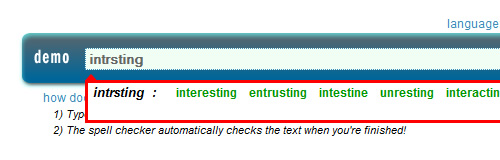
10. Create a shoutbox using PHP and AJAX
Learn how to create a dynamic ajax based shoutbox with jQuery from scratch. It will be very interesting to know how to use the ajax function of jQuery and how it can be used to insert and recover data from a MySQL database via PHP in a way asynchronous.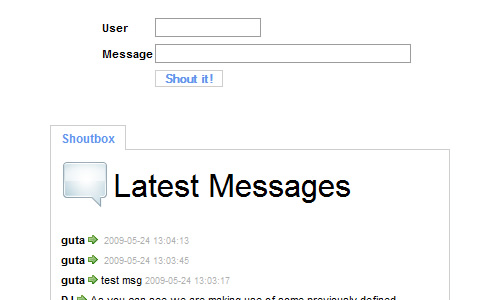
Jquery is most popular..
Marvellous Article. Really am in love with this.
Really like JQuery time picker – about time (no pun intended) we had a decent UI control for time applications.
Thanks for sharing!
The code for example 9 is the code for example 8..
Other than that, very interesting samples
I like the time-picker, very nice
Amazing Collection, really love the “TextboxList” – I’ve been looking for something like this for a while.
Thanks!
just, great!
I like the poll codes, looks quite nice one.
cool! thanx!
thank you so much i would love to see little things like this keep popping up. great job!
Very cool. Love the spellify :D
thank you so much…
as for my, FANCY CAPTCHA is amazing! great idea ;)
Woow!! muy bueno el articulo, gracias!! ;)
nice but old
#3: “protect your web pages from boys and spammers”
Perhaps you meant “bots”?
wow, really useful scripts.
thanks for the wonderful list.
I really like 1, 5 and 9, i can think of some good uses for those.
This is a developer’s haven.
really useful scripts, thanks
Good information. Thx
most shout boxes are not that great. anyone know where i might find a shoutbox maker?