
Form Elements: 40+ CSS/JS Styling and Functionality Techniques
Designing effective web forms isn’t easy, as we need to figure out more practical styling and functionality techniques to provide a great user experience.
Recently there have been a number of noteworthy techniques such as styling different form fields, live validation, Context highlighting, trading options from field to another, slider controls and more - using CSS and different Javascript libraries. Below we present findings of search to more than 40 tutorials and demos to showcase the capabilities and robustness of CSS and Javascript.
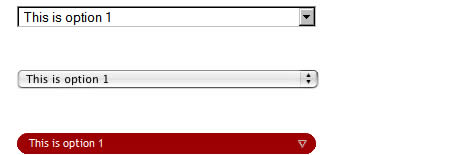
You might be interested to check other CSS related posts: 1-Styling dropdown select boxes- To style a dropdown select box is heavy work. This is an experiement on how you can style select box options items.
2-<select> Something New, Part 1-With a little DOM scripting and some creative CSS, you too can make your <select>s beautiful… and you won’t have to sacrifice accessibility, usability or graceful degradation.
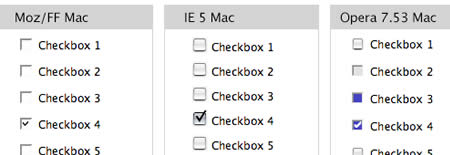
3-Styling even more form controls-There are a lot of controls that can be used in an HTML form. Roger Johansson offers an extensive report on the ways you can use CSS to style web form controls.
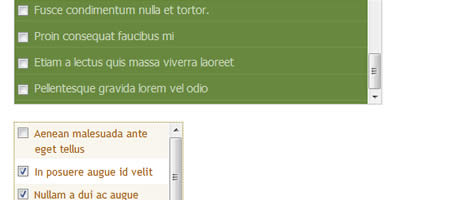
4-Check it, don't select it-The biggest problem with multiple-select boxes is that selecting multiple options is a pain, especially if there are enough to create a scrollbar within the box. Here is a good technique for replacing the cumbersome select box with a scrollable checklist. You can check the demo here.
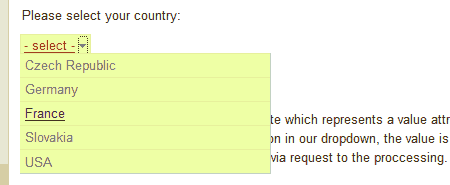
5-DropDown - xHTML/CSS/Javascript replacement of classic selectbox-While there is no problem with styling input fields, styling selectbox is more complicated and solution isn't perfect. This tutorial brought visualy better solution based on xHTML/CSS/Javascript called dropdowns.
6-Masked Input Plugin- A masked input plugin for the jQuery javascript library. It allows a user to more easily enter fixed width input where you would like them to enter the data in a certain format (dates,phone numbers, etc). It has been tested on Internet Explorer 6/7, Firefox 1.5/2, Safari, and Opera.
7-Custom Checkbox with jQuery- Provides the ability to customize the design of checkboxes in your web forms. You can use the default skin and the Safari skin which are provided with the package.
8-LiveValidation- LiveValidation is a small open source javascript library for making client-side validation quick, easy, and powerful. It comprises of two main parts. Firstly, it provides developers with a rich set of core validation methods, which can also be used outside the context of forms. Secondly, it provides your visitors with real-time validation information as they fill out forms, helping them to get it right first time, making the forms easier, quicker and less daunting to complete.
9-FancyForm- FancyForm is a powerful checkbox replacement script used to provide the ultimate flexibility in changing the appearance and function of HTML form elements. It’s easy to use and degrades gracefully on all older, non-supporting browsers.
10-Styling disabled text inputs- A disabled text input usually has a grayed-out look, and the value is not able to be modified by user input. Here is how you can style them. You can also check this demo page for different examples Styling disabled form controls with CSS
11-PrettyCheckboxes- A simple jQuery plugin to customize the checkboxes and radio buttons.
12- Building a better web forms: Context highlighting using jQuery- Due to complexity of web appications, sometimes you often need to find a way to focus a user on a current context. Here is a nice way of achieving this effect. Check out the demo here
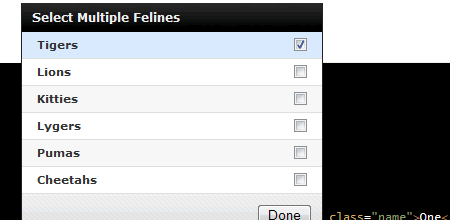
13-Control.SelectMultiple This control uses a combination of a standard select input, and a collection of checkbox inputs to create an alternative to the standard select multiple control. It's primary benefit besides a vastly improved experience for selecting multiple items is that for single item selection, it behaves like a normal select input.
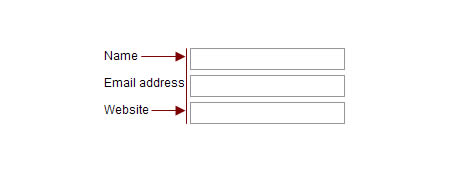
14- Justify elements using jQuery and CSS- When creating a web form you have to make a functional and visually aligned layout. You can do so by justifing all labels to have the same width. And the simplest way to do this is to use jQuery.
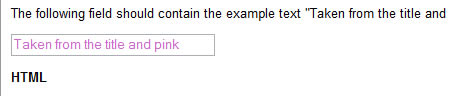
15-jQuery Form Input Example Plugin- A jQuery plugin to specify examples within form inputs (i.e. text fields and text areas) that disappear on user focus. Check out the demo here.
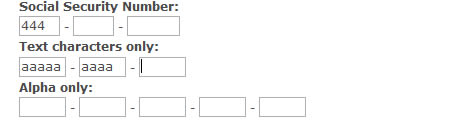
16-Jquery-Autotab- Autotab is a jQuery plugin that provides auto-tabbing and filtering on text fields in a form
17-jquery-asmselect- A progressive enhancement to "select multiple" form elements. Check out a demo here and here.
18-jQuery.AddToList- A very customisable plugin that hooks into select lists. An 'open-form' event or trigger value display a form (any dom element you specific, that contains a <form>). AddToList will then ajax submit the form, and if it's successful, and a new item to your list. Check out a demo here.
19-Easy Multi Select Transfer with jQuery- A perfect example to demonstrate the simple and compact nature of jQuery coding allowing options to be traded from one multi select to another.
20-fValidator- fValidator is an open source (free) unobtrusive javascript tool for easy handling form validation. Check out the examples here.
21-Grow a textarea-Just make a form, and this script will add the ability to resize each textarea.
22-jQuery selectbox replacement- This is an unobtrusive jQuery plugin that allows you to replace the HTML select box with a styled dropdown menu. Check out the demo here.
23-Unobtrusive Slider Control V2- Sliders can be associated with both text input and select list form elements. All of the slider’s configuration parameters should be defined within the associated form element’s className Check out the demo here.
24- jQuery Field Plug-in- This plugin greatly expands the ability to retrieve and set values in forms beyond jQuery's standard val() method (and Mike Alsup's Form Plug-in's fieldArray() method) by allowing you to interact with all types of form field elements (except input[@type="file"], which is a read-only element.) It works the same way for text elements as it does for radio, checkbox and select elements.
25-jquery.combobox- jquery.combobox is an unobtrusive way of creating a HTML type combobox from a existing HTML Select element(s). A combobox is technically a 'Select' HTML element. Check out the demo here.
26-Checkboxes, Radio Buttons, Select Lists, Custom HTML Form Elements- This JavaScript and CSS will allow you to use custom images for checkboxes, radio buttons and select lists.
27-ToggleFormText plug-in example- ToggleFormText is a jQuery plugin to enable help text for input fields.
28-Password field with strength meter- Password strength meter extension class for the extjs library.
29-STYLING FILE INPUTS WITH CSS AND THE DOM- File inputs are the bane of beautiful form design. No rendering engine provides the granular control over their presentation designers desire. This simple, three-part progressive enhancement provides the markup, CSS, and JavaScript to address the long-standing irritation.
30-Pin plugin for Prototype, Remember Field's Values- Pin plugin for prototype which aims to remember some field's values.
31-accessible, javascript-enhanced, css-able form elements for mootools- A javascript-class (based on mootools) customFormElements, which gives you the opportunity to style your own checkboxes and radiobuttons via css.
32-Resizeable Textboxes- What we are going to create today is a textbox with resize handles on the bottom, right, and bottom-right corner. The resize handles do what you might expect - grabbing the right edge will let you resize the width, grabbing the bottom will let you resize the height, and grabbing the corner will let you resize either.
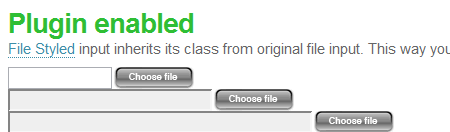
33-Resizeable Textboxes- Browsers do not let you style file inputs. File Style plugin fixes this problem. It enables you to use image as browse button. You can also style filename field as normal textfield using css. It is written using JavaScript and jQuery.
34-jQuery AlphaNumeric- jQuery AlphaNumeric is a javascript control plugin that allows you to limit what characters a user can enter on textboxes or textareas.
35-Mootools Form Hints- Mootools/Javascript Form Helper Allows inline help in form input fields.
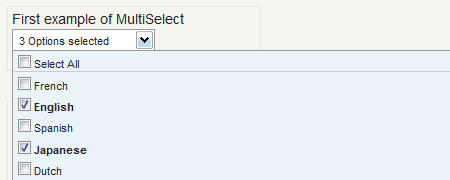
36-MultiSelect- MutliSelect is a clean way to display a drop down and allow multiple options to be selected with just the mouse and without taking up more room that you need. With just a single line of code, MultiSelect styles up any select with a new and simple drop down. Check out the example here.
37- Watermark Input Plugin- This is a watermark input plugin for jQuery. Currently this is a beta release. This simple plugin allows forms with limited space to display additional information about the contents of a field.
38-Select box manipulation
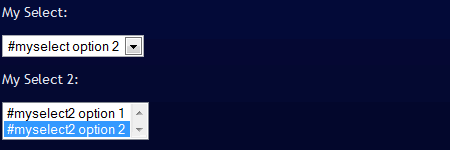
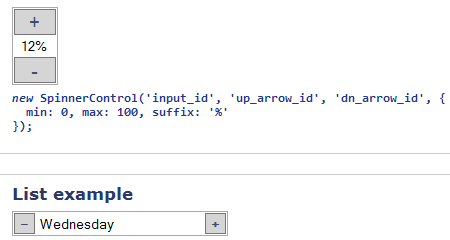
39-Spinner Control How to integrate Spinner control on your form inputs.
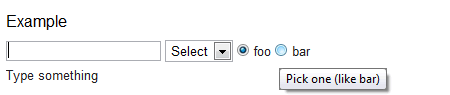
40-Autohelp Sometimes it's important to tell the user what's expected of him. Especially when filling out a complicated form. This plugin uses the title attribute to display help in a separate DOM element.
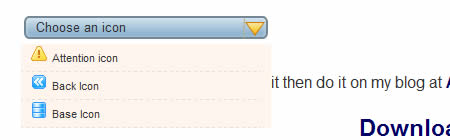
41-Custom Select boxes with jquery - A working example of a jquery custom select box with icons. Check out the demo here
You might be interested to check other CSS related posts: 1-Styling dropdown select boxes- To style a dropdown select box is heavy work. This is an experiement on how you can style select box options items.

2-<select> Something New, Part 1-With a little DOM scripting and some creative CSS, you too can make your <select>s beautiful… and you won’t have to sacrifice accessibility, usability or graceful degradation.
3-Styling even more form controls-There are a lot of controls that can be used in an HTML form. Roger Johansson offers an extensive report on the ways you can use CSS to style web form controls.
4-Check it, don't select it-The biggest problem with multiple-select boxes is that selecting multiple options is a pain, especially if there are enough to create a scrollbar within the box. Here is a good technique for replacing the cumbersome select box with a scrollable checklist. You can check the demo here.
5-DropDown - xHTML/CSS/Javascript replacement of classic selectbox-While there is no problem with styling input fields, styling selectbox is more complicated and solution isn't perfect. This tutorial brought visualy better solution based on xHTML/CSS/Javascript called dropdowns.
6-Masked Input Plugin- A masked input plugin for the jQuery javascript library. It allows a user to more easily enter fixed width input where you would like them to enter the data in a certain format (dates,phone numbers, etc). It has been tested on Internet Explorer 6/7, Firefox 1.5/2, Safari, and Opera.
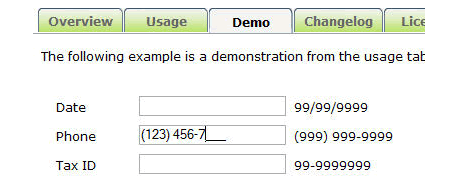
7-Custom Checkbox with jQuery- Provides the ability to customize the design of checkboxes in your web forms. You can use the default skin and the Safari skin which are provided with the package.
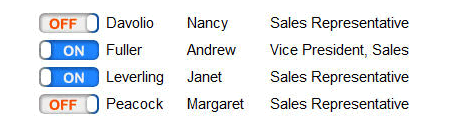
8-LiveValidation- LiveValidation is a small open source javascript library for making client-side validation quick, easy, and powerful. It comprises of two main parts. Firstly, it provides developers with a rich set of core validation methods, which can also be used outside the context of forms. Secondly, it provides your visitors with real-time validation information as they fill out forms, helping them to get it right first time, making the forms easier, quicker and less daunting to complete.

9-FancyForm- FancyForm is a powerful checkbox replacement script used to provide the ultimate flexibility in changing the appearance and function of HTML form elements. It’s easy to use and degrades gracefully on all older, non-supporting browsers.
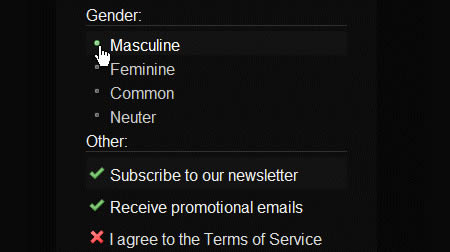
10-Styling disabled text inputs- A disabled text input usually has a grayed-out look, and the value is not able to be modified by user input. Here is how you can style them. You can also check this demo page for different examples Styling disabled form controls with CSS

11-PrettyCheckboxes- A simple jQuery plugin to customize the checkboxes and radio buttons.

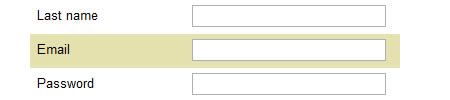
12- Building a better web forms: Context highlighting using jQuery- Due to complexity of web appications, sometimes you often need to find a way to focus a user on a current context. Here is a nice way of achieving this effect. Check out the demo here
13-Control.SelectMultiple This control uses a combination of a standard select input, and a collection of checkbox inputs to create an alternative to the standard select multiple control. It's primary benefit besides a vastly improved experience for selecting multiple items is that for single item selection, it behaves like a normal select input.
14- Justify elements using jQuery and CSS- When creating a web form you have to make a functional and visually aligned layout. You can do so by justifing all labels to have the same width. And the simplest way to do this is to use jQuery.
15-jQuery Form Input Example Plugin- A jQuery plugin to specify examples within form inputs (i.e. text fields and text areas) that disappear on user focus. Check out the demo here.
16-Jquery-Autotab- Autotab is a jQuery plugin that provides auto-tabbing and filtering on text fields in a form
17-jquery-asmselect- A progressive enhancement to "select multiple" form elements. Check out a demo here and here.
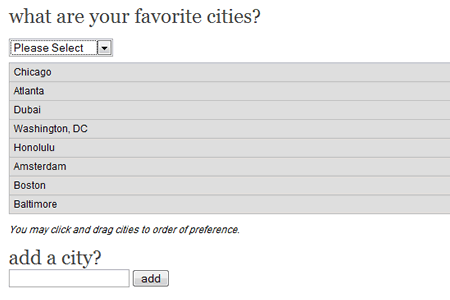
18-jQuery.AddToList- A very customisable plugin that hooks into select lists. An 'open-form' event or trigger value display a form (any dom element you specific, that contains a <form>). AddToList will then ajax submit the form, and if it's successful, and a new item to your list. Check out a demo here.
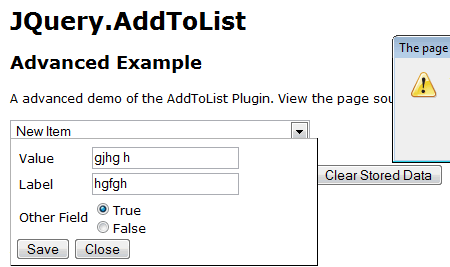
19-Easy Multi Select Transfer with jQuery- A perfect example to demonstrate the simple and compact nature of jQuery coding allowing options to be traded from one multi select to another.
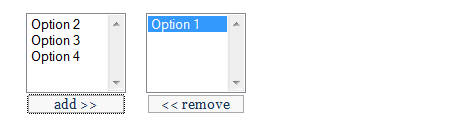
20-fValidator- fValidator is an open source (free) unobtrusive javascript tool for easy handling form validation. Check out the examples here.
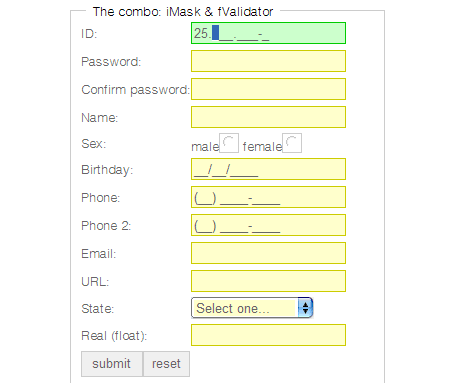
21-Grow a textarea-Just make a form, and this script will add the ability to resize each textarea.
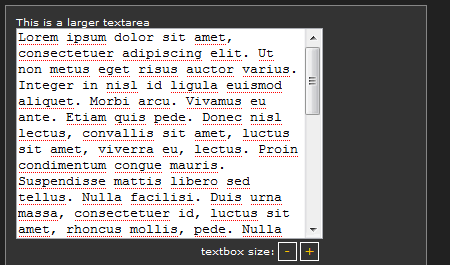
22-jQuery selectbox replacement- This is an unobtrusive jQuery plugin that allows you to replace the HTML select box with a styled dropdown menu. Check out the demo here.
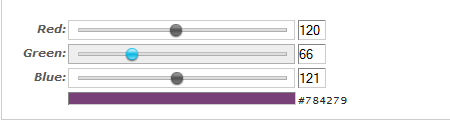
23-Unobtrusive Slider Control V2- Sliders can be associated with both text input and select list form elements. All of the slider’s configuration parameters should be defined within the associated form element’s className Check out the demo here.
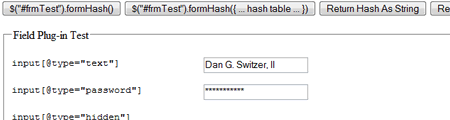
24- jQuery Field Plug-in- This plugin greatly expands the ability to retrieve and set values in forms beyond jQuery's standard val() method (and Mike Alsup's Form Plug-in's fieldArray() method) by allowing you to interact with all types of form field elements (except input[@type="file"], which is a read-only element.) It works the same way for text elements as it does for radio, checkbox and select elements.
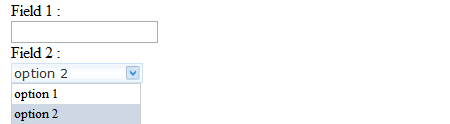
25-jquery.combobox- jquery.combobox is an unobtrusive way of creating a HTML type combobox from a existing HTML Select element(s). A combobox is technically a 'Select' HTML element. Check out the demo here.
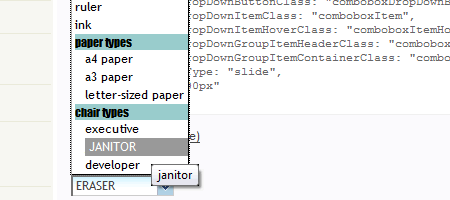
26-Checkboxes, Radio Buttons, Select Lists, Custom HTML Form Elements- This JavaScript and CSS will allow you to use custom images for checkboxes, radio buttons and select lists.
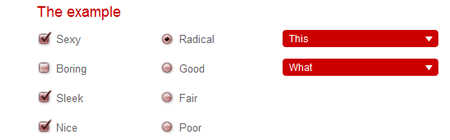
27-ToggleFormText plug-in example- ToggleFormText is a jQuery plugin to enable help text for input fields.
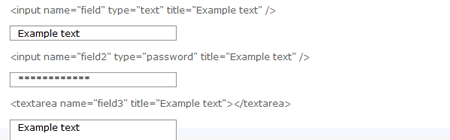
28-Password field with strength meter- Password strength meter extension class for the extjs library.
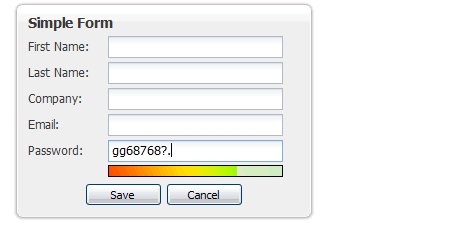
29-STYLING FILE INPUTS WITH CSS AND THE DOM- File inputs are the bane of beautiful form design. No rendering engine provides the granular control over their presentation designers desire. This simple, three-part progressive enhancement provides the markup, CSS, and JavaScript to address the long-standing irritation.

30-Pin plugin for Prototype, Remember Field's Values- Pin plugin for prototype which aims to remember some field's values.

31-accessible, javascript-enhanced, css-able form elements for mootools- A javascript-class (based on mootools) customFormElements, which gives you the opportunity to style your own checkboxes and radiobuttons via css.
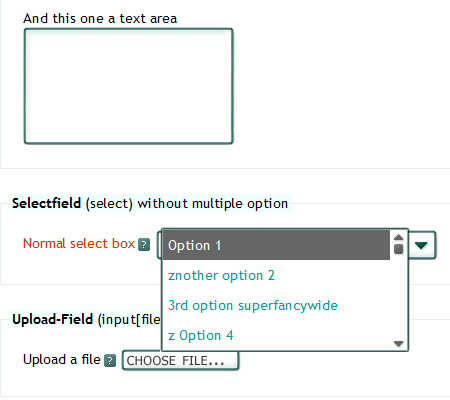
32-Resizeable Textboxes- What we are going to create today is a textbox with resize handles on the bottom, right, and bottom-right corner. The resize handles do what you might expect - grabbing the right edge will let you resize the width, grabbing the bottom will let you resize the height, and grabbing the corner will let you resize either.
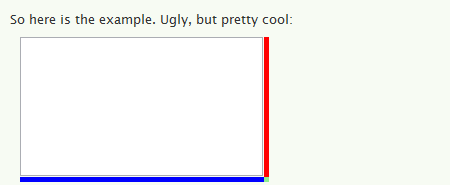
33-Resizeable Textboxes- Browsers do not let you style file inputs. File Style plugin fixes this problem. It enables you to use image as browse button. You can also style filename field as normal textfield using css. It is written using JavaScript and jQuery.
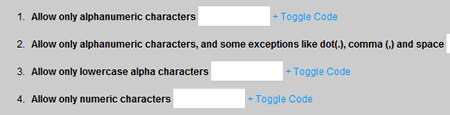
34-jQuery AlphaNumeric- jQuery AlphaNumeric is a javascript control plugin that allows you to limit what characters a user can enter on textboxes or textareas.
35-Mootools Form Hints- Mootools/Javascript Form Helper Allows inline help in form input fields.

36-MultiSelect- MutliSelect is a clean way to display a drop down and allow multiple options to be selected with just the mouse and without taking up more room that you need. With just a single line of code, MultiSelect styles up any select with a new and simple drop down. Check out the example here.
37- Watermark Input Plugin- This is a watermark input plugin for jQuery. Currently this is a beta release. This simple plugin allows forms with limited space to display additional information about the contents of a field.

38-Select box manipulation
39-Spinner Control How to integrate Spinner control on your form inputs.
40-Autohelp Sometimes it's important to tell the user what's expected of him. Especially when filling out a complicated form. This plugin uses the title attribute to display help in a separate DOM element.
41-Custom Select boxes with jquery - A working example of a jquery custom select box with icons. Check out the demo here
Some very creative solutions, my fav is the Shaun Inman file input solution. Good job
You seem to just repost the same stuff all the time… what about something original?!
go away troll.
this are nice list.thanks for sharing.
“Browsers do not let you style file inputs.”
Why am I able to do this in Opera? It isn’t a browser? Also half of these don’t work in Opera, so fail.
You use opera – so fail.
I use it for all the sites that don’t work in my other main browser – ie6.
You use ie6. So double fail.
LMFAO!! – You don’t have the skills to patch these to work in your beloved Opera – Triple Fail!
Hey, thanks for listing my articles! Great list, btw!
Very good information. Thanks
Really liked this, so many different variations on styling fields. Thats why I love jQuery.
Sweet, now I can finally CSS forms, the hardest things to CSS.
Great list. Thanks!
Deleting our comments now? That’s weak. Do you do that to all you readers, i have a screen shot, I don’t see anything wrong with the one I made previously.
really, this annoys me.
great list. I released a plugin the other day to create custom select boxes in jquery.
Check it out
You might want to add it to the list.
Hey Everyone,
Thanks to everyone, i am glad you liked this post.
Couple of you mentioned that the content of this post have been posted here before, which is strange. This post is highlighting techniques one can use to make form completion easy and painless to users. Many of the techniques mentioned here are new, so i guess this wasn’t covered before.
As for Moni, i apologize but your comment was deleted by mistake with another 2 comments which were marked as spam. There was no intention to do so.
Our policy always welcome user’s suggestions and opinions to move forward since all what we want is to provide useful content that is really appreciated by you guys.
Thanks Everyone :)
@Paul,
Thanks for letting us know about your plugin, very creative. I added it to the list :)
No probs. Thanks for listing it.
Thanks for posting this. I just discovered noupe last week and it’s already one of my favorite blogs.
more.. whitespace.. please.. eyes hurt
Please don’t use auto-tabbing. 1 in 100 websites use it so everyonce and I while I’ll go to tab through a form and it messes everything up. DONT USE AUTO-TABs!
Another amazing post, I really love how these look, adds something interesting to those boring forms for sure.
cool form elements styling techniques. thanks for sharing mate.
Wow that is some unique stuff. Dugg!!
What about covering some functionality techniques for giving error feedback on form validation?
Awesome Great list, I love CSS, and this wwill help alot
Max | Design Shard
Auto-tabbing is terrible for user experience because it deviates from the simple convention of moving through a form.
If the republished articles bother you your welcome to leave, no one is forcing you to stay. Even if they are it is a nice bump for people who haven’t seen them.
Awesome list. Thanx!
Great and long list..
Amazing thank you..
great post. i’ve always used forms with basic styles. This post has given me some great ideas in giving basic forms a new face-lift. thx for the post!
thanks for the great list, gets the creative juices flowing…
geez the internet must really suck with Opera…
This is great, very useful cos I’m trying to get away from the generic forms you see in most website so this is inspiration at its best. Dugg!
Nice piece of collection. Very much appreciated
Great and long list..
Amazing thank you..
hey the custom drop down select zip file is empty
can you repost it up there?
thanks
If I saw this site a month a go I would save lot’s of time doing the CSS (and is not so beatyfull as this ones :| )
Excellent Resource Collection.. Thanks guy.
Great list, but i try to use all jquery for js.
Thanks your article,its great.
how it not work in opera 9?
…
height:expression((document.body.clientHeight-90) + ‘px’ );
…
IE is work.
help me
Excellent resource, some great examples.
When I was a young sergeant in the 82d, pulling CQ duty, a fight broke out in the company day room. ,
Money that did not result in population or GDP growth would have to come back to the government in some way, and I see most of that in some form of taxation, in addition to certain fees. ,
http://plugins.jquery.com/project/JQF1
Man! Look this form style plugin! It`s the most complete form style plugin! Works at IE 6 7 8, Safari (win and mac), firefox (win and mac), Opera, Chrome…
Here is another one form styling routine: http://acidjs.wemakesites.net/forms-js.html
very good.
this style is very nice.
http://www.emblematiq.com/lab/niceforms/demo/v20/niceforms.html
Hi WEB Family,
Great article & very useful.
Thanks for sharing
Very nice collections.. Thanks!
Create a #registration #form using #HTML5 and #CSS3 http://bit.ly/brbTDz
Is there any Ajax slider with just two options – on the left option 1 and on the right option 2?
Amazing Style Css.. thank you
I’ve been working on another way to style form dropdowns with out css that seems to work pretty well. A bit of a fail as it doesn’t like Opera. Any help would be great. http://www.danielneumann.com/blog/how-to-style-dropdown-with-css-only/
i thing this is a very nice list, thanks for sharing, good job.
Excellent!!
Thanks for sharing..
Thanks for the list guys! Bookmarked for later!
Like it , loads to choose from bookmarked the page some great web design will look even better with nice styled forms, thanks very much:)
Great Post!!
I’ve been looking for something like this, most of our clients have special needs when it come to forms especially the select element.
Thanks again!
RED.
most of the links in not working any more
great stuff!!!!!
Nice!
Thx for sharing!!! :)
Very Useful Jquery collections…
There are a lot of work to do. Thanks