
Using CSS to Do Anything: 50+ Creative Examples and Tutorials
CSS can powerfully open the doors to a lot of rich and unique techniques. Today we are presenting a round-up of CSS coding, creative approaches and techniques. Definitely worth taking a very close look at! We also included some basic techniques you can probably use in every project you are developing. This is just the third article in this series , the forth part will be coming soon, stay tuned and Enjoy!
You can also take a look at other 2 articles in this series :
So let's get started and don't forget to subscribe to our RSS-Feed to keep track on our next post in this series.

So let’s get started and don’t forget to subscribe to our RSS-Feed to keep track on our next post in this series. Better Ordered Lists (Using Simple PHP and CSS)- Here is an example where you ditch the traditional ordered list and create your own!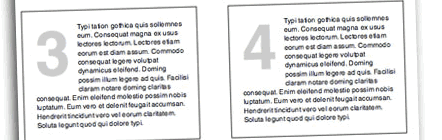
Style Your Ordered List- Here is a quick CSS tutorial on how you can use the ordered list <ol> and paragraph <p> element to design a stylish numbered list.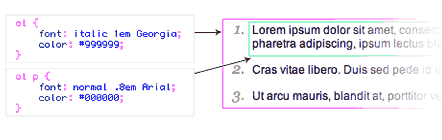
List Based Calendar- A simple way to add multiple views to a calendar, so you can view your events in a simple list, or in a month based calendar format.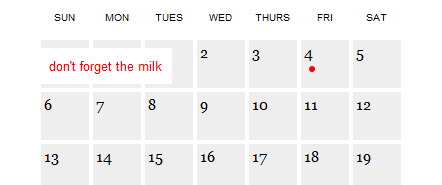
Styling File Inputs with CSS and the Dom - File inputs (<input type="file" />) are the bane of beautiful form design. No rendering engine provides the granular control over their presentation designers desire. This simple, three-part progressive enhancement provides the markup, CSS, and JavaScript to address the long-standing irritation.
Better Web Forms: Redesigning eBay's Registration- Is a detailed walkthrough of simple changes that have a dramatic positive impact.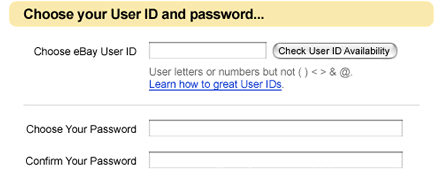
Uni-Form- Uni-Form is an attempt to standardize form markup (xhtml) and css, “modularize” it, so even people with only basic knowledge of these technologies can get nice looking, well structured, highly customizable, semantic, accessible and usable forms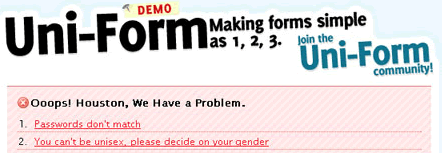
MAKING YOUR FOOTER STAY PUT WITH CSS- How to make your footer dock to the bottom of the screen.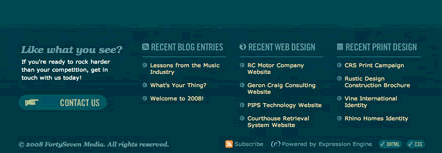

HR Image Replacement with CSS- How to replace the HR tag with an image that works cross browser.

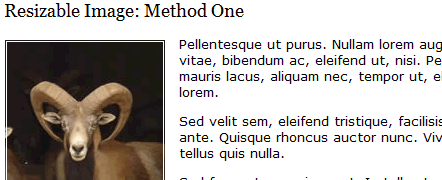
CSS Stamps- Using the CSS property border and outline to achieve the stamp look.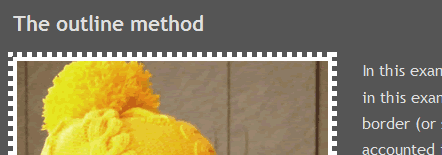
Image Captions Generated with CSS and JavaScript- The names are not part of the image - they are stored in the img's title attribute.
Cross-browser semi-transparent backgrounds- Semi-transparent backgrounds are nice. They would be more popular, but Internet Explorer doesn't support .png transparency. There are a few clunky workarounds. Here's another that's a little less clunky.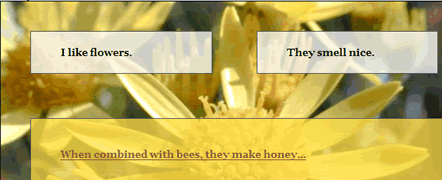
CSS Rollovers- Learn how to create a simple rollover image using CSS.
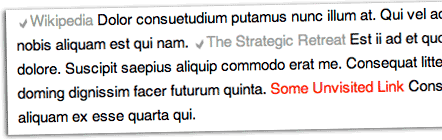
Simple Round CSS Links - Now you can style both (a) and (button) in this super easy and light-weight solution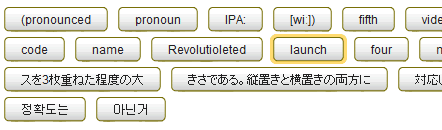
Pure CSS Popups- Using pure CSS causing text to appear and disappear.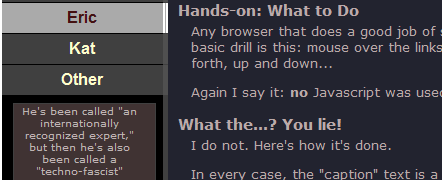
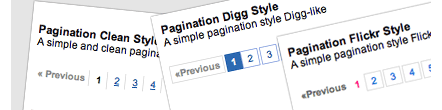
VISTA style toolbar- How to create VISTA style toolbar with CSS,
Digg-like navigation bar using CSS- This tutorial explains how to design a digg-like navigation bar using a liquid design with rounded corners for links.
Menu circular en CSS- A circular menu with nice hover effect showing text description for each item in the menu.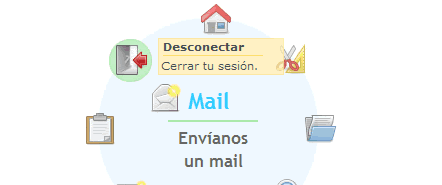
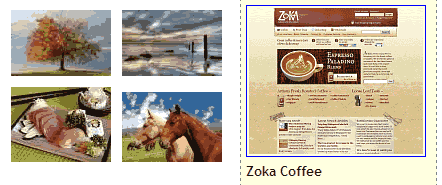
Not so simple photograph gallery- A CSS image gallery that have a default image, a line or two of descriptive text and the ability to click an image to hold it on the screen.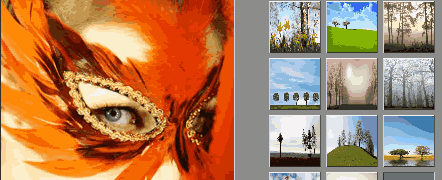
A sliding list click gallery- A demonstration to show a sliding tabs gallery, with a click to open action rather than a hover. Also the facility to add some descriptive text to accompany the large image.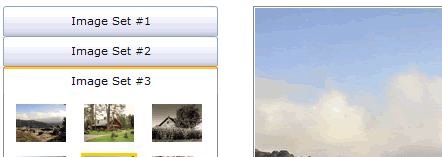
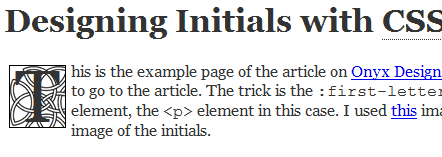
Drop Caps- This small snippet of CSS utilises the :first-letter pseudo class to apply a particluar style to the first letter of each paragraph, giving the look of an illuminated initial.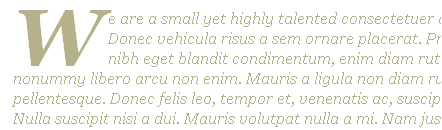
One pixel notched corners- as used by Google Analytics.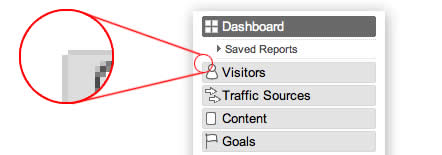
Auto-Cropping Rounded Corners- A new solution for rounded corners, what it does is: it crops the content below it, so that anything with a background color or image (headers, paragraphs, even images) automatically get the rounded corner treatment with no extra work.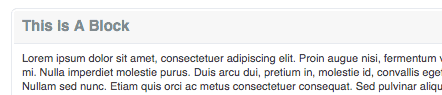
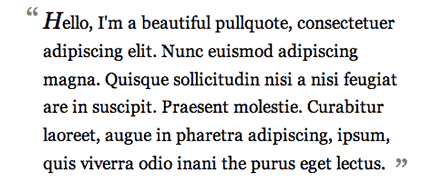
Blockquotes with Image Quotes- Adding an image to the blockquote style.
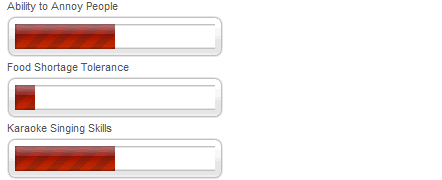
Add a “loading” icon to your larger images- Using CSS to embed a “loading” image, to let visitors know that an image is loading.
The CSS Text Wrapper - The CSS Text Wrapper allows you to easily make HTML text wrap in shapes other than just a rectangle. You can make text wrap around curves, zig-zags, or whatever you want.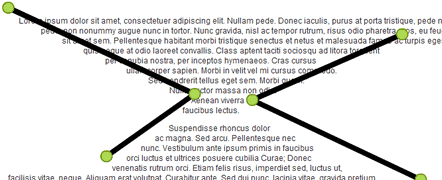
Adding a magnifier to images with CSS and JavaScript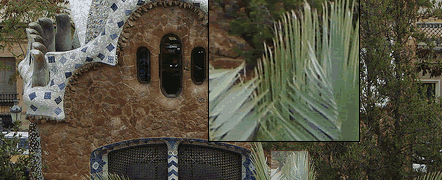
SAC Simple Accessible Charts.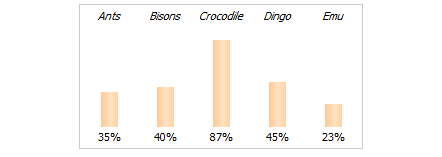
Cross-browser transparent columns- How to create transparent columns that can work in all browsers. By using the opacity property and still having the content opaque. Floats work too - which makes it possible to create multi-column transparent-column layouts.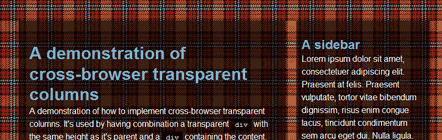
A Cool CSS Effect - Dashboard [Updated x2]- A very simple tutorial on how to create an attractive dashboard-like dimmer for your webpage and draw your user's attention to a certain object. Very cool web effect.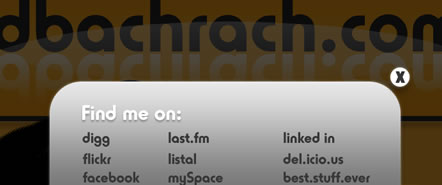
Text-Shadow Exposed- Make cool and clever text effects with css text-shadow.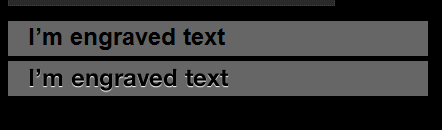
CSS Speech Bubbles- Easy to customize speech bubbles coded in CSS and valid XHTML 1.0 STRICT.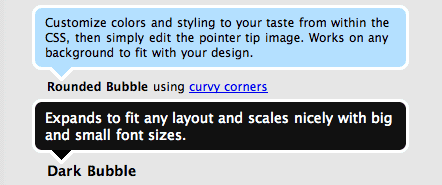
The Highly Extensible CSS Interface- Cameron Moll's first series of articles after three years looks to have been well worth the wait. Introducing “The Highly Extensible CSS Interface”, a four-part series of how-to’s and savvy conversation. Code samples are available for viewing and downloading with each article.
You can also take a look at other 2 articles in this series :
So let's get started and don't forget to subscribe to our RSS-Feed to keep track on our next post in this series.
Styling Lists
The Amazing <li>- With a little CSS, the <li> becomes one of the most powerful and versatile tags in a web designer's arsenal. This article is a tutorial and a tribute to the amazing <li>.
So let’s get started and don’t forget to subscribe to our RSS-Feed to keep track on our next post in this series. Better Ordered Lists (Using Simple PHP and CSS)- Here is an example where you ditch the traditional ordered list and create your own!
Style Your Ordered List- Here is a quick CSS tutorial on how you can use the ordered list <ol> and paragraph <p> element to design a stylish numbered list.
- Live DemoView it Here
- Download zip file
List Based Calendar- A simple way to add multiple views to a calendar, so you can view your events in a simple list, or in a month based calendar format.
- Live DemoView it Here
Forms and Form Elements
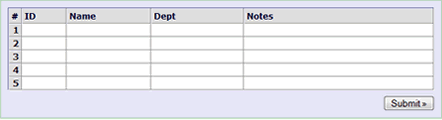
Datasheet-style form using HTML and CSS- Make a datasheet-style web form using HTML, CSS and JavaScript with multiple similar records,
Styling File Inputs with CSS and the Dom - File inputs (<input type="file" />) are the bane of beautiful form design. No rendering engine provides the granular control over their presentation designers desire. This simple, three-part progressive enhancement provides the markup, CSS, and JavaScript to address the long-standing irritation.
- Download zip file
Better Web Forms: Redesigning eBay's Registration- Is a detailed walkthrough of simple changes that have a dramatic positive impact.
Uni-Form- Uni-Form is an attempt to standardize form markup (xhtml) and css, “modularize” it, so even people with only basic knowledge of these technologies can get nice looking, well structured, highly customizable, semantic, accessible and usable forms
Footers
A CSS sticky footer that just works- In just a few simple CSS classes with minimal extra HTML markup, you can get a sticky footer that even beginners can get a handle on. It's been tested in IE 5 and up, Firefox, Safari and Opera.
MAKING YOUR FOOTER STAY PUT WITH CSS- How to make your footer dock to the bottom of the screen.
New ideas for Image Replacement
Create Custom Search Bars - With Image Replacement using CSS
HR Image Replacement with CSS- How to replace the HR tag with an image that works cross browser.
Image Sprite
Image Sprite Navigation With CSS- Creating a navigation using an image sprite, you can have a complete navigation, rollovers and all, by only using one image.
CSS image techniques
Create Resizable Images With CSS- A new technique to resize images when the user increases their browser's text size. Images are resized along with the text rather than staying constant in size.
CSS Stamps- Using the CSS property border and outline to achieve the stamp look.
Image Captions Generated with CSS and JavaScript- The names are not part of the image - they are stored in the img's title attribute.
Cross-browser semi-transparent backgrounds- Semi-transparent backgrounds are nice. They would be more popular, but Internet Explorer doesn't support .png transparency. There are a few clunky workarounds. Here's another that's a little less clunky.
CSS Rollovers- Learn how to create a simple rollover image using CSS.
Text and Links Effects
“Checkmark” Your Visited Links with Pure CSS- The goal of this tutorial is to get a check mark preceding visited links for a nice visual indicator.
Simple Round CSS Links - Now you can style both (a) and (button) in this super easy and light-weight solution
Pure CSS Popups- Using pure CSS causing text to appear and disappear.
Navigation
Perfect pagination style using CSS- This tutorial explains how to design a pagination for search results or more in general to split a long list of records in more pages.
VISTA style toolbar- How to create VISTA style toolbar with CSS,
- Live Demoview it Here
- Download codefrom Here
Digg-like navigation bar using CSS- This tutorial explains how to design a digg-like navigation bar using a liquid design with rounded corners for links.
Menu circular en CSS- A circular menu with nice hover effect showing text description for each item in the menu.
- Live Demoview it Here
Further readings on Navigation
4 Reasons to Use CSS-Based Navigation- By using CSS to create a navigational menu you can achieve both accessibility and a professional, attractive appearance. Vandelay Design listed the benefits of using CSS for navigational menus, Worth reading.CSS Image Galleries
CSS Image Gallery- A purely CSS based image gallery that displays larger versions of thumbnail images dynamically when the mouse hovers over them. A rich HTML caption can be added to the enlarged image.
Not so simple photograph gallery- A CSS image gallery that have a default image, a line or two of descriptive text and the ability to click an image to hold it on the screen.
A sliding list click gallery- A demonstration to show a sliding tabs gallery, with a click to open action rather than a hover. Also the facility to add some descriptive text to accompany the large image.
Drop Caps
Nice Drop caps with CSS- Using the :first-letter pseudo-element, you can easily create nice drop caps with CSS. No extra HTML or Javascript required and IE5+ browser support.
Drop Caps- This small snippet of CSS utilises the :first-letter pseudo class to apply a particluar style to the first letter of each paragraph, giving the look of an illuminated initial.
Rounded Corners in a simple New approach
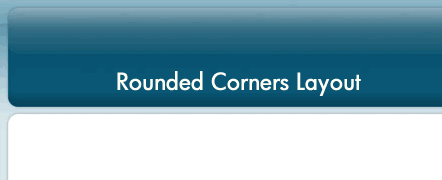
3 Simple Steps in Coding a Rounded Corners Layout- A simple approach to coding fixed width, rounded corners layout in 3 simple steps.
- Live DemoView it Here
- Download zip file
One pixel notched corners- as used by Google Analytics.
Auto-Cropping Rounded Corners- A new solution for rounded corners, what it does is: it crops the content below it, so that anything with a background color or image (headers, paragraphs, even images) automatically get the rounded corner treatment with no extra work.
- Download Examplefrom Here
Blockquotes
Simple Double Quotes- This CSS tutorial will show you how to display two double-quote images using one blockquote tag.
- Live DemoView it Here
- Download zip file
Blockquotes with Image Quotes- Adding an image to the blockquote style.
Worth Checking
Pure CSS Animated Progress Bar- A simple demonstration of how you can create animated progress bar using pure css. The trick is very simple. We need 3 elements, one container and 2 nested elements.
- Live DemoView it Here
- Download zip file
Add a “loading” icon to your larger images- Using CSS to embed a “loading” image, to let visitors know that an image is loading.
The CSS Text Wrapper - The CSS Text Wrapper allows you to easily make HTML text wrap in shapes other than just a rectangle. You can make text wrap around curves, zig-zags, or whatever you want.
- Live DemoView it Here
Adding a magnifier to images with CSS and JavaScript
SAC Simple Accessible Charts.
Cross-browser transparent columns- How to create transparent columns that can work in all browsers. By using the opacity property and still having the content opaque. Floats work too - which makes it possible to create multi-column transparent-column layouts.
- Live DemoView it Here
- Download zip file
A Cool CSS Effect - Dashboard [Updated x2]- A very simple tutorial on how to create an attractive dashboard-like dimmer for your webpage and draw your user's attention to a certain object. Very cool web effect.
Text-Shadow Exposed- Make cool and clever text effects with css text-shadow.
CSS Speech Bubbles- Easy to customize speech bubbles coded in CSS and valid XHTML 1.0 STRICT.
- Download zip file
The Highly Extensible CSS Interface- Cameron Moll's first series of articles after three years looks to have been well worth the wait. Introducing “The Highly Extensible CSS Interface”, a four-part series of how-to’s and savvy conversation. Code samples are available for viewing and downloading with each article.
Marvelous. I am amazed.
You never fail to amaze me. Thanks again.
Super read!
Excellent collection of CSS links. I’ve been looking for a few things regarding CSS navigation and styling, all of which I found here. Thanks!
Nice collection. SOme of these will come in handy.
btw. the picture of “Uni-Form” isn’t linked correectly.
Thanks for the link Noura. This is a great collection.
wow….excellent collection. one of my main bookmarks forever!
by the way, this comment form is not displaying in IE 7. and the footer is all off to the right hand side. Had to open firefox to add comment.
Thanks
Docking the footer is something I have struggled with for quite sometime…w/o any luck. The Uni-forms, and digg menu were slick too:)Nice work!
Thanks for the list. Excellent!
P.S You might want to have someone check the site in IE7. The links don’t work for the examples starting with “Navigation”, your right column drops below the main and the footer “run away to the right” oops!!
“Styling File Inputs with CSS and the Dom” this example will stop working as soon as Firefox 3 goes out of beta. Firefox sticks to the the W3C rules that specify that input type=”file” dosn’t support the click() method.
nice…
hey.. i love your site, with a great number of useful collection
Fantastic, Thanks a lot!
Thank you all for the wonderful feedback. Your kind inputs are what drives us to spend time developing and expanding Noupe.
@Sarah and Brian: Thank you for pointing this out, the problem in ie7 was due to unclosed tag in this post. Its fixed now :)
Thanks Steven, Vandelaydesign.com not only inspires but also provides very useful information.
Neat and very informative tutorials. I have digged this post. :-)
Most of the examples requires extra markup which is extremely stupid and not necessary!
Ya! Lets see more of this! ;)
These are some great resources!
There is also jQuery plugin for styling file inputs:
http://www.appelsiini.net/projects/filestyle
very amazing…. thx nice works…
Sencillamente excelenteeeee!
@Ilia Goranov,
We don’t encourage poor practices, extra markup or non-compliant XHTML, but we all could be inspired to use these techniques and modify it to suite our needs.
Very impressive!
Many thanks…
I thought smash mag was the only gallery where they have live CSS techniques, man this one rocks. Good job guys!
Excellent,
I found something that I have never seen before.
Thanks for sharing…
Cool tricks…
these are great thanks a lot..
selamlar..
very good resource for web dev. thanks
EXCELLENT WORK DONE BY U GUYS ..KUDOS TO U GUYS….THANK U VERY MUCH…U MADE OUR WORK VERY EASY
Ahan.. Its awesum .. Reallie reallie nice designs
um amazed :) Gud works
I… I think I love you.
wow awesome! usable checklist! thanx 4 share
Very very good Thank you ..
I love experimenting with CSS and looking for more resources for CSS. Thanks for these example and tutorials.
great site,,,
i learn much from this site
greate
Totally love this article – real force of CSS revelead :) Thanks ;)
Thanks for share. It’s great for me !
this is a really amazing post. I didnt know many of these things..
many thank..finally I found the good trick using css for my joomla site.
That?s not just logic. That?s really senislbe.
Great composition Thanks!
Very inspiring resources!
Especially the one with the text-wrap generator!
great! :)
great! and fantastic!
very nice work..ty
great resource! :)
This website like heaven to me, all about what is needed for webmaster … keep posting dude
I was very pleased to find this site. I wanted to thank you for this great read!!
nice collection yaar!!!!!
super syling ..
Increible colección de temas de calidad indiscutible.
para todos los que creen que el trabajo de calidad no puede compartirse desinteresadamente.
chapeau
At last! Smoeone who understands! Thanks for posting!
Pretty good!
si than admin
hi very very thanks for ur code.i got time
You are very creative, pretty good.
Great thanks for the great collection :)
well these are really marvelous i checked about 70% of them.
thanks for sharing.
Thanks guys, Im just a rookie in CSS but i can already find my foot around with your examples. Nice work
this is just amazing.
thank you very nice themes
Amazing it’s totally amazing !!!
Looking for more…
Thanks.
nice collection really really lot of help giving me this tutorial
I commend this tutorial. I learned a lot. It was like i was toured around CSS. Thanks.
Wow, excellent collection. I like in special A Cool CSS Effect and Perfect pagination style using CSS.
Actually with CSS we can do spectacular sites.
Thanks
Wow, good collection.
Thanks
Thanks for including the css integration with images. I’ve always wanted to make my posts flow in a more beautiful manner and it looks like this should do the trick.
HI DEAR
THIS BEAUTIFUL WORK .I HAVE NO WORD TO EXPLAIN YOUR SITE THEM WHAT IS BEAUTIFUL
Most of the download link is dead …errrrr
Great work.Thanks.I want to know is there any code to open the webpage and images in FULL SCREEN just like the function of F11.If it possible please advise me the code.
thanx for sharing ! Great list
Great Collection of links. Thx for sharing
Some of these examples are difficult to implement ,especially when considering cross browser compatibility however there are a few that work well.
MAGALING….
(in english word: Very Good! thanks for this useful reference…
btw, i’m not a web developer nor a programmer but i want to learn on how to create a website…
THANK YOU…)
It is perfect time to make some plans for the future and it’s time to be happy.
I have read this post and if I could I desire to suggest you few interesting things or suggestions.
Maybe you can write next articles referring to this article.
I wish to read even more things about it!
I very delighted to find this internet site on bing, just what I was searching for as well saved to fav