
9 Creative & Rich UI & How to Create Them
Sometimes it’s just amazing to see, which level of usability, legibility and visual appeal can be achieved using some basic design techniques. In fact, some talented web-developers manage to deliver powerful, functional and gorgeous web-design in “look-and-feel”-style, which is easy to use and nice to see.
The User experience has dramatically improved over the past few years, resulting in rich and responsive user interface. AJAX, javascript and CSS are widely used to offer users the dynamic interaction that they have come to expect from advanced, sophisticated, professional solutions.
There have been plenty of posts on the number of awesome javascript, Ajax and CSS techniques and where to find them. Today, we will have a look at 10 creative & rich UI in modern day websites and how you can create similar interfaces using the techniques mentioned in this post.
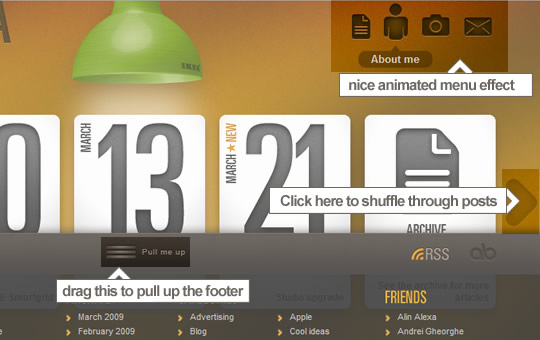 Beside the absolutely incredible design you will find:
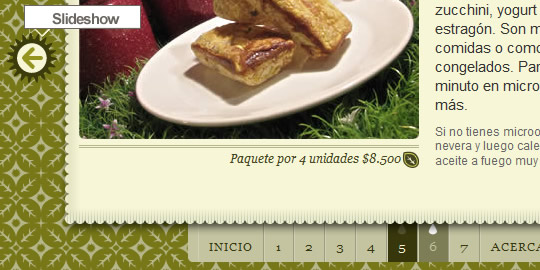 A very clean and simple slider, complemented by great illustrations.
1. Alex Buga (Slider, Draggable Footer and Animated Menu)
Beside the absolutely incredible design you will find:
-
- 1.1 A menu with a nice animated effect on hover state
How To » Super elastic effect to design high impact web menu
This tutorial explains how to design an high impact elastic effect to make original web menu using some lines of Javascript code and MooTools framework.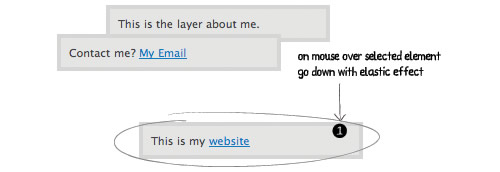
-
- 1.2 A sliding post panel.
How To » Elegant animated weekly timeline for websites
This tutorial explains how to design an elegant and animated weekly timeline, with daily annotations, you can customize and reuse quickly in your web projects.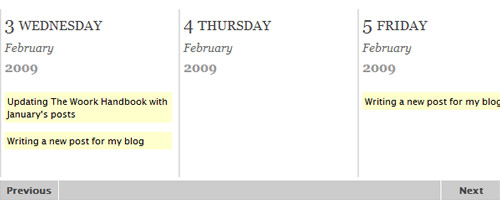
-
- 1.3 A draggable footer
How To » Drag & Drop and Resize in an event delegation fashion
Only the parent element is handling events. In this case it's the editor container element. If you add dynamicaly elements into the container you don't have to bind any events on it.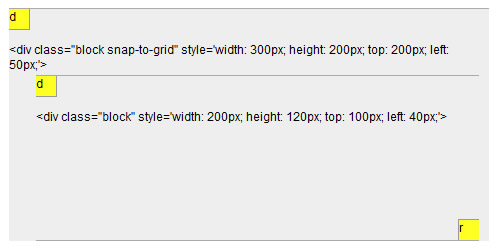
2. Ricoverdeo (Slideshow)
A very clean and simple slider, complemented by great illustrations.
-
- 2.1 Simple slider with effect on hover state
How To » Easy Slider 1.5 - The Easiest jQuery Plugin For Sliding Images and Content
Easy Slider (as I call this plugin) enables images or any content to slide horizontally or vertically on click or auto slide. Features include: continuous sliding, "go to first" and "go to last" button, hiding controls, optional wrapping markup for control buttons, vertical sliding and multiple sliders on one page.
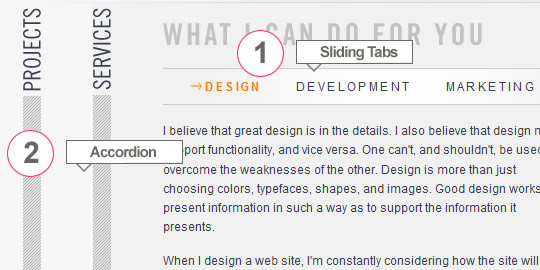
3. jasonreedwebdesign (Sliding Tabs, Accordion)
-
- 3.1 Sliding Tabs
How To » Auto Sliding Tabs
Sliding Tabs is a mootools plugin which adds a pretty neat effect. It’s a clone of something seen on Panic Software’s Coda site. With an extra feature where the Sliding Tabs widget can change to the next or previous pane every few seconds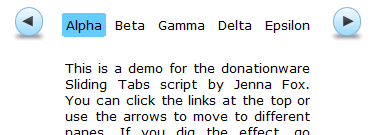
-
- 3.2 Accordion
How To » Horizontal Accordion
This plugin provides some simple options to alter the accordion look and behavior.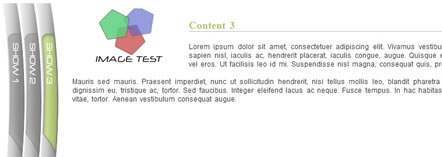
How To » Creating Accordions with Mootools
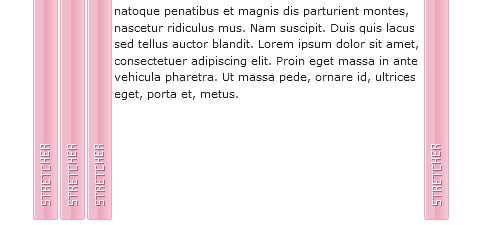
4. Dragon Interactive (Animated Menu)

-
- 3.1 Animated Menu
How To » Animated Menus Using jQuery

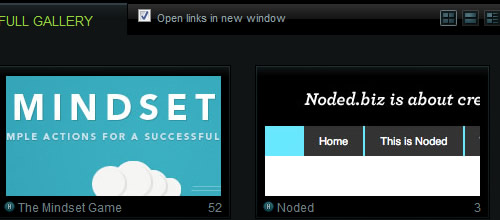
5. Best Web Gallery (switch page layouts)
-
- 5.1 Switch Page Layouts
How To » Easy Display Switch with CSS and jQuery
A simple way to allow your users to switch page layouts by using CSS and jQuery.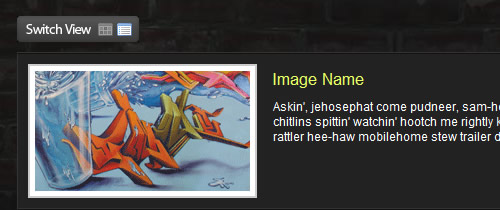
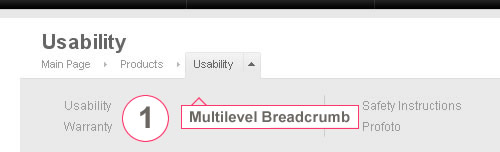
6. Profoto (Breadcrumbs)
-
- 6.1 Breadcrumb
How To » jBreadCrumb
jBreadCrumb is a jQuery plugin for displaying breadcrumb navigations in a more flexible & smarter way. As the length of a breadcrumb menu may be very long & the common method used for this problem is limiting th eamount of menus used, jBreadCrumb follows another route.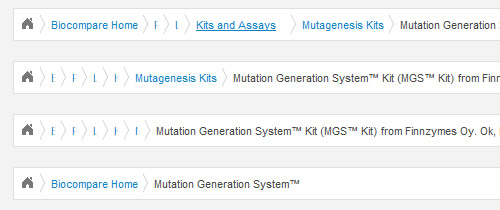
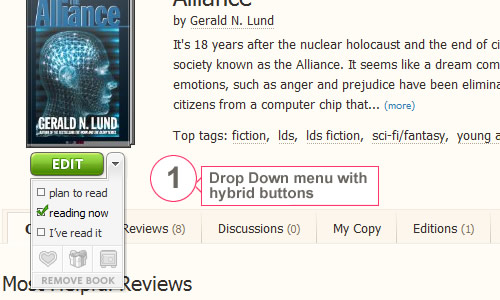
7. Shelfari (Hybrid Buttons)
-
- 7.1 Custom Form Elements
How To » Custom Form Elements
Ever wondered how you could style form elements like checkboxes, radiobuttons and select-fields in a way you like. Custom Form Elements enhances web-based XHTML forms in terms of style, usability and accessibility by using Javascript and/or CSS.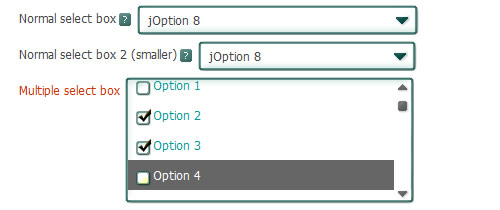
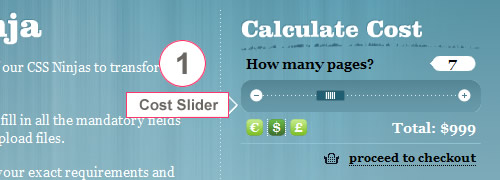
8. CSS Ninjas (Cost Estimate Slider)
-
- 8.1 Slider
How To » jQuery UI 1.7 Slider from a Select Element
The purpose of this plugin is to allow for the jQuery UI Slider plugin to be generated using progressive enhancement. You can use the jQuery Slider plugin alongside other input elements in a form and submit or serialize the form as if the slider is not even there.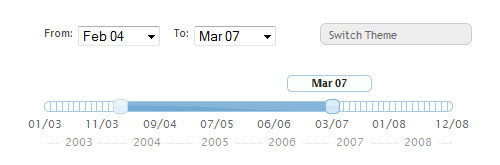
9. Facebook (Form Auto-completion)
-
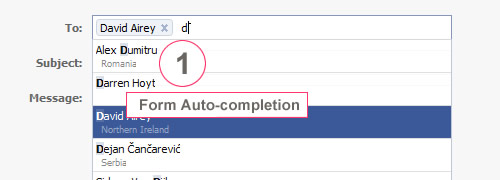
- 9.1 Form Auto-completion
How To » FCBKcomplete v 1.09
Fancy facebook-like dynamic inputs with auto complete & pre added values.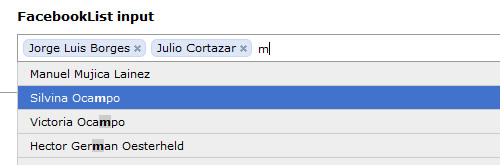
10. Design Flavr (Smooth Slideshow)

-
- 10.1 Form Auto-completion
How To » s3Slider
s3Slider is a free plugin built in jQuery for cross-fading slideshow.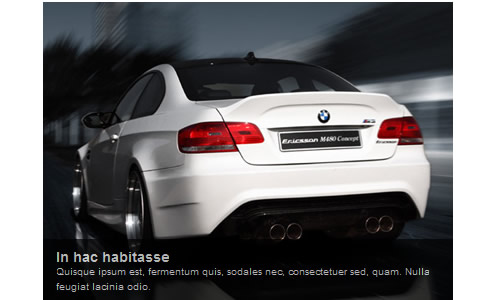
Nice list :D I’ve been looking for a tutorial for switching the layout interface like in #5.
Alex BUga’s site really is about creativity. From content down to how it works. Or vice-versa.
nice useful list thanks a lot..
Hey, what a nice list of js interfaces. Thanks for this. I’m working on something now that this would be perfect for.
Wow, those are creative! And rich! Thanks for the work of putting htem together for us – quite inspiring.
wow, they are amazing…. thanks for the post
Great list! This saves me an unimaginable amount of time. Being able to do all these things, especially with jQuery, is AWESOME!
really great one.. very useful also..
keep it up
Thanks for the useful post
Aint that intresting that CSS3 can do most of these without even touching JS ??
wow, they are amazing…. thanks for the post..
wow, just nice jquery collections. Thanks.
Thanks for the list! Loooove it!
nice list here. twitting…
i like goood articles at the morning…
Awesome !!! Hats off !! I will surely implement these in my site !!!
5. DesignShack (switch page layouts)
The DesignShack site doesn’t allow you to change layout of the current page but gives you the ability to sort by the layout type you choose.
but except for that nice article, really like the idea of taking an real world example and then be given the tools to implement something similar your self! :)
Oops, thanks for pointing that. Fixed it now
Great list. Thanks so much
Nice day !
Wow!
Amazing list! :D
Another awesome post. Thanks
Thanks for this awesome list of UI interface design and the links too.
very nice the sidershow jquery!!
thanks a lot
How Alex get the lightbox to load so fast and seamlessly?
I loved this post. Thank you so much! Look forward to more posts like this.
thanks a lot, very useful collection.
nice collection! i like the simple ones better the complicated stuff. if you need diagrams to explain to people what it does, something is kind of wrong.
great article .. i was finding this for long time .. sliding galleries are really cool
Some interesting ideas – I’ve been trying to work out a menu system like Profoto’s for a while now and while it’s not perfect, it’s much better than a lot of other ideas I’ve seen / had myself.
A couple of corrections / notes for your article:
1.1 doesn’t work in firefox 3.0.8
1.2 doesn’t work nicely if you try and link directly to a page (page appears and index is correct, but the page content still displays the intro bit, regardless of the page you linked to).
1.1 and 2.1 have the same image.. ?
Nice! This will help me a lot in some current projects.
Amazing list. Most of these are directly applicable to projects i’m working on currently. Thank you for sharing. I’m looking forward to showing my colleagues.
awesome post, very useful! great resource – thanks!
It looks great and it is funny to play with, but I create some times very nice and funny play websites and the people love the site. No one is converting he or she is playing with the site. I love it and I play also…
Great list. Thanks so much!
Very cool and useful post!
Thanks a lot!
Added to my delicious !
Thank you for this inspiration.
Great resources, thumbs up!
Great article. Must show this to the design team.
Nice Picks. I likes those slider plugins. Will use easyslider for sure for my next projects.
great useful list
Alex Buga’s website is AMAZING! :o
Really rocking! Thats why I love noupe. gr8!
Some of these are just simply amazing. Props man!
its Great, Awesome ! Thank you..
Nice list, I will be using some of these in my projects. Thanks
I love jQuery!
great collection, thanx ;)
WoW! Thank you!
Some are very nice, thanks!
I was trying to locate a working example of Profoto’s breadcrumb nav that you have above but it doesn’t seem to be active any longer. The site is still up but not the crumb examples. Do you have screenshots you can email me so that i can explore in greater detail?
thanks so much, @mimojito (aka Efren)
Great List!! Thank you very much.
Great List. Thanks!
Great list, Some of are looking very nice. Thanks
Excellent Design And Look Awesome
A good informative read about how to create creative and rich user interfaces for your website or blog.
nice one ..awesome designs thanks for sharing..
nice posts.. thanks
Nice Post, thank for share.