
Freebie: Blog-O-Folio WordPress Theme Version 1.0
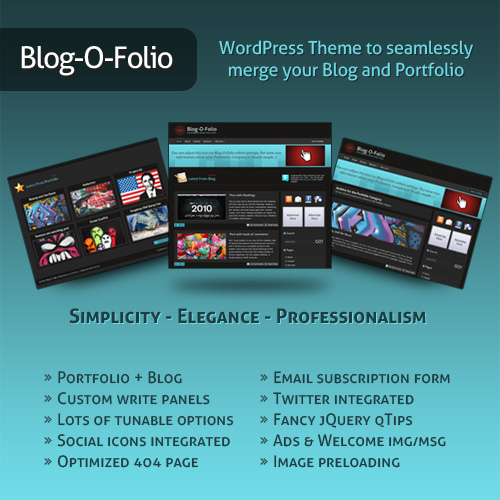
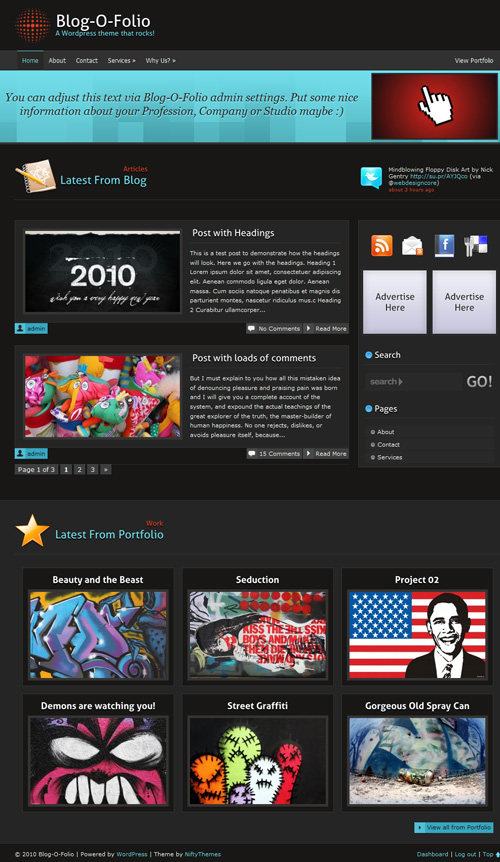
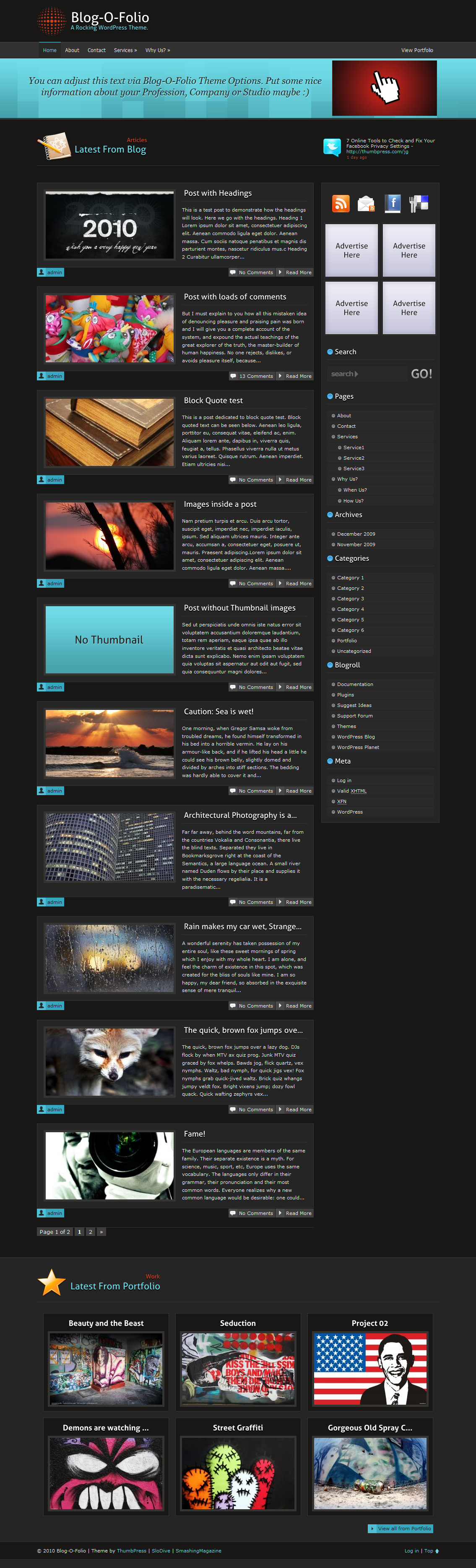
Blog-O-Folio is a free 2 column Wordpress Theme suitable for any and all of your corporate, portfolio or personal blog needs. With a wide variety of tunable theme options and functionality to merge your portfolio with the blog, it is now ultra easy to maintain your blog and portfolio at the same time.
Blog-O-Folio Theme was coded and designed by MOin, supported by SloDive and featured by SmashingMagazine.
 (rb)
(rb)
Download the Theme for Free!
The theme is released under GPL. You can use it for all your projects for free and without any restrictions. Please link to this article if you want to spread the word. You may modify the theme as you wish.
- Live Demo
- Large Preview (1.19Mb)
- Download the .zip-package (.zip, 2.18 MB, includes instructions files)
Features
Here are some of the features of the theme:- Simple, elegant & modern look
- Fast loading structure
- Supports comments threading and paging
- Fixed width
- 2 Columns
- Many tunable options
- Portfolio Integration
- Custom write panels
- 125 x 125 Sidebar Ads section
- Social icons integrated
- Email subscription form
- Qtips for subscribe icons
- Twitter integrated
- Theme Requirements: Wordpress 2.9.1+
Installation:
In order to make Portfolio work like it should you need to rename two files in your Blog-O-Folio theme directory. Don't worry its dead simple!- First find your portfolio category ID. (Visit this link if you don't know: Link.)
- After finding out your Portfolio category ID
replace 00incategory-00.php & single-00.phpfiles with yourcategory ID.
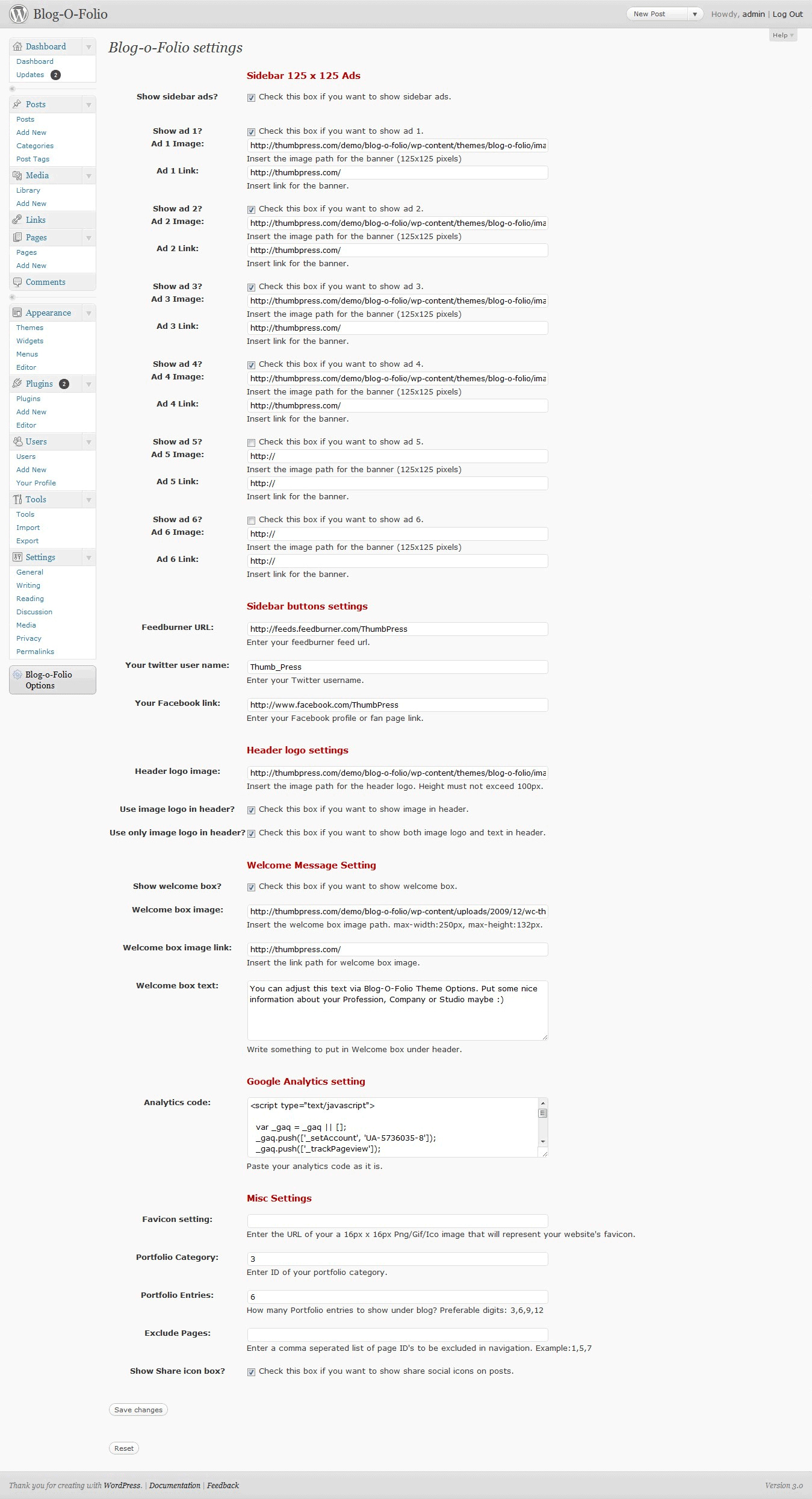
What Can You Adjust From Admin Theme Options?
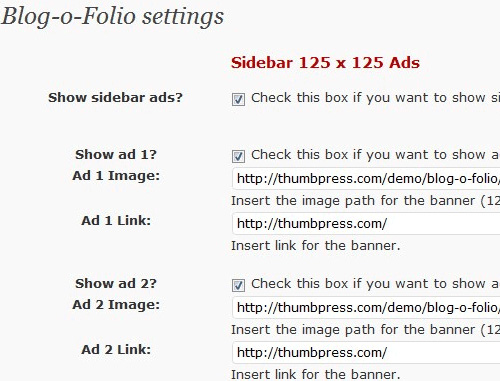
- Sidebar 125 x 125 ads: You can tune sidebar ads from inside your theme options just enter banner URLs and enter link for them.
- Sidebar buttons settings : Adjust RSS feed link, Twitter name and your Facebook profile/fan page/group link.
- Header logo settings: Tune your header image, enter image link and select either show image only, text only or both.
- Welcome Message Setting: Adjust welcome box from this menu, you can edit text to show in welcome box enter image link to show in welcome box.
- Google Analytics setting: Enter your Google Analytics code to track visitors.
- Misc Settings: From this menu you can tune variety of options such as Favicon, Portfolio category, Amount of portfolio entries to show, Exclude pages from navigation, Show or hide social media icons on posts.
Where Can You Adjust E-mail Subscription Form:
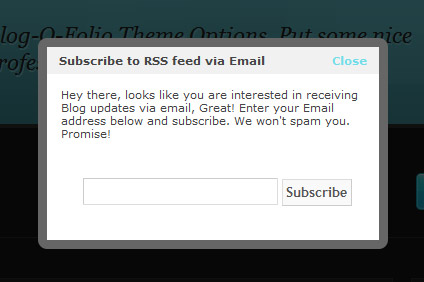
Blog-O-Folio comes with a built-in jQuery-powered email subscription form that will work with your FeedBurner account. Follow these simple instructions to set it up:- Get your feed burner Feed Name e.g http://feeds.feedburner.com/Noupe here / Noupe is what you need.
- In Blog-O-Folio theme directory look for subscribe.html and edit it with any text editor.
- On line 4 & 6 put your feed name where it says FeedName.
- You are done, make sure you enabled Email Feeds from your feedburner dashboard.
(rb)
Clean, professional team (y)
very useful website
Lol, just checked and its validating as well. Will try it for sure, thanks for providing it folks.
very nice design! but how can i change or insert a thumbnail (i inserted add_theme_support( ‘post-thumbnails’ ); ) into the functions.php file, but doesn’t seem to work… thanks
You have to change the post that you want to add the thumbnail for
I like Blog-O-Folio but I think it would be absolutely stunning with a silver skin!
Thank you Bhanuji,
I like the theme.
Lovely theme
Great looking theme!
Bhanu , this is cool, thanks for sharing
i like this theme , superb collection
Thanks a lot for this awesome theme!
This is very nice! Those two features, blog and portfolio, are just what I need! Thank you!
very nice and professional theme
Thank you very much!
This theme looks nice for a niche blog. Will give it a try on my blog.
Nice themes, really!
[…] relationships with other bloggers. Check out this extremely well-written trackback tutorial Permalink […]
Hello very nice theme, I added it to a new post in my blog. Cheers, Alex.
The twitter integration isn’t posting my tweets…
Same here. Posting some other tweets even though i changed the twitter username :/
I have this theme installed on my wordpres site and it worked great. BUT when I updated my wordpress version to the latest release 3.2.1 the post image thumb and the larger image when u view the post dont show up. Any Help would be great.
How can i show my tweets???
Hello, i got this great template, but how i can change the thumbnail picture content and latest portfolio in the footer.
Man, this is a great theme! I am going to give it a try. Thank you for bringing us something this professional looking for free!
First find your portfolio category ID. (Visit this link if you don’t know: Link.)
How do I find my portfolio category – the link does not work
Im about to launch a new blog and this looks great. thanks
Hi, this look graet, but I´m having the same problem as David. How do I rename the categoryID?
Can anyone help with broken thumbnail pictures? Also, how can I make the welcome image into a link?
this is where my temporary page is http://www.wisc-co.com/wordpress
thanks,
Ben
Superb Theme..i loved it….!
ohhhh.,.,very nice…
very nice template. I am surely going to use this. Thank you.
Tried three times to install 3 times it failed :(
Missing style.css file. I assume need to pay for this?
Error!!
The package could not be installed. The theme is missing the style.css stylesheet.
any fix?
When I tried to install, it said no style.css stylesheet. When I checked the link to install my 00 spot, that page was an error page, so it wasn.t useful.
Please help.
Great theme! I’ve been tinkering with it for the last few days. But I’d really like to remove the portfolio aspect of it. How can I edit the code to do that?
Having the same issue as the people above me. Cannot install due to missing style.css.
To those above me who had the style.css issue (and anyone in future who downloads this)….I’ve figured it out. You cannot just download the zip and then upload into your themes. You must unzip first, because the zip you download from here contains the theme AND documentation.
The style.css is there…just buried deeper.
Going to start playing with this theme now.
hello..Great theme! I’ve been tinkering with it for the last few days. But I’d really like to remove the portfolio aspect of it. How can I edit the code to do that?
The Twitter won’t work.
Looks good!
FYI, the Live demo link is down (http://socialshouts.com/demo/blog-o-folio/)
Thank you
great, thanks for sharing
Why thumbs are not shown? Is problem with timthumb.php?
thumbnails do not display help, to do?
if they show thumbnails timthumb.php 1.11 if you create images,
last update 2.8.10 does not show thumbnails timthumb.php not create images
how to fix need help?
nice themes, thanks
Thank you, nice theme. I will use it for my next blog.