
1000+ FREE High Resolution GIMP Brushes

Last week we published our first GIMP post "30+ Exceptional GIMP Tutorials and Resources" and saw a great appreciation from our readers. So this week, i would like to share with you 1000+ high-Resolution GIMP brushes that will be perfect for any project you may happen to be working on. Also you will find some useful tutorial to teach you how to create your first GIMP brush-set and how to convert Photoshop brushes into GIMP brushes and more.
Please note that Photoshop Brushes are now Fully Compatible with Gimp 2.4 and up. So you can now use any PS brush in your GIMP software. For another huge collection of Photoshop brushes, you might find some really stunning brushes over here.
Important: Licenses of every brush set varies, so be sure to check that information before using them.
 10 grunge GIMP brushes.
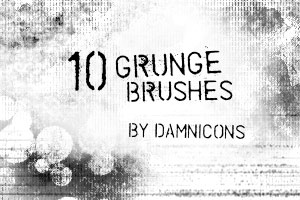 Includes an imagepack and brushes for Gimp.
 13 grunge brushes; includes .gbrs for Gimp and an imagepack.
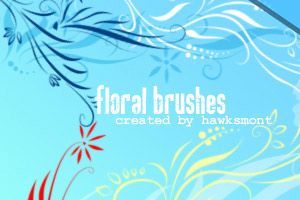 There are 9 big brushes - at lest 1300 px each, so you can use them also in printed stuff.
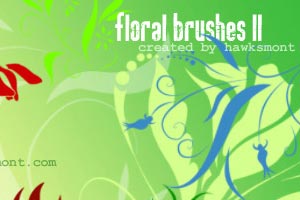 There are 6 big brushes of flower brushes.
 10 greyscale floral .gbr brushes for GIMP. They are about 400x400px and have blended edges.
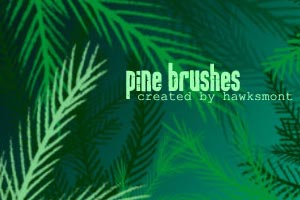 There are 16 full branches and 33 smaller parts, so you can design you own branches yourself.
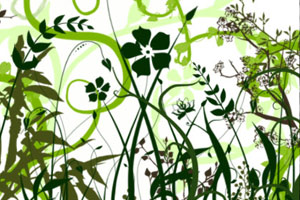
 Realistic cloudy brushes for your skyscaping needs.
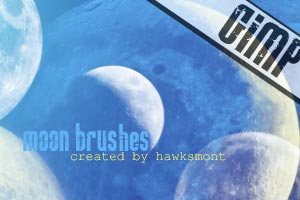 There are 9 big brushes in this set.
 A nice set of lightning brushes.
 Realistic cloudy brushes for your skyscaping needs.
 These brushes were originally created for Photoshop then converted to GIMP brushes.
 There are 20 snowflakes in this pack. They were created in CorelDraw 11 and then converted with GIMP 2.2.
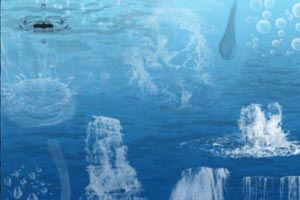 This set contains 36 brushes created in Photoshop 7.0 and converted with GIMP 2.2.6
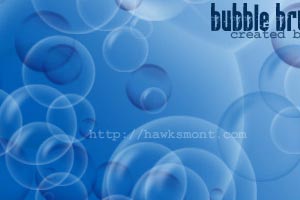 This set contains 9 brushes created in Photoshop 7.0 and converted with GIMP 2.2.
 5 mask brushes. GBRs for Gimp and an imagepack.
 There are 9 brushes in this pack. They were created in CorelDraw 11 and then converted with GIMP 2.2.
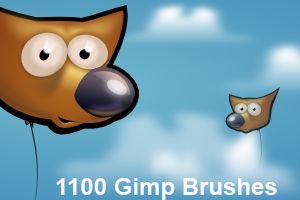 This set contains 1100 brushes for GIMP
 This set contains 41 ! brushes created for GIMP
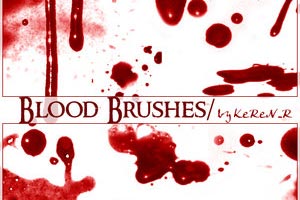 Looking for splattery blood brushes, here you go.



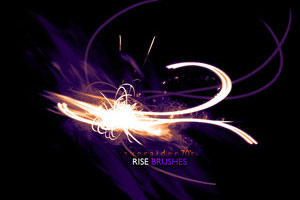
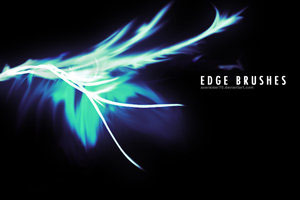
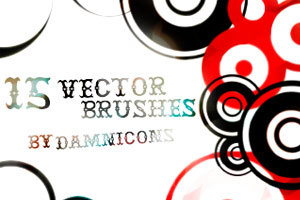 15 vector .gbr brushes for GIMP.
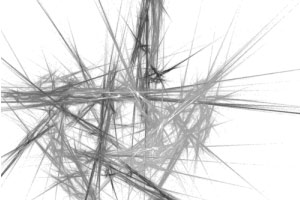 Learn how to create spike-looking brushes.
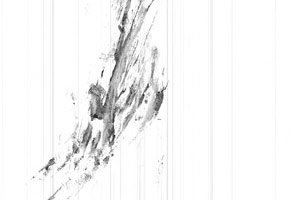 Learn how to create .GBR brushes from pre-existing files
1. Grunge Brush set
1.1 GIMP Grunge Brush Pack 2
Download Brush Set here
1.2 Grunge brush set 3
Download Brush Set here
1.3 More grunge brushes
Download Brush Set here
2. Floral and Plant Brushes
2.1 Floral I
Download Brush Set here
2.2 Floral Part 2
Download Brush Set here
2.3 Floral Brushes
Download Brush Set here
2.4 Pine - MEGA PACK
Download Brush Set here
2.5 Vector Foliage-Plants
Download Brush Set here
3. Nature GIMP Brushes
3.1 Cloudy Brushes
Download Brush Set here
3.2 GIMP Brushes: Moon
Download Brush Set here
3.2 Lightning Brushes
Download Brush Set here
4. Glitter, Splatter and Snowflakes
4.1 GIMP Glitter Brushes
Download Brush Set here
4.2 Splatter Brushes
Download Brush Set here
4.3 Snowflakes
Download Brush Set here
5. Water and Bubbles Brush sets
4.4 GIMP Water Brushes
Download Brush Set here
4.5 Bubbles
Download Brush Set here
5. Miscilnea GIMP Brushes
5.1 Mask Brushes
Download Brush Set here
5.2 Butterflies Part I
Download Brush Set here
5.3 1100 Gimp Brushes
Download Brush Set here
5.4 Doodles Part 2
Download Brush Set here
5.5 Blood Brushes
Download Brush Set here
5.6 Inner Universe Brushes
Download Brush Set here
5.7 GIMP Odysee Brushes
Download Brush Set here
5.8 GIMP Galactic Brushes
Download Brush Set here
5.9 GIMP Rise Brushes
Download Brush Set here
5.10 GIMP Edge Brushes
Download Brush Set here
5.11 15 Vector Brushes
Download Brush Set here
GIMP Brush Tutorials
1. Creating Spikey Brushes
2. Make a .GBR Brush
- 3. How to install Gimp brushes
- 4. How to convert Photoshop brushes into GIMP brushes
- 5. Let's create some brushes!
- 6. Creating a brush with variable size
- 7. PS Filter Workaround in GIMP
Wow! This many! And for free, thanks! Screw Photoshop! :D
I agree! I love GIMP and these brushes! :D
i love gimp!! <3
i agree these r amazing!! ^^
lol seriously. was thinking the same thing.
nice
Sweet, although I’m still a photoshop guy :)
Impressive list as usual. I’ll spend hours just working the header image on my site and although I love the GIMP project — and think it’s a fantastic alternative to Photoshop — I personally found it quite unintuitive to use as a beginner. Maybe it’s because my brain space already well populated with the way Adobe does things.
Why don’t you go back to using Photoshop then?
I think GIMP will rock in the near future! :D
what do you mean in the future? Gimp rocks now…..
I know and with this many brushes ittl be better like love this site now
Wow, nice collection. Some are available in Photoshop as well. The nice thing of GIMP is that it reads Photoshop Brushes as well, but not the other way around ;-)
wow i like the this collection of gimp brushes.
Great Collection. Thanks
One more source
http://gimp-tutorials.net/taxonomy/term/21
Sweet. I don’t use Gimp, but didn’t know there was such great stuff available for gimp.
thanks for sharing this one! great collection!
these are really cool list of brushes.downloading some of them:)thanks a lot
Ronald
Wow, nice list. This is definitely bookmark worthy, thanks.
Wow, you truly delivered! very nice indeed.
Jiff
http://www.anonymity.cz.tc
GIMP 2.4 and above fully support PS .abr brushes so there the days of GIMP specific are over.
Very useful resource, thank you very much. Gimp has some usability problems as compared to Photoshop, but can do a great job once you get used to it.
Please note that Photoshop brushes (*.abr) work perfectly with Gimp, though. I use tons of them.
I see “vector”, but not “SVG” ?!
What’s this other format?
Great collection. Can’t wait to try them out.
cheers !
thanks,its helpful.
Nice collection
Thanks!
Thanks for these! Can’t wait to play with them.
This is awesome. Don’t use GIMP, but will give it a try to check out these brushes. Thanks for the post!
Nice list
@Ken: Try it, GIMP is free ;)
FANNNTASTIC!!!
Noupe Rocks!
Thanks,
Jeromy
>>gawd! I so love this collection… will use ’em.. Thanks much!
I like new GIMP verion! Great program.
Por fin te encontre: Brushes GIMPs.
Que gran coleccion. Tiene todos y mas de lo que habia imaginado encontrar.
gracias, muchas gracias.
Bendiciones.
Get PS and you won’t need any of these brushes anymore. Now bury me :)
igivfpjchubpoek0
Great roundup, thankyou.
Amazing Effort.. can’t comment .. just a very big THANX :)
Pweety nice
i totally agree!
thanks for these brushes!!!!
i want to know how to use this broches
there are some links that tell us how to use the brushes, i think.
Greate! :D thanks :*
I dled them but i cant make any of them look cool like that because there always 1 solid color HELP PLS!
where it says normal click the down arrow and click soft light and then go on brushes and click a size of the faded brush and then it wont be a solid colour
nice thank u !!
how do i change the colour of the brus and take out white background/ or how do i include it in my set of brushes
awesome lol haha im so high (on weed) =)
I like it because opens the opportunity for me to make stuff where ever I am @ good job thanks man.
i have a question… i.e: GIMP Edge Brushes or the galactic one.. it seems to be a glow effect.. how can i obtain that effect…using gimp??
Wow, this is a very nice collection of gimp brushes!
xoxo Sparkles
hey, wie kann man die benutzen?
nice post, thanx for share..
Thank you so much! I just started on GIMP so this helps cover up bad earasing! lol! Thanks!
Thanks for the brush sets, great collection. Gimp Rocks :)
i have no idea how to download brushes
Thanks for the collection.
Very nice brushes!!!
hi – love the grundge brushes, really excellent. however there is no licence file in any of the zips, would be nice to know terms of use.
Substantially, the post is really the freshest on this worthw hile topic. My partner and i harmonize with your conclusions and definitely will eagerly anticipate all your next updates. Simply stating thanks won’t just be good enough, for your phenomenal lucidity in your writing. I will instantly obtain your rss to stay informed of any kind of updates. Authentic work and much success in your business dealings!
Hey could someone help me by explaining how to put them on GIMP so that I can use them, would have been really nice:D
great!! love it.
hope gimp will cope with the loong loading time when starting it with all the brushes someday ._.
and it’s fine that you didnt just upload the brushes but wrote the links, because a giant lot of deviantart members are hating it to find their brushes in another one’s brush pack ;)
so @ all: please consult the wishes of all the uploaders ;) they all deserve a thank you ^o^
I just downloaded the Gimp brushes and have extracted the file but how do you install the new brushes ? If i open the file it lanches the Gimp Graphic program and displays an image (Ex: a picture of a lightning bolt) is this all there is to it ? Just photostocked images of paints ?I must be doing something wrong ? Can you please let me know how to install the brushes and how to select which brush for it’s use .Thank you
In Windows XP
Install GIMP brushes
GIMP Brushes and gradients are installed similarly – extract and drop the brushes into C:\Document and Settings\\.gimp-\brushes\ and gradients into C:\Document and Settings\\.gimp-\gradients\
In Mac OS X
Brushes can be installed by dropping them (.gbr files) into the brush search path that is specified in GIMP’s preferences. If you have not tweaked anything, this is usually
/Users/username/.gimp-2.x/brushes/
where 2.x denotes the version number of GIMP you are using (version number is visible in the GIMP startup splash page). Note that you should replace ‘username’ with your short username (not the full name).
Install GIMP brushes in Linux
Go to your Home folder. You have to make hidden files/folders visible, so hit Ctrl+H. Go to the directory named .gimp-2.x (where 2.x is version number of GIMP you are using). Within that folder, there are subfolders, one of which is brushes. Drop your brushes to that folder
Source: http://www.techzilo.com/how-to-install-gimp-plugins-scripts-brushes-and-gradients/
Thank you for such a great resource to us developers and designers, lovers of open source community.
I have been using Linux since 1998 and had been running sometimes Windows for Photoshop, only small things done, but with this :D Windows and PS is long gone from my computer.
Only GIMP and Inkscape on my Ubuntu 64bit laptop with my beloved Eclipse (PDT, JDT and CDT) :P, focusing only on programming.
How to use them?
Woah these brushes are sooooo amazing!
it’s pretty easy in windows vista, just open the file location for gimp, find the brushes file, and drag and drop them from where they are to the brushes file. when you open gimp, the brushes are there.
I love these brushes! Photoshop is so expensive but the functions are almost the same as GIMP but i think GIMP ROCKS TO THE MAXX!!!
i’d rather use up my comp space to download this software and not waste any money or time on photoshop…..
thanks for sharing these brushes!! ?
I am new to this and am trying to create a watermark for photos. This all seems “greek” to me. The links to help me understand how it all works are not working. Can someone help me and put this all into “dummy terms”? Ive dled gimp and some brushes. So..now what?
The 1100 Gimp Brushes package appears to be a corrupted archive! I can’t extract anything from it. (Using Windows XP.)
Hey Fears, see if this article helps you at all.
Thanks! I love gimp and you :P
Thank you very much! this is so cool!
i like this,,,
Thanks…these are superb!
Wow! Image browsing yahoo and google all day for this and that i eventually found it right here!
i really love the blood one! thx alot :D
Is there any way to download these files so they aren’t “read only”? Because of the read only I am unable to change the brush size and many come through larger than my original image. I’m pretty new to Gimp, so maybe I’m just being dumb.
Its Fantastic my Friend Very Good Brushes
i may not be professional yet but sure i m able to recognize goooood stuff!!!
in this over populated e-world, i can’t help thinking there are some people who like good things..
and there is no need to translate the word “good”in the right way
it sounds like that for me:
when i feel a line,a perfect straight line with its points all inside aligned..aligned so well ..
and that’s all for watching your web-site..
aahahahhaha!!!!!
Excellent publish. Very refreshing provided all the duplicate material available. Thanks for performing some thing original.
I have a little problem. The 1100 brush set link is broken.
I am just learning GIMP and found that there are just few brushes available in GIMP and I think I need some more…I found this collection and WOW…thank for the brushes.
thanks a lot
it is very use full blog . i take benefits here in my designs.
i downloaded a lot of these, but they haven’t shown up in my gimp program, i have closed it down and brought it up several times, what is wrong. some work and some don’t – i have done this before, so i know what i’m doing, what it wrong?
Great! Thank you for sharing
Thank you so much! I totally needed new brushes for my artwork and these are just perfect! THANK YOU! :D
Very Nice!thx 4 sharing i neEd these…thax u very much!G0D BleEs U <3 hugz
very nice noupe this may helps me lot
THANK YOU THANK YOU. SO FAR NO VIRUS!
Thanks for the brushes, their good for backgrounds and the likes! :)
collection is simly da best!!!!!
I LOVE THOSE BRUSHES
AWESOME
THANKS TO THE CREATORS
Thank you so much! These are awesome and I look forward to using them. Very appreciated. :)
Hi!
Thank you for your brushes!
These are really free?
thanks for sharing .. :)
I <3 gimp! Can't wait to use my new brushes! :DDD
5.3 needs to be removed…i stumbled accross this trying to enhance my gimp install with some better brushes….pretty nice just i think some of them don’t work in the way of downloading them o.O
THANK YOU THANK YOU.
hi thanks for the information that you share :) it’s really useful :) btw could you share to us how to edit photo by GIMP? thank you so much :)
These all look so amazing, but when I tried downloading them they wouldn’t save to my computer and what not. How do I download these (if I’m not doing so right)? Thanks.
WOW!! Just downloaded every last one of them! :-) Even went over to hawksmont’s site and got all of those! My gimp is very happy right now! :-D
^^Download by opening the zip files, then extracting the .gbr files to your gimp brushes folder. Mine is C:\Program Files\GIMP-2.0\share\gimp\2.0\brushes\
thank’s for usefull more brush for free
GIMP default download does not have all that much. After you modify then extend it, you would be surprised how powerful an editor it can be. Some psd plugins can be used with it too. The UI can be changed. All the brushes used in photoshop that I am aware of work in GIMP. Steep learning curve for those new to it, but once you get passed that it is all golden.
Thank you sir for putting this on your blog! : )
i really love gimp its very easy to use and it has easy tutorials…thanks a lot gimp..
I got both, PS and GIMP, I like GIMP better xD
Super Cool.
Thanks for sharing so complete collection of brushes for Gimp.
whoever spends 600 dollars on photoshop is an idiot…gimp is awesome!
I am Designer and Developer, i want to tell you one thing about your Blog nobody can beat you, in Design and the Best Postings, Thank you for the Great Post looking for More.
The GIMP Odysee brush set just put over 200 Hentai pictures on my computer
thanks a bunch<3
THESE DONT WORK!!! THEY WONT GO ON MY DAMN GIMP!
They work perfectly for me. a couple broken/dead links on the site (including the one that shows someone who does not know; how to install them, lol. Bummer for some). They are nice brushes though, ty.
…@Roxxie: In case you don’t know how to install them here is the way (for a Windows OS):
Go to your downloads folder (in Documents/My Documents) and find the zip file. Extract it (it should extract to Documents/My Documents by default, as a single folder containing the brushes). Your going to want to find the folder for the brushes in your Documents folder and leave it open as you do the next step.
Then go to Computer/My Computer, (C:) Drive, Program Files, Find gimp and open it’s folder. Under the newest version, you’ll see a folder called share. open that and go into the one inside there that says gimp (yes, this again). their is a 2.0 folder in that one…and finally inside of that folder named 2.0 is one that says brushes.
you either right click and cut the whole folders (not the individual brushes) and paste them into that brush folder, or drag them over and drop them in (try not to drop them into an existing folder…there should be some empty space at the bottom).
Keep in mind gimp was not originally made for windows which uses a lot of automated installers and wizards usually. adding new brushes, fonts and plugins is often a manual process. don’t over load your gimp with things you never use either or it will take 5-10 minutes to start up.
You might want to make a desktop folder to extract gimp add-ons to that will make it simpler to put things in gimp and pull it out. Another thing to know is gimp won’t change it’s layout due to these actions while the program itself is open. so make sure it is closed or that your restart your gimp after you affect changes like this.
The good news is most PS stuff can be dropped into gimp in a similar fashion (it’s all about finding the right folder to drag the thing you need over to). So gimp is like a PS you can build to your needs rather then have a ton of stuff on it you don’t understand or never use.
Oh wow, these are really cool! I’m personally going to use the Lightning, Water, and Cloud brushes for my signatures, banners, avatars and whatnot for BGs. Thanks for posting them. I really wanted the Moon brushes, but I got a 404 error. Sucks. Anyway, great brushes! Thanks! Kudos to those that made these wonderful brushes!
The blood one and the streaks one worked perfectly for me. They both came with readme files, and they said to open your gimp folder, then your brushes folder, and drop the files into that folder. Of course, you’ve got to extract the files first.
omg, so many brushes… i didn’t know so many existed. i’m feeling cheated now. hahaha!!! thanks for the info!!!
Pretty nice… the only thing is
A. You can only do solid colors
B. The brush stays the same as you drag it
This ma ysound a bit picky, but it would be nice if you could choose a couple different colors for each section of the brush. For instance, having the inside section of the lightning brushes white, then the outer part a different color (say, purple). And if there could be a script put in some brushes “Like the vine brush on Gimp” where it changes the brush as you stroke it so it looks more realistic, that would be awesome.
Otherwise, AWESOME BRUSHES.
Thanks for this, nice finds!
I love you for these… not in a gay way though :) !!!!!!!!!!!!!!1 Thank you!!!!!!!!!!!!
many of these links are 404 errors (broken link) and at least one was trying to install a browser extension (which is shady, no browser needs an extension just to download one thing, we call those kinds of shady things “trickware”).
…when are people going to learn that when you publish something, it will be there until you unpublish it, it makes you look dumb when you leave a page up that clearly hasn’t been touched in almost a decade. That is what the IA waybackmachine is for, not the regular internet.