
Summary
To implement AI chatbots successfully in call centers, organisations should follow the top five best practices:
- Define the chatbot’s role and boundaries clearly to determine which tasks it should automate and which ones require human escalation.
- Train the chatbot using real customer conversations so it can accurately understand natural language, slang, and multilingual inputs.
- Integrate the chatbot deeply with internal systems to enable real-time access to CRM, helpdesk, knowledge base, and VoIP data.
- Provide multilingual and omnichannel support to ensure customers can switch channels seamlessly without repeating information.
- Monitor performance and optimise continuously by tracking KPIs and refining training data, workflows, and intents over time.
TL;DR
- Chatbot call centers automate conversations through AI-powered chat and voice bots, reducing handling time, improving first-contact resolution, and helping teams scale support cost-effectively.
- Chatbot call centers integrate with CRM, helpdesk, and VoIP systems to deliver omnichannel service across web chat, phone, social messaging, and mobile apps.
- In this guide, you’ll learn what chatbot call centers are, their benefits, real-world use cases, best practices for deployment, key challenges, and how to choose a solution.
In short
Chatbot call centers use AI-powered chat and voice bots to manage customer interactions across digital and phone channels.
What are chatbot call centers?
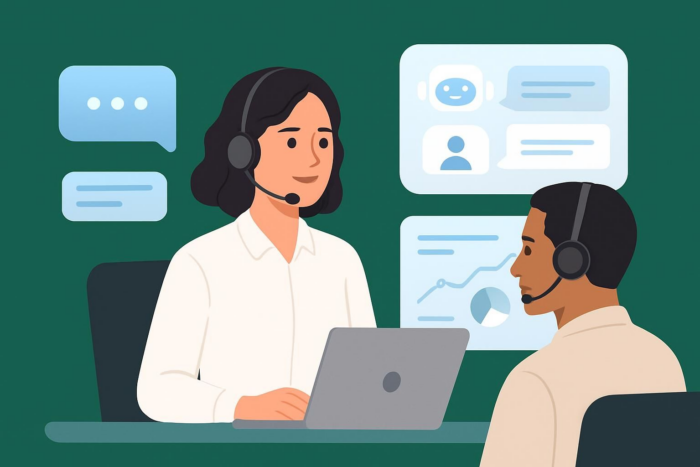
A chatbot call center is an AI-enabled system where chatbots and voice bots handle support tasks traditionally managed by human agents. Call center bots automate conversations across web chat, messaging apps, email, IVR, and phone systems. Chatbot call centers answer FAQs, collect information, resolve simple issues, create tickets, and escalate cases when needed. Unlike traditional chatbots, call center chatbots use natural language processing (NLP), CRM and VoIP integrations, and omnichannel delivery to provide faster and more intelligent support experiences.
Chatbot call centers are used across industries including ecommerce, telecommunications, financial services, hospitality, healthcare, logistics, and education.
In short
Chatbot call centers improve efficiency by reducing human workload, speeding up responses, and scaling support across voice and chat.
Benefits of chatbot call centers
Chatbots provide several advantages to contact centers by automating repetitive tasks and improving customer experience. Chatbot call centers lower operational costs, reduce agent burnout, and help teams maintain responsiveness during peak traffic. With CRM, telephony, and workflow integration, chatbot call centers can personalise interactions, instantly retrieve data, and route requests based on customer intent. Chatbot call centers also reduce silos by acting as an intelligent first line of support.
Key benefits
- 24/7 availability: Bots provide instant answers with zero wait times.
- Reduced AHT (Average Handling Time): Automating routine questions shortens call duration.
- Higher FCR (First Contact Resolution): Bots resolve common issues without escalation.
- Scalability during traffic spikes: Bots handle unlimited concurrent sessions.
- Cost efficiency: Fewer repetitive tasks reach human agents.
- Personalised support: Chatbots pull data from CRMs to tailor responses.
- Omnichannel service: Chat, SMS, phone, and social channels through unified workflows.
- Improved customer satisfaction: Faster responses increase CSAT scores.
In short
Call center chatbots automate routine conversations and support both inbound and outbound operations.
Use cases of call center chatbots
Chatbots streamline call center workflows by taking over repetitive, high-volume interactions. Chatbot call centers handle simple queries instantly and route complex tasks to agents with full context. Call center chatbots also support outbound communication by delivering reminders, notifications, and follow-ups at scale.
Common use cases
- Order status checks
- Password resets and account unlocks
- Basic troubleshooting guidance
- Appointment scheduling and reminders
- Payment processing assistance
- Subscription management
- Product or service FAQs
- Complaint intake and ticket creation
- Internal IT support for employees
In short
Following best practices ensures call center chatbots deliver reliable, scalable, and compliant support experiences.
5 Best practices for call center chatbots
To get the most value from AI chatbot call centers, teams must set clear boundaries, train bots with real data, and integrate them deeply with existing systems. The following best practices help improve customer satisfaction, accuracy, and long-term performance.
1. Define the chatbot’s role and boundaries clearly
A chatbot performs best when it has a clear scope. Outline which tasks it should manage independently and which must escalate to a human agent. This prevents over-automation, maintains customer trust, and ensures the bot handles predictable tasks like FAQs, order tracking, or appointment booking while agents handle complex or sensitive issues.
2. Train the chatbot using real customer conversations
The fastest way to increase accuracy is by training the chatbot with transcripts of past customer interactions. Real-world phrasing, intent examples, and historical issues help the bot interpret messages more naturally. This also improves handling of slang, multilingual variations, and recurring themes in customer support.
3. Integrate the chatbot deeply with internal systems
For chatbots to resolve issues without escalation, chatbot call centers must connect with tools like CRM, helpdesk, knowledge bases, and VoIP platforms. This integration enables real-time data lookups, automated updates, and contextual responses. The integration also improves FCR by allowing the bot to complete actions instead of only providing information.
4. Provide multilingual and omnichannel support
Contact center customers interact across channels such as chat, email, SMS, phone, and social messaging. A successful chatbot must support the languages and channels your audience uses most. Omnichannel consistency helps maintain service quality and ensures customers can switch between channels without repeating information.
5. Monitor performance and optimise continuously
Chatbot accuracy improves over time with ongoing evaluation. Track metrics like AHT, FCR, CSAT, containment rate, and escalation rate. Use this data to adjust training sets, refine flows, and introduce new intents. Continuous optimisation ensures the chatbot adapts to seasonal demands, product changes, and customer expectations.
In short
Chatbot call centers face challenges related to accuracy, integration complexity, and customer expectations.
Main challenges of chatbot call centers
AI chatbots are powerful, but the chatbots not perfect. Misinterpreting intent, struggling with accents, and failing to access backend systems can create friction. Customers may resist automated interactions if the bot lacks clarity or empathy. Implementation challenges often include CRM or VoIP integration, data privacy concerns, and compliance with industry regulations.
Common challenges
- Intent misinterpretation
- Limited voice accuracy in noisy environments
- Customer pushback against automation
- Complex CRM/telephony integration
- Compliance and data privacy requirements
- Setup and training complexity
- Limitations in legacy systems
In short
Choosing the right platform ensures security, scalability, and high-quality customer service.
Key tips for choosing a chatbot call center solution
When comparing chatbot platforms, businesses should focus on:
- Reliability: Ensuring the platform is stable, consistent, and capable of handling high support volumes.
- Automation capabilities: Offering strong intent recognition, efficient workflows, and effective self-service options.
- Integration depth: Connecting smoothly with CRM, helpdesk, telephony, and other internal systems.
- Alignment with support workflows: Supporting seamless transitions between AI agents and human agents.
- Analytics and training tools: Enabling continuous optimisation through data, insights, and retraining.
- Multi-channel communication: Working across chat, email, SMS, social messaging, and voice without friction.
Key features to evaluate
- Integration: Connects with CRM, helpdesk, telephony, and knowledge bases
- Scalability: Handles peak demand without slowing down
- Customization: Adapts to brand tone and workflows
- Security: Protects customer data and ensures compliance
- Support: Offers onboarding, training, and vendor assistance
- Analytics: Tracks KPIs like AHT, FCR, and CSAT
- Ease of deployment: Fast setup with minimal engineering
Best chatbot call center use cases (2026)
| Category | Best Use Case | Why chatbot matters for call centers |
|---|---|---|
| 24/7 support | Automated FAQs and self-service flows | Enables round-the-clock assistance without staffing costs; resolves common queries instantly. |
| Reducing call volume | Order tracking, password resets, status checks | Offloads repetitive tasks, lowering inbound calls and saving agent time. |
| Voice automation | Phone triage, appointment reminders, routing | Automates high call-load scenarios and improves call distribution efficiency. |
| Omnichannel contact centers | Chat, SMS, phone, and social messaging | Helps teams deliver consistent support across every channel from one system. |
| Reducing AHT (Average Handle Time) | Guided troubleshooting and workflow automation | Speeds up resolution by assisting users through step-by-step flows. |
| Improving FCR (First Contact Resolution) | CRM-connected chatbots with real-time data access | Boosts resolution rates by pulling customer data instantly (orders, accounts, billing). |
In short
AI-powered call center chatbots streamline operations, reduce workload, and improve customer satisfaction.
Choosing the right chatbot strategy for your call center
Selecting the best AI chatbot approach for your call center depends on your customer volumes, workflow complexity, and automation goals. Teams that need fast, lightweight automation for website inquiries can benefit from simple, no-code tools like Noupe, which offer quick deployment and instant responses for FAQ-heavy environments. However, call centers that rely on CRM data, ticketing systems, or voice/telephony workflows will require more advanced platforms with deeper integrations, omnichannel routing, and support for AI voice bots.
A well-designed chatbot strategy can significantly reduce call volume, cut handling times, and improve first-contact resolution. By following best practices—such as defining clear bot boundaries, training with real customer conversations, integrating with internal systems, and monitoring performance—organisations can deliver faster and more accurate support. AI chatbots also strengthen hybrid models by allowing human agents to focus on complex, high-value interactions while automation covers routine tasks.
Whether your team chooses a simple website chatbot or a fully integrated call center AI platform, the right tool will help you scale efficiently, maintain consistent service quality, and meet rising customer expectations in 2026 and beyond.
FAQ
The best AI chatbot depends on your workflow needs, but Noupe stands out for teams that want fast, no-code website support without complex setup. Noupe delivers instant answers from your site’s content and helps reduce repetitive inquiries so agents can focus on higher-value tasks.
Most platforms allow subscription cancellation through their billing or account settings. If using Noupe, you can manage or cancel your subscription directly from your account dashboard.
Yes, ChatGPT can support customer service tasks, but ChatGPT usually requires custom integration and ongoing governance. For teams that want a simpler, no-code option, tools like Noupe offer instant website-based automation without complex setup or training requirements.

