
Chatbot as a service (CaaS) is a hosted chatbot platform that enables businesses to create, deploy, and manage chatbots without handling servers, AI models, or maintenance.
You’ve probably landed on plenty of websites where a chat bubble pops up before you’ve even read the homepage. Not so long ago, most of us would have ignored those things automatically. Now, those bots are starting to feel genuinely helpful. They’re faster, more reliable, and even a little more human. That shift didn’t happen because every business suddenly hired a chatbot engineer.
Most teams skip the hard work and use chatbot as a service (CaaS) instead. You’re not patching servers or tuning models; you’re shaping content and letting the provider run the engine. It’s faster, steadier, and fits almost any use case without having to build from scratch.
With the chatbot market expected to surpass $27B by 2030, it’s pretty clear why companies lean on hosted platforms instead of reinventing everything.
What is CaaS?
CaaS is a hosted chatbot you control without managing the back end. You decide how the bot behaves, and the provider handles the infrastructure. One subscription, and the whole operation runs on their side instead of yours.
If you’ve ever tried launching a chatbot on your own servers, you know how much machinery sits behind a friendly little chat window. With CaaS, the provider takes care of all that machinery, including the parts nobody wants to babysit:
- Servers
- Uptime checks
- Monitoring
- AI model updates
- Scaling during traffic spikes
- Security patches
- The entire conversation engine
Most CaaS platforms also include knowledge base management, analytics, integrations, workflow automation, and natural language processing (NLP) capabilities. Together, these features allow businesses to create sophisticated chatbot experiences without managing the underlying technology stack.
How CaaS fits into the SaaS and AI platform landscape
CaaS fits into the broader “as-a-service” family, but it lands in its own corner. Traditional SaaS gives you software without a built-in conversational engine. IaaS (Infrastructure as a Service) hands you the hardware, but you’d still be wiring together your own chatbot from scratch. AIaaS (Artificial Intelligence as a Service) lets you tap into raw models, yet you’re responsible for training, shaping, and controlling them. CaaS bundles the pieces you actually need, such as the interface, AI layer, knowledge tools, workflow logic, and infrastructure that keeps it all stable.
Strengths vary by platform. Amazon Lex, the Salesforce chatbot ecosystem, and React-based chatbot platform-as-a-service setups all approach CaaS from their own angles. The core pattern stays the same: The provider manages the foundation while you handle the experience.
A practical example is a no-code setup with something like Noupe. Instead of building a chatbot from scratch, configuring servers, or managing AI infrastructure, you can create a chatbot by connecting the content your business already has. For example, you might add your FAQ page, help center, product information, or support documentation, then shape how the bot answers common questions. Once the chatbot is ready, you can embed it on your website and start using it without a long technical setup.
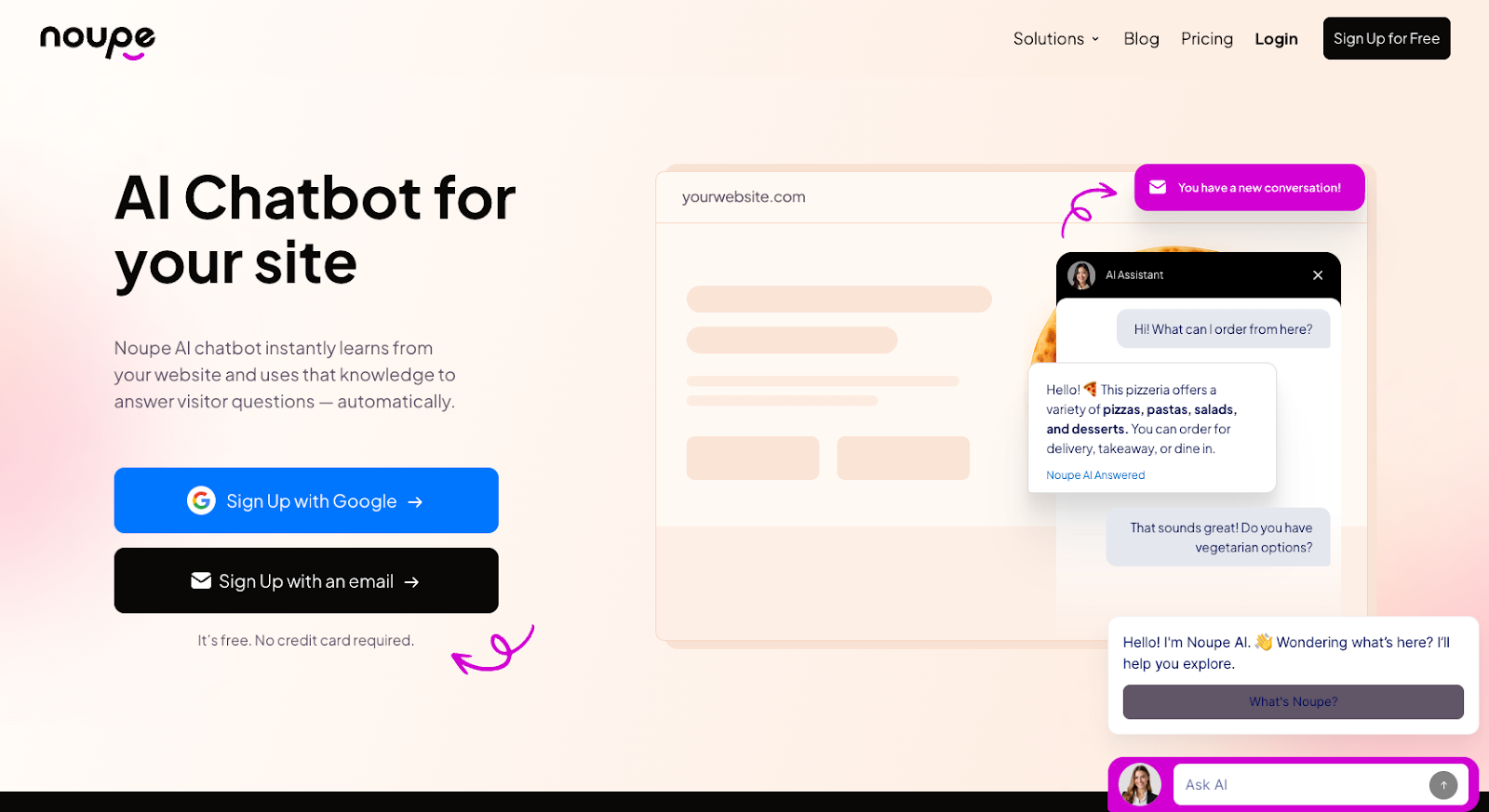
That’s where CaaS becomes especially useful for small teams and growing businesses. A tool like Noupe gives you a faster path to launching an AI chatbot because the hosting, maintenance, and behind-the-scenes updates are handled for you. Your team can focus on improving responses, capturing leads, answering customer questions, and refining the overall experience instead of worrying about how the chatbot runs.
| Feature | CaaS | SaaS | AIaaS | Custom Chatbot |
|---|---|---|---|---|
| Conversational AI built in | ✓ | Limited | Depends | ✓ |
| Infrastructure managed | ✓ | ✓ | Partial | ✗ |
| No-code setup | ✓ | ✓ | Usually ✗ | ✗ |
| Fast deployment | ✓ | ✓ | Moderate | ✗ |
| Ongoing maintenance | Low | Low | Medium | High |
| Technical expertise required | Low | Low | Medium | High |
4 benefits of using chatbot as a service
If you’ve ever tried to keep a self-hosted bot running during a busy season, you already understand why CaaS has caught on. The contrast is almost unfair. One setup demands maintenance, constant checks, and last-minute fixes. The other just works. You log in, adjust what the bot should handle, and the rest stays out of your way.
Here are the benefits that stand out once you’ve lived with CaaS for more than a week.
1) Reduce support costs
Support work adds up quickly. A human-handled interaction usually runs several dollars once you factor in salaries and overhead. A response from an AI chatbot often costs a fraction of that. With CaaS, you’re not paying developers a fortune to create systems from scratch; you’re paying a single price for a toolkit you can adapt to any use case.
All the things that usually make investing in AI impossible for smaller teams with limited budgets (such as hosting and model training) suddenly become manageable.
2) Launch chatbots faster with fewer delay
Building a chatbot from scratch usually involves more work than companies expect. You have to tune models, train them with your data, and spend months tweaking everything. CaaS platforms spare you from that.
You connect your content, adjust some flows, and you’re up and running. No server prep, no model installations, and no babysitting of deployment. That’s the part that hooked me early on. Going from “We need a chatbot” to “The chatbot is live” without weeks of waiting feels strange the first time you do it, but then you never want to go back.
3) Scale support without extra technical work
Traffic spikes used to be stressful, particularly for small businesses. A product launch or holiday sale could cause your bot to freeze or slow down right when you needed it most. CaaS handles that with auto-scaling, so you’re not scrambling to increase capacity. The platform adjusts behind the scenes, and customers never notice a thing.
Plus, it works for any size of team. Teams with limited bandwidth appreciate how little setup CaaS demands. Larger companies value how easily it fits into their workflows without introducing another maintenance-heavy system. I’ve seen startups use CaaS to punch above their weight, and I’ve seen large teams use it to clean up their ticket backlog. It adapts surprisingly well to both.
4) Eliminate ongoing chatbot maintenance
CaaS platform providers keep the lights on. They patch servers, monitor uptime, handle model improvements, and fine-tune performance. That means you stop losing time to maintenance tasks that don’t directly improve your customer experience.
As a result, your human employees get more time to focus on meaningful work. Instead of tweaking systems and fixing mistakes, they can spend their time solving problems that influence customer loyalty or revenue.
Best 4 CaaS use cases across industries
When teams roll out CaaS, they’re usually aiming to offload repetitive tasks such as lead capture, basic support questions, scheduling, and internal requests. The interesting part is how different these use cases look, depending on the industry. CaaS works well in all of them because you’re shaping the content and workflows to fit your needs, not building the engine yourself.
1. Capture and qualify more leads with AI chatbots
Lead generation stays high on the list for almost every industry. A CaaS platform lets the bot qualify visitors quickly: collecting details, asking simple questions, and guiding people toward the right place.
- E-commerce: Gather product interest, size questions, or basic fit guidance before passing the lead to sales.
- Real estate: Collect budget, preferred areas, and viewing times, and then hand that info to an agent.
- B2B SaaS: Capture company size, goals, or problem areas, and send everything straight to the CRM.
You pick the flow; the platform handles the rest.
2. Automate appointment scheduling without extra admin work
CaaS works especially well for booking scenarios because the flows are predictable, and the bot can collect the necessary details before handing it off to your chosen calendar system.
The biggest benefit here is control. With a CaaS tool, you can design the flow that fits your needs without a developer. In healthcare, that might involve pre-visit screening, appointment booking, and insurance questions.
In other industries, it might mean dealing with consultations, demo calls, and onboarding sessions.
3. Reduce HR and IT tickets with internal support chatbots
Internal teams get overwhelmed too. HR and IT departments often spend half their day answering routine internal questions about PTO rules, device setup steps, Wi-Fi credentials, and benefits details. With CaaS, you can plug a bot straight into Teams or Slack and take a good portion of that work off the queue.
Most leading CaaS providers give you the tools you need to link up the systems your team already relies on each day. There are CaaS setups that integrate with Office 365, help desk tools, IT systems, and more.
4. Answer high-volume customer questions instantly
Most companies encounter the same basic questions every day about order status, returns, billing issues, or simple troubleshooting. A CaaS setup can answer instantly by pulling the info from your systems.
- Retail: Delivery times, return steps, stock checks
- Subscription services: Renewals, address changes, missing items
- Digital products: License details, downloads, billing periods
CaaS also works well for onboarding. A SaaS team can guide new users through setup or integrations; education teams can help students find deadlines, resources, or funding info without waiting for staff.
Key chatbot as a service challenges to consider
CaaS platforms can look identical until you actually try them. Some feel steady; others create headaches as soon as traffic picks up.
- Natural language processing (NLP) quality: Two tools might claim the same features, yet one reads your content accurately while the other misunderstands simple questions. Some tools rely on intent matching, some lean on retrieval, and a few blend both approaches.
- Customization: Most CaaS platforms offer “templates.” Some are helpful, but others feel like rigid funnels you can’t escape. What matters is whether the tool lets you adjust tone and phrasing, add your own rules, connect external systems with integrations, and manage multiple languages.
- Analytics: Your system should give you clear insights into things such as what people ask most, how often bots solve issues or hallucinate, and what triggers handoffs. Good analytics show you exactly where your next improvement should go. Weak analytics turn optimization into guesses.
- Security: Because CaaS platforms run on the provider’s infrastructure, transparency matters. You should know where your data is hosted, how long logs are kept, whether encryption is included, and whether your insights ever train other models.
Customer service matters too. Any CaaS provider that can help you with training, troubleshooting, and resolving common problems takes more work off your plate.
Start automating support with chatbot as a service
Using a CaaS setup for a while changes the way you look at the whole thing. You stop fussing over how the bot works and start paying attention to what the provider is taking off your plate.
Getting started is simple:
- Examine providers carefully: Look at NLP quality, customer support, security, analytics, and multilanguage and omnichannel capabilities.
- Choose a use case for your first bot: Decide what you want a bot to handle first, such as FAQs, lead qualification, or appointment scheduling.
- Clean up your data: Make sure you have all the data you need to train your chatbot in one place. Draw insights from CRMs, help docs, FAQs, and more.
- Setup handoff rules: Decide ahead of time which topics always go to a human: cancellations, complaints, billing disputes, or anything sensitive.
- Run a pilot: Turn your CaaS setup on for a limited audience first, perhaps a segment of your website traffic or one support queue. Watch for anything you might need to tweak.
CaaS lets you adopt advanced chatbot tech without handling the maintenance that normally comes with it. Services like Noupe give you the pieces you need to build something effective, while handling the hosting and upkeep behind the scenes.
If you’re ready to see the impact that CaaS solutions can have on your business, try Noupe today. It’s free to start, and you don’t have to worry about building anything from scratch. Start here.
FAQs
Not usually. Most providers offer a no-code setup in which you connect your content and paste an embed snippet into your site. More advanced workflows may need light technical help.
Most subscriptions cover hosting, support, AI usage, conversation volume, analytics, and ongoing updates. Some charge separately for high-volume traffic or extra channels.
Many do. The best systems detect language automatically and pick the correct content source without the need to build separate bots.

