
Summary
- Intercom is the conversational support platform for SaaS and growth teams that want fast setup, in-app messaging, and AI that feels personal across chat, voice, and screenshots.
- Zendesk is the enterprise-grade help desk for large teams that need structured ticketing, strict SLAs, deep reporting, and AI built for scale and operational efficiency.
- Noupe is the AI-first chatbot for no-code teams that want instant training from their website content, minimal setup, and 24/7 automated answers without ongoing complexity or cost surprises.
Intercom and Zendesk both try to solve the same problem: keeping customer conversations easy to manage. The way they go about it, though, couldn’t be more different.
Intercom was built around the idea that support should feel like chatting with a person: quick, simple, and right there inside your product. Zendesk comes from the classic help desk side of things, where structure and accountability matter more than speed.
This year, both have taken a big leap forward with AI. Intercom’s Fin AI can now handle voice messages, screenshots, and text all in the same thread. Zendesk’s new Resolution Platform brings in AI agents and an agent copilot that helps your team handle volume without burning out.
So which one actually works better? That’s what we’ll unpack here, not just what the features say but also what it’s like to live with these tools day to day. I’ll share what stands out, where the AI genuinely saves time, and what to expect once pricing enters the picture. Also, if you want something simpler, we’ll finish with an alternative that skips the setup entirely.
What is Intercom?
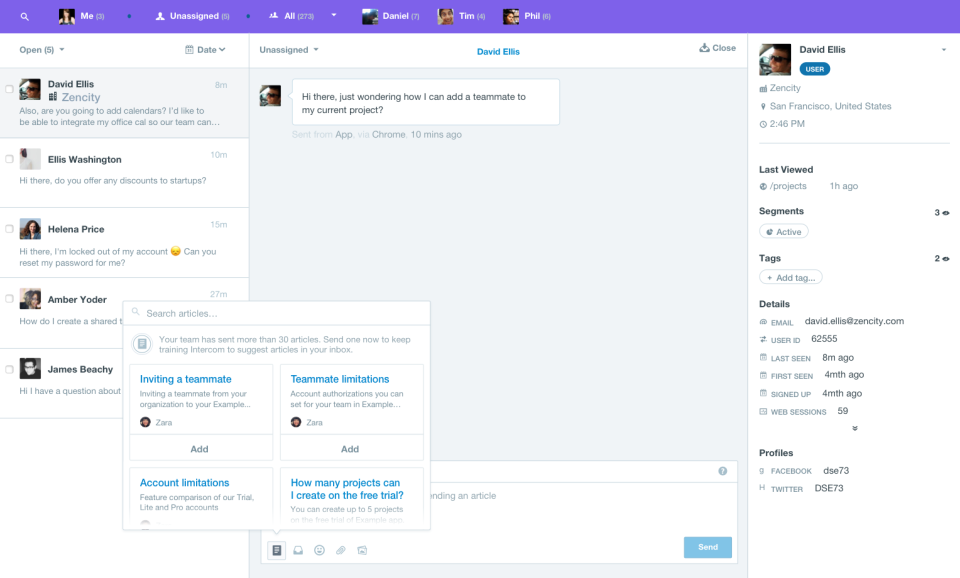
Intercom launched back in 2011 in San Francisco, long before “customer engagement platform” became a common term. It has grown into a tool that lets you send targeted messages, run product tours, and manage support through automation or live chat. Today, it’s all powered by Fin AI, which can now understand text, screenshots, and even voice clips.
Customers can send a photo or explain an issue out loud, and Fin can respond intelligently. It also creates helpful articles automatically when it notices repeated questions, which saves a surprising amount of time once your chat volume grows.
Whom was Intercom made for?
If your team spends most of the day inside your product, Intercom feels like a natural fit. You can message users, guide them through setup, or open a chat without switching screens. It’s perfect for SaaS companies or startups that want something they can manage without a full-time admin.
What is Zendesk?
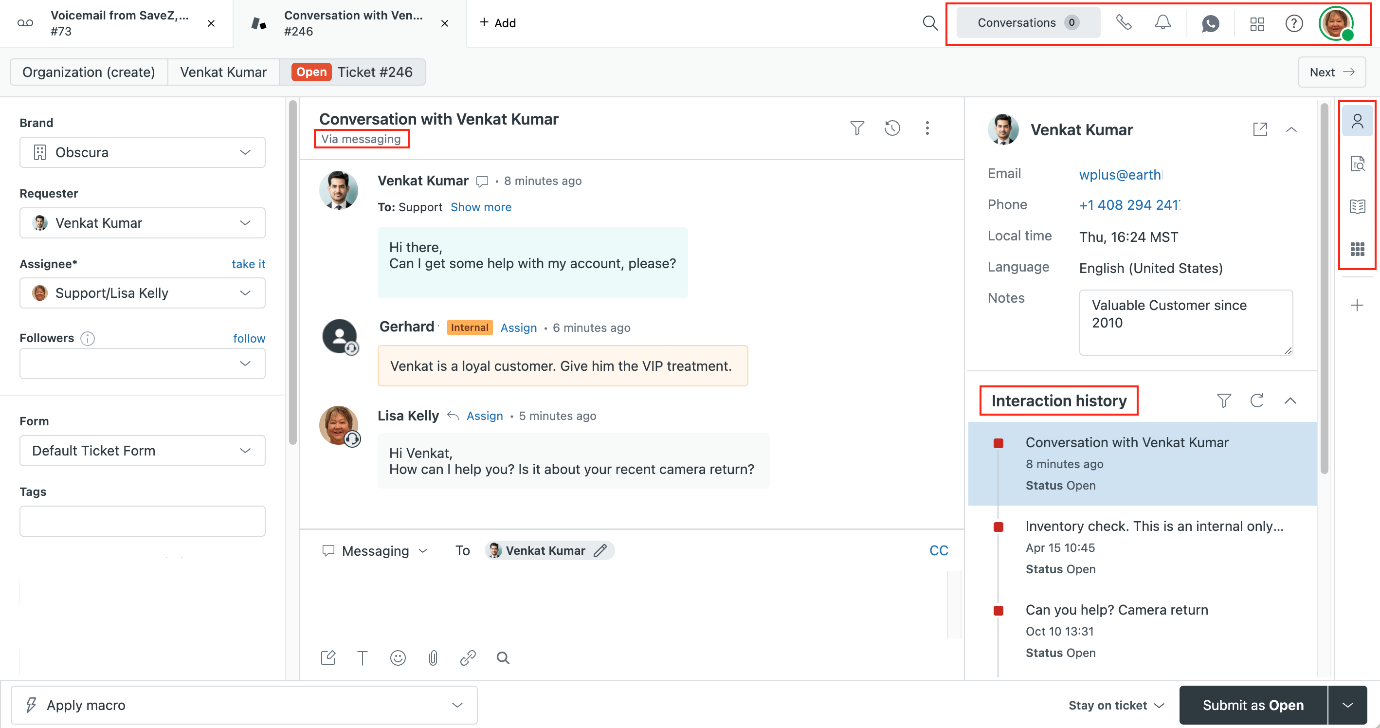
Zendesk feels very different from the moment you open it. It’s built for structure, with queues, tags, automations, and dashboards everywhere you look. That’s not a criticism. For larger teams, this structure is exactly what keeps things sane.
You’ve got defined workflows, strict Service-Level Agreements (SLAs), and clear reporting, all in one tool. In 2025, Zendesk rolled out its Resolution Platform, a new AI layer that includes AI agents (one step up from standard chatbots) and an agent copilot that helps real people respond faster. It’s also built around a Knowledge Graph, which links customer data, tickets, and documentation so AI replies actually make sense instead of seeming like guesses.
Who was Zendesk made for?
Zendesk is built for scale, combining queues, metrics, and accountability. You’ll see it in companies that deal with serious ticket volume or strict SLAs. It takes longer to set up, but once it’s tuned, it’s rock-solid.
Intercom vs Zendesk: Key features
There’s a lot of overlap between these tools, particularly if you’re investing in chatbots for customer experience, automation, and tools that keep teams aligned.
Intercom key features
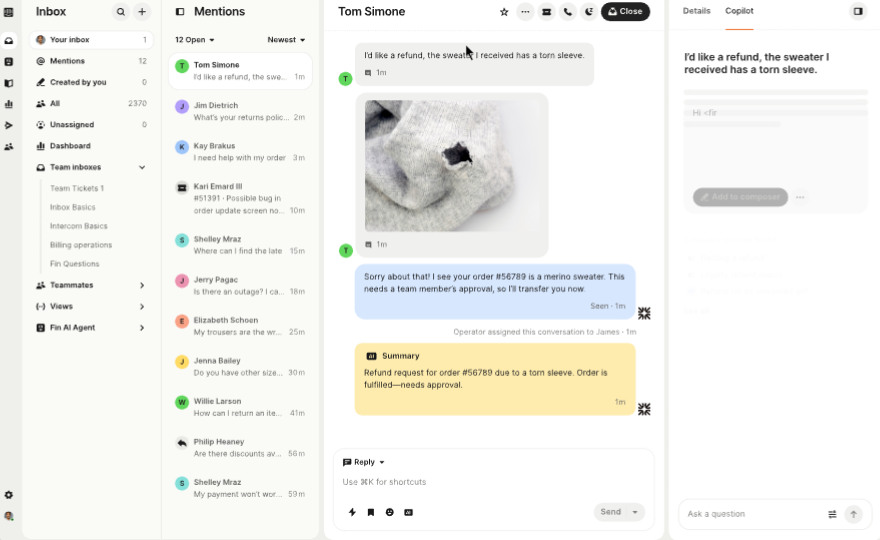
Intercom keeps things casual and connected. You can talk to customers, track what they’re doing, and follow up all in one window. It’s easy to set up and understand. Here’s what stands out when you start using it:
- Fin AI: Reads text and screenshots, even short voice notes. People can just show you the issue instead of trying to explain it.
- Unified inbox: All your chats, emails, and social messages show up together. It’s nice not having to hop between tabs.
- AI Help Center: Notices the same questions coming in and drafts help articles. You can tweak them and post right away.
- Product tours: Little walk-throughs that pop up to show new users how things work.
- Customer data: Keeps a running record of who people are and what they’ve done inside your product.
- Language support: Translates chats automatically, which helps when you’ve got customers everywhere.
- Fin Voice: Lets AI handle calls and sounds surprisingly human.
- Quick setup: If you sit down before lunch, you’ll probably have it live by the afternoon.
Zendesk key features
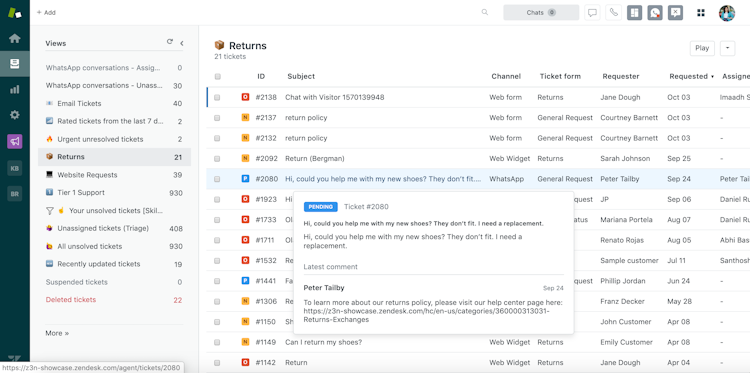
Zendesk takes a more classic approach. It’s built for teams who need strong structure, reliable reporting, and clear ownership of every issue. Once everything is in place, it runs with steady consistency.
Here’s what makes it tick:
- Ticketing and SLAs: Handles large volumes of requests with automation and tracking.
- All channels in one: Chat, email, phone, and social media come together in one view.
- AI agent and copilot: One handles simple requests automatically, the other helps agents write and respond faster.
- Smart routing: AI looks at each ticket and sends it to the right person without you having to touch it.
- Knowledge Graph: Pulls together tickets, old conversations, and help docs so replies actually make sense.
- Enterprise security: Checks the boxes for compliance in fields such as finance and healthcare.
- Scalable workflows: Keeps big, multi-brand setups from turning into a mess when you grow.
What Zendesk and Intercom have in common
Intercom and Zendesk both exist to keep you connected with customers and stop conversations from slipping through the cracks. Different styles, same goal.
Here’s where they line up:
- Both use AI and chatbots to speed things up, summarizing chats, drafting replies, and spotting patterns you’d normally miss.
- Each keeps every message in one place, whether it’s chat, email, or social.
- You can build help centers so customers can sort things out themselves.
- Automation handles routine work such as routing, tags, and follow-ups.
- Both give you live dashboards to track speed, volume, and satisfaction.
The catch? They’re only as smart as your setup. If your tags are messy or your data’s out of date, even the best AI gets confused.
Unique features: What makes each platform stand out?
After using both for a while, you start to notice their personalities. Intercom feels creative and flexible. Zendesk feels steady and dependable. They’re both strong tools, just heading in different directions.
Intercom’s standout features
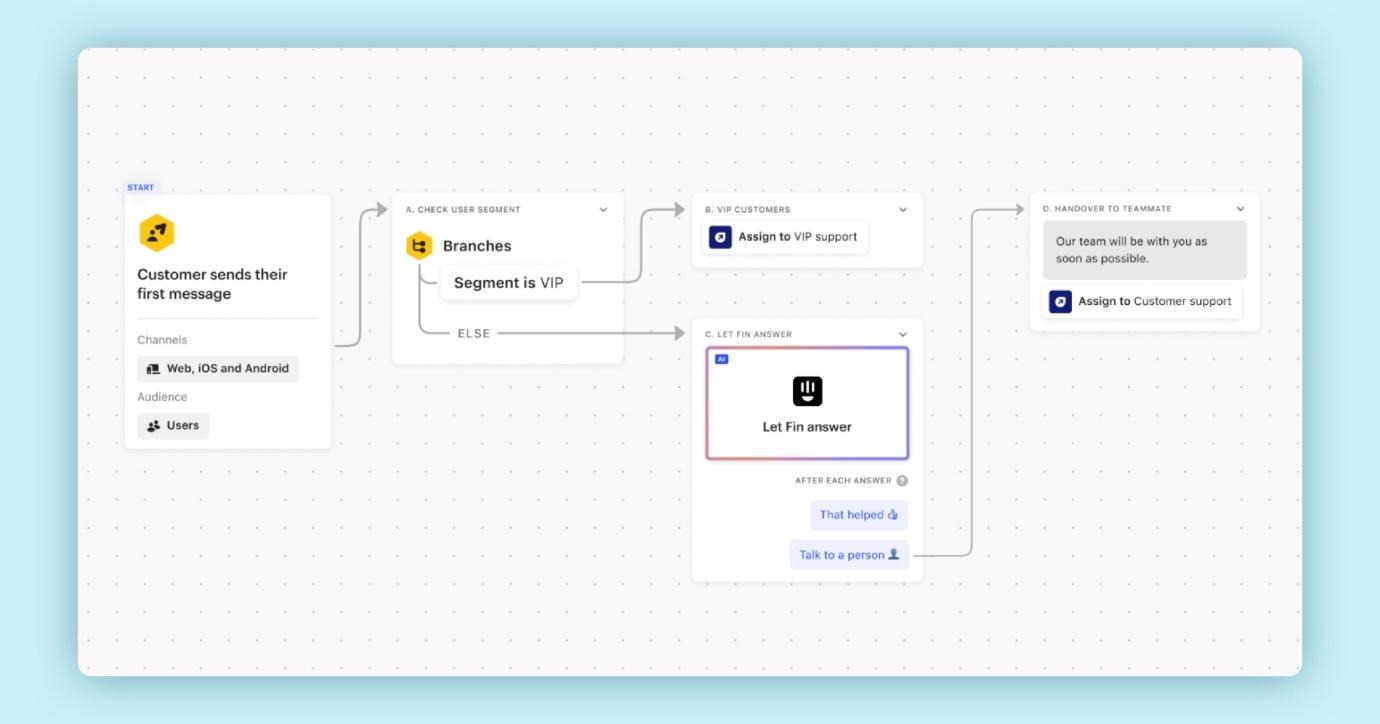
- Multimodal AI: Lets customers send screenshots or voice clips instead of long messages. Fin reads or listens, then answers like a pro.
- Automatic help articles: Intercom quietly writes help center drafts when it spots common questions.
- In-app engagement tools: You can send messages or product tours that feel natural, not like pop-ups.
- Global translation and Fin Voice: Fin can switch languages or even handle phone calls without missing context.
- Speed of setup: You can go from sign-up to live chat in an hour. It’s that light.
Zendesk’s standout features
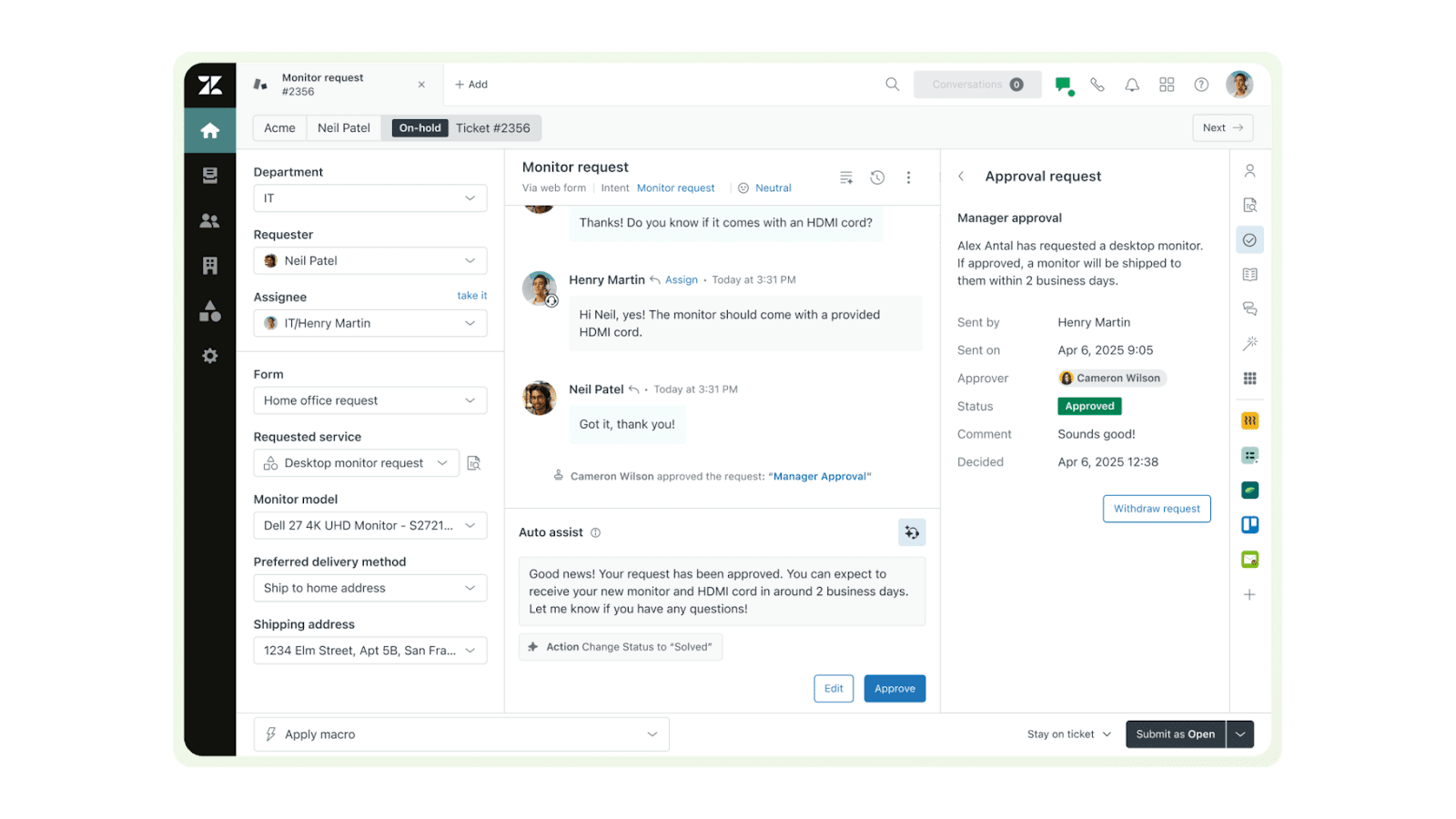
- Resolution Platform: Combines automation, AI agents, and human oversight in one place.
- AI agent and copilot: One resolves simple tickets, the other supports live agents with quick replies or suggestions.
- Knowledge Graph: Connects tickets, articles, and customer history so replies stay relevant.
- Enterprise security: Meets compliance needs for industries like finance or healthcare.
- Scalable workflows: Handle multi-brand or multi-region setups without falling apart.
Intercom vs Zendesk: Key comparison areas
When you’ve lived inside both tools for a few weeks, the real differences start to surface. They don’t just “feel” different, they also behave differently. Here’s where that contrast is clearest.
1. Ease of setup and learning curve
Intercom takes maybe an hour to feel comfortable with. You paste a small JavaScript snippet on your site, invite a teammate, and you’re ready to chat with real users. The onboarding checklist helps you set up a bot, connect email, and even send your first in-app message without needing to dig through settings. It’s the kind of product that quietly teaches you as you use it.
Zendesk makes you slow down. The setup wizard looks helpful at first, but you still end up adjusting roles, SLAs, and automation triggers before anything flows cleanly. Most teams spend a day or two creating custom forms and defining ticket fields. It’s a lot up front, but once it’s done, you have a support structure that doesn’t fall apart when volume triples.
So if you want to get moving fast, Intercom’s the easy win. If you care about control and long-term order, Zendesk earns that extra effort.
2. Integration ecosystem
This is where their personalities really stand out. Intercom fits easily into modern software stacks. Zendesk feels more like the backbone that everything else connects to.
With Intercom, you can connect Slack, HubSpot, Stripe, or Notion in minutes. The integrations are simple and usually built around everyday actions. A chat turns into a lead in HubSpot. A payment issue in Stripe can trigger an in-app message. Conversation data can also be routed to other tools via services like ApiX-Drive, depending on how teams structure their workflows. You don’t need to engineer anything.
Zendesk is heavier, but that’s its strength. Its marketplace is huge, with over 2,000 apps, and it’s full of enterprise-grade systems such as Salesforce, Jira, and ServiceNow. The setup takes longer because it assumes you’ll want to map data fields, automate syncs, and control who sees what. But once it’s in place, it’s bulletproof. Big teams lean on that reliability when data starts flying between systems.
If your stack is lightweight and built on SaaS tools, Intercom keeps things effortless. If your company runs on complex workflows, Zendesk has the muscle to keep it all connected.
3. Customization and workflow control
Here’s where you start to see what each tool is really built for. Intercom keeps things light. Zendesk doesn’t.
Creating workflows in Intercom feels hands-on. You drag boxes and connect a few simple rules, and it starts working right away. It’s ideal for sending welcome messages, tagging conversations, or routing chats to the right person, and you can make quick changes without breaking anything. The limits appear once you try to manage multi-brand setups or detailed rules. That’s where it starts to stretch.
Zendesk takes longer to set up because it expects you’ll map data fields, automate syncing, and control access. Once it’s configured, though, it rarely breaks. Big teams depend on that kind of reliability when data is constantly moving between systems.
Intercom gives you speed and flexibility. Zendesk gives you control. Which one’s better depends on whether your team prefers to move fast or stay consistent.
4. Reporting and analytics
Reporting is one place where Zendesk shines. It’s designed for managers who live in dashboards. You can track ticket volume, response times, SLAs, backlogs, and customer satisfaction across agents or departments. The best part is how flexible it is; filters, custom reports, and scheduled exports make it easy to see what’s actually working.
Intercom keeps reporting simpler. You’ll get clean visuals for conversation volume, response times, and engagement rates, but it’s not as deep. You can see trends, but it’s not built for heavy slicing and dicing. That said, the data feels more “live.” You can click straight from a chart into an actual conversation, which is great when you’re troubleshooting patterns in real time.
If you’re running a lean team and care about quick insights, Intercom gives you what you need. If you’re presenting to leadership or managing multiple teams, Zendesk’s analytics will make your life easier.
5. AI and automation depth
Both platforms talk a lot about AI, but their focus is different. Intercom uses it to make every conversation feel more personal. Zendesk uses it to make your operation more efficient.
Intercom’s Fin AI is built into almost everything: chat, voice, and even help article creation. It learns from real conversations and can take screenshots or voice clips as context. Over time, Fin suggests better replies, flags gaps in your help center, and even drafts new answers for review. It feels like an extra teammate rather than a separate bot.
Zendesk’s Resolution Platform takes a broader approach. The AI agent automatically handles routine questions about password resets, status checks, and refunds, while the agent copilot assists your team during complex cases. It also uses Knowledge Graph, meaning the AI understands context across past tickets and documents, not just one conversation at a time.
In use, Intercom’s AI feels personal and visible. Zendesk’s AI feels quiet and structural. It works behind the scenes, routing and sorting tickets before anyone on your team even opens them.
Zendesk vs Intercom: Pricing comparison
Pricing can get confusing. Both tools look affordable at first, but the cost grows once you add agents and AI. The main difference is how they bill for usage.
Intercom pricing
Intercom has three main plans: Essential, Advanced, and Expert:
- Starter: $39/seat/month: Covers basics such as live chat, a shared inbox, and light automation. Great for small teams.
- Advanced: $99/seat/month: Adds multiple team inboxes, workflow automation, and 20 free Lite seats.
- Expert: $139/seat/month: Adds HIPAA support, single sign-on (SSO), identity management, and multi-brand options.
Where it gets interesting (and sometimes frustrating) is how Intercom charges for AI. It’s flexible, but you’ll want to watch usage closely. AI features are charged per interaction, which means busy months can push the bill higher.
Zendesk pricing
Zendesk’s structure feels more traditional. It has four main plans: Support Team, Suite Team, Suite Professional, and Suite Enterprise, and prices per agent per month.
- Support Team: $19/agent/month: Core ticketing and messaging with limited automation
- Suite Team: $55/agent/month: Adds light customization, basic reporting, generative replies, and AI agents
- Suite Professional: $115/agent/month: Introduces advanced analytics, routing, and collaboration tools
- Suite Enterprise: $169/agent/month: Full control over automation, permissions, and the Resolution Platform (which includes AI agents and agent copilot)
Zendesk’s pricing model is straightforward. You pay per agent each month, which makes it predictable, but the total grows as you add features and staff. Most AI tools are limited to higher plans or paid add-ons, so smaller teams might not access them right away.
For large organizations, though, that stability is valuable. You can plan budgets confidently and expand your team without surprise costs.
Intercom vs Zendesk: Overall comparison table
| Feature or area | Intercom | Zendesk |
|---|---|---|
| AI strength | Fin AI handles text, voice, and screenshots for natural conversations | Resolution Platform includes AI agents, copilot, and Knowledge Graph for deep context |
| Automation power | Great for conversational flows and chat-based journeys | Ideal for ticket triage, SLAs, and complex routing logic |
| Ease of setup | Up and running in under an hour; no admin needed | Takes time to configure, but it’s rock-solid once set |
| Scalability | Perfect for startups and midsize SaaS teams | Built for large support organizations and multi-brand setups |
| Knowledge base | Creates AI-generated articles from chat patterns | Full help center with layered permissions and version control |
| Integrations | Around 500: focuses on modern SaaS tools such as HubSpot, Slack, and Stripe | Over 2,000: covers enterprise systems such as Salesforce and Jira |
| Reporting and analytics | Quick insights and journey tracking | Advanced analytics with custom dashboards and exports |
| Pricing predictability | Usage-based: flexible but can spike with volume | Tiered and fixed, higher entry cost, easier to budget |
| Ideal user type | Growth-focused teams who value speed and customer engagement | Established operations needing structure and compliance |
Noupe: The alternative for AI-first teams
After spending time with Intercom and Zendesk, you start to appreciate what they can do but also how much effort they take to run. That’s where Noupe comes in. It’s made for teams who want smart automation and real customer conversations without the long setup or creeping costs.
Noupe is an AI chatbot builder you can add straight to your website. No coding, no lengthy onboarding, no technical setup. Just paste a short code snippet and it’s live, greeting visitors, answering questions, and pulling details right from your site content.
Key features of Noupe
- Automatic learning from your website: Noupe scans your website and creates its own knowledge base.
- Instant setup, no coding: Copy, paste, and launch in minutes.
- Custom knowledge base: Upload your own docs or FAQs so it speaks your language.
- Design flexibility: Adjust colors, size, or greeting so it matches your site perfectly.
- Real-time inbox: Every chat lands in your email instantly for easy follow-up.
- Multi-language support: Recognizes a visitor’s language and replies automatically.
Choosing the platform that fits how you work
After using both for a while, you figure out pretty fast there’s no clear winner in Intercom vs Zendesk. It just depends on what kind of team you have.
If you’re smaller or growing fast, Intercom feels easier. The layout’s simple, and Fin AI adds a nice, personal feel to chats. You don’t spend hours setting it up, which is a win.
Zendesk takes longer to get comfortable with, but it’s rock-solid once it’s running. The ticketing system, reporting, and automation tools make it great for big teams who need order. It’s not flashy, but it works, and that’s what matters when you’re dealing with a lot of customers.
Then there’s Noupe, the outlier that cuts through all the complexity. You drop it on your site, it learns from your content, and you’ve got a working AI chatbot within minutes. It’s not trying to replace your help desk; it’s giving you the freedom to automate without the baggage.
If your team’s ready to see what AI-powered support can do without the setup grind, Noupe’s worth a look. Get started here for free.