Summary
- A chatbot conversation flow is a structured map that guides the dialogue between a user and a chatbot based on triggers and possible responses.
- Its goal is to get the user to the right information or outcome — like tracking an order, booking an appointment, or getting support — in as few steps as possible.
- A well-designed flow includes clear menu options, intent recognition, and a handoff to a live agent when needed.
- A poorly designed flow traps users in “endless loops,” gives irrelevant answers, and increases abandonment.
- Common use cases include lead generation, customer support, appointment booking, e-commerce, FAQs, onboarding, internal process automation, feedback collection, technical support, and price estimate chatbots.
Imagine you’re interacting with an e-commerce store’s chatbot about a recent purchase. You want to find out when it will arrive, so you share your order number. Instead of replying with shipping information, the chatbot shares a few of the website’s top products. This is frustrating because that’s not the information you wanted.
Situations like this occur with poor chatbot conversation flow design. Instead of interacting with you like a human customer service rep, the chatbot fails to align with your prompts. This can result in an exasperating user experience, dead ends, and inconsistent responses.
Fortunately, you can optimize chatbot conversation flow with the right techniques. In this post, we’ll explain how to create a chatbot conversation flow template and explore examples of proper flow design.
What is a chatbot conversation flow?
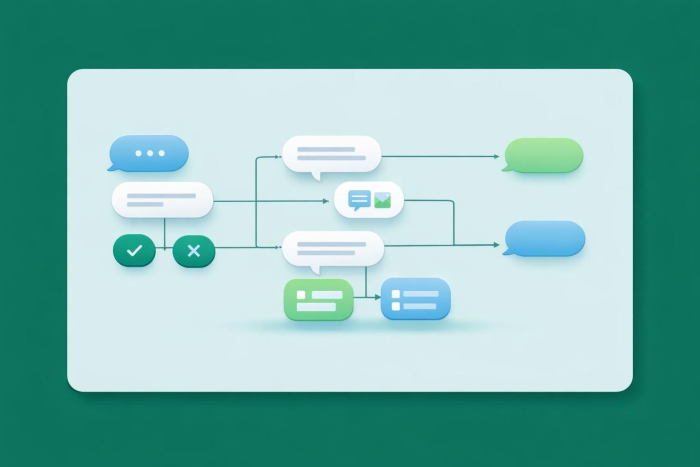
A chatbot conversation flow (sometimes shown as a chatbot flowchart) outlines the structure of typical user conversations in a visual format. It displays common user inquiries and chatbot responses based on predefined triggers or actions.
Unlike static scripts or simple Q&A chatbots, a chatbot conversation flow doesn’t follow a rigid step-by-step structure. There’s more room for variation. Users can enter their own prompts, which the chatbot reviews and categorizes by issue. It then delivers a personalized response geared to the user’s query.
Visualizing chatbot conversation flows can help you structure your chatbot to provide service that aligns with a visitor’s concerns. It helps you understand conversation paths that can lead to dead ends, inconsistencies, or incorrect information that frustrates users. That way, you can implement controls that keep the chatbot on the right path.
Why chatbot conversation flow design matters
What is a chatbot? Consider it a part of your brand’s customer service team. If it can’t handle routine requests, it reflects poorly on your company. According to a Zendesk Benchmark report, 73 percent of customers will switch to a new brand after repeated bad experiences. You don’t want to lose customers simply because your chatbot confuses users or gives them incorrect information.
How a poor conversation flow leads to frustration and abandonment
Imagine you’re visiting a website for the first time. You’re interested in a product, so you use the company’s chatbot to get more information. If it starts talking about other products or the company’s brick-and-mortar hours, that’s not a good experience. In the worst case, you might leave the site altogether. You don’t want to buy from a company that doesn’t take customer service seriously.
By following chatbot design best practices, including proper visualization of user queries, you can provide a positive customer service experience. Users get answers that match their intent.
How a strong flow improves conversions and satisfaction
The goal of a chatbot is to meet customers’ needs, whether they want to schedule an appointment, get more information, or complete a task. If the chatbot can’t handle a user’s request, the result may be a lost sale. It can also affect how customers see your brand.
A well-designed chatbot flow keeps the conversation moving smoothly. It’s fast, helpful, and easy to follow, which is what customers expect. When you get the flow right, users leave feeling that they got the answers they needed. That reflects positively on your brand.
Broken vs effective chatbot conversation flow examples
Let’s look at a few examples of broken chatbot conversation flows and how they can be improved to better serve customer needs.
Example: The endless loop
In this scenario, a chatbot’s responses don’t match a customer’s request. It disregards inputs and provides unhelpful or inaccurate information. This continues until the user closes the chatbot in frustration.
Imagine a chatbot that helps customers with reservations. If it can’t interpret dates or connect with the organization’s availability calendar, it won’t be able to provide a satisfactory result.
The fix: an organized menu of options. Including a clickable menu of options can help the chatbot understand a customer’s reservation requirements. Integrating the chatbot with the calendar allows it to make updates in real time and hold the individual’s desired reservation.
For example, if a customer wants to make a reservation for a Saturday night, the chatbot can provide a list of available times so the customer can choose one that fits their schedule.
Example: No option to reach a human
Some visitors may have questions that go beyond what a chatbot can handle. If the chatbot can’t connect them with an agent, it can annoy visitors and leave them dissatisfied.
The fix: a built-in handoff to customer service reps. An easy fix is to connect the chatbot with your customer service team. The chatbot can ask a follow-up question such as “Did I successfully answer your question? If not, would you like to speak with a live agent?”
When handing off a request to the customer service team, it’s a best practice to share the previous conversation, too. This gives the human agent context so they don’t have to start from scratch.
10 chatbot conversation flow examples for common use cases
A chatbot should serve a specific purpose for your brand, whether that’s scheduling appointments, providing customer service, or collecting leads. Use these examples to guide you as you design an effective chatbot for your organization.
1. Lead generation chatbot flow example
A lead generation chatbot encourages customers to enter your sales funnel. Even if they don’t make a purchase during their first visit to your website, the chatbot collects and shares relevant information that can support future conversions.
Key features of a lead generation chatbot include
- Targeted questions: Ask why the customer is visiting, what products they’re looking for, and how to contact them.
- Product suggestions: Offer items that match the user’s interests.
- Lead scoring: Measure interest level based on responses.
- Follow-ups: Ask whether the user wants to schedule a call with an agent or get more information about a product or service.
Sales and marketing teams can use these conversations to better understand a visitor’s interests. This helps them personalize future outreach and marketing materials.
2. Customer support chatbot flow example
A customer support chatbot provides answers to common questions. Instead of calling customer service or visiting a local store, users can get quick support through the chatbot. Common features of customer support chatbots include
- Options menu: A list of tasks the chatbot can assist with, such as password resets, order tracking, or account information
- Connection with live help: The ability to transfer complex questions to a human agent while maintaining the context of the original conversation
- Language support: The ability to converse in multiple languages to serve a global audience
Customer service teams benefit from a support chatbot because it handles routine questions, which allows teams to focus on more complex issues. It can also reduce wait times for live assistance, which clients appreciate.
3. Appointment booking chatbot flow example
A chatbot that books appointments lets customers schedule time to meet with you or visit your business without talking to a representative. It works 24-7, so customers don’t have to worry about calling during business hours.
Essential features of an appointment booking chatbot include
- Calendar access: Real-time integration with your calendar lets chatbots share availability and book appointments automatically.
- Availability matching: The chatbot can ask for preferred dates and times and suggest options that work.
- Automated reminders: Requiring a customer to share their contact information (phone number or email) allows the chatbot to send reminders and prevent no-shows.
- Easy rescheduling: Giving users the option to cancel or reschedule appointments within the chatbot helps prevent frustration.
Customer service teams, receptionists, and similar roles save time with an appointment booking chatbot. It also makes it easier for customers to find a time that works without going back and forth over the phone or email.
4. E-commerce chatbot flow example
Customers may visit your e-commerce website with only a general idea of what they want. An e-commerce chatbot gives customers a personalized experience by matching their interests or needs with suggested products.
If you’re adding a chatbot to your e-commerce business, consider including these features:
- Personalized recommendations: Ask visitors about what they’re shopping for and suggest relevant products.
- Product availability: Share inventory details and estimated delivery times.
- Easy checkout: Let customers add products to their cart, review payment options, and get discounts through the chatbot.
- Abandoned cart: Prompt returning visitors to finish their purchase with a saved cart.
E-commerce chatbots help customers make purchases more quickly. They also provide sales and marketing teams with insight into customers’ interests, which they can use in future marketing materials.
5. FAQ chatbot flow example
Some industries and businesses attract a lot of user inquiries. If your team is answering the same questions repeatedly, an FAQ chatbot can help provide quick and accurate responses.
An effective FAQ chatbot should include
- Extra support: Links to videos, blogs, or other resources for more complex questions
- Clear answers: Responses that directly address a customer’s concerns
- Follow-up questions: Suggestions for related questions based on the client’s primary issue
- Regular review: Ongoing updates to reflect new or trending questions
A well-designed FAQ chatbot can reduce the number of routine questions your customer service team handles, giving them more time to focus on complex issues.
6. Onboarding chatbot flow example
New customers may need help navigating a service or product. An onboarding chatbot can guide them through setup and help them get the most out of their purchase.
Successful onboarding chatbots often include
- Introductory walkthroughs: Video or text guidance showing users how to set up or use essential features. Interactive walkthroughs are becoming a bigger part of that onboarding mix too. Recent interactive demo data shows that 63% of teams use interactive demos during onboarding, making it the most common customer-journey stage for this format.
- User manual repository: Integration with product documentation so the chatbot can provide accurate answers.
- FAQ support: Immediate answers to routine setup and usage questions.
- Progress monitoring: The ability to track where a user is in the onboarding process.
An onboarding chatbot saves time for busy support teams and helps ease user frustration during the setup process.
7. Internal process automation chatbot flow example
Think about the everyday questions employees ask, such as questions about pay, holidays, or company systems. An internal chatbot can answer these questions and improve efficiency.
Common features of internal chatbots include
- Human resources assistance: Personalized help with vacation scheduling, benefits selections, and payroll questions
- IT support: Assistance with password resets, file access, and software programs
- Employee onboarding: Support for introductory training and submitting required hiring forms
- Task reminders: Notifications to complete specific tasks or get required approvals
Internal chatbots serve your entire team. They reduce repetitive questions and help employees get answers quickly.
8. Feedback collection chatbot flow example
You’ve probably wondered what customers think about a recent purchase or service. A feedback collection chatbot can automate surveys that measure client satisfaction.
To create an effective feedback chatbot, incorporate these features:
- Personalized questions: Connect the chatbot with user accounts so it can ask about recent orders or inquiries.
- Incentives: Offer rewards to clients who complete surveys to encourage more participation.
- Sentiment analysis: Use tools to understand how customers feel about a product or interaction based on their responses.
- Follow-up actions: Regularly review feedback and act when necessary, such as connecting a customer with a human agent if they express serious dissatisfaction.
Feedback collection chatbots help sales teams, operations departments, and managers appraise customer satisfaction and identify areas where they could improve products or introduce new ones.
9. Technical support chatbot flow example
Products can stop working or develop issues that affect performance. A technical support chatbot can help customers troubleshoot common issues and recommend solutions.
Essential features of a technical support chatbot include
- Relevant questions: A database of questions and answers that helps the chatbot diagnose the issue
- User manual integration: Access to a product’s user guide to troubleshoot common issues
- Tech support handoff: The ability to transfer the user to a human technician if needed
- Service recommendations: Suggestions for repair options, such as local service providers
A technical support chatbot alleviates customer frustration when a product stops working by helping customers resolve minor issues on their own.
10. Price estimate chatbot flow example
Some companies don’t share list prices up front because a customer’s final service needs can vary significantly. However, the inconvenience of requesting a customized quote can deter potential clients from moving forward with your business. A price estimate chatbot gives clients a general idea of pricing, without having to commit to a final number.
A price estimate chatbot works best with features such as
- Personalized questions: Help the chatbot understand the customer’s needs, so it can surface relevant services.
- Pricing database access: Use existing pricing information to generate estimates based on the customer’s inputs.
- Sales agent handoff: Offer the option to connect with a sales representative for tailored quotes and purchase assistance.
- Disclaimer: Make it clear that the estimate might change based on the customer’s final requirements.
Price estimate chatbots are great for service-based businesses that customize the final price of their services. They can also help attract more qualified leads.
How to build your own chatbot conversation flow with Noupe
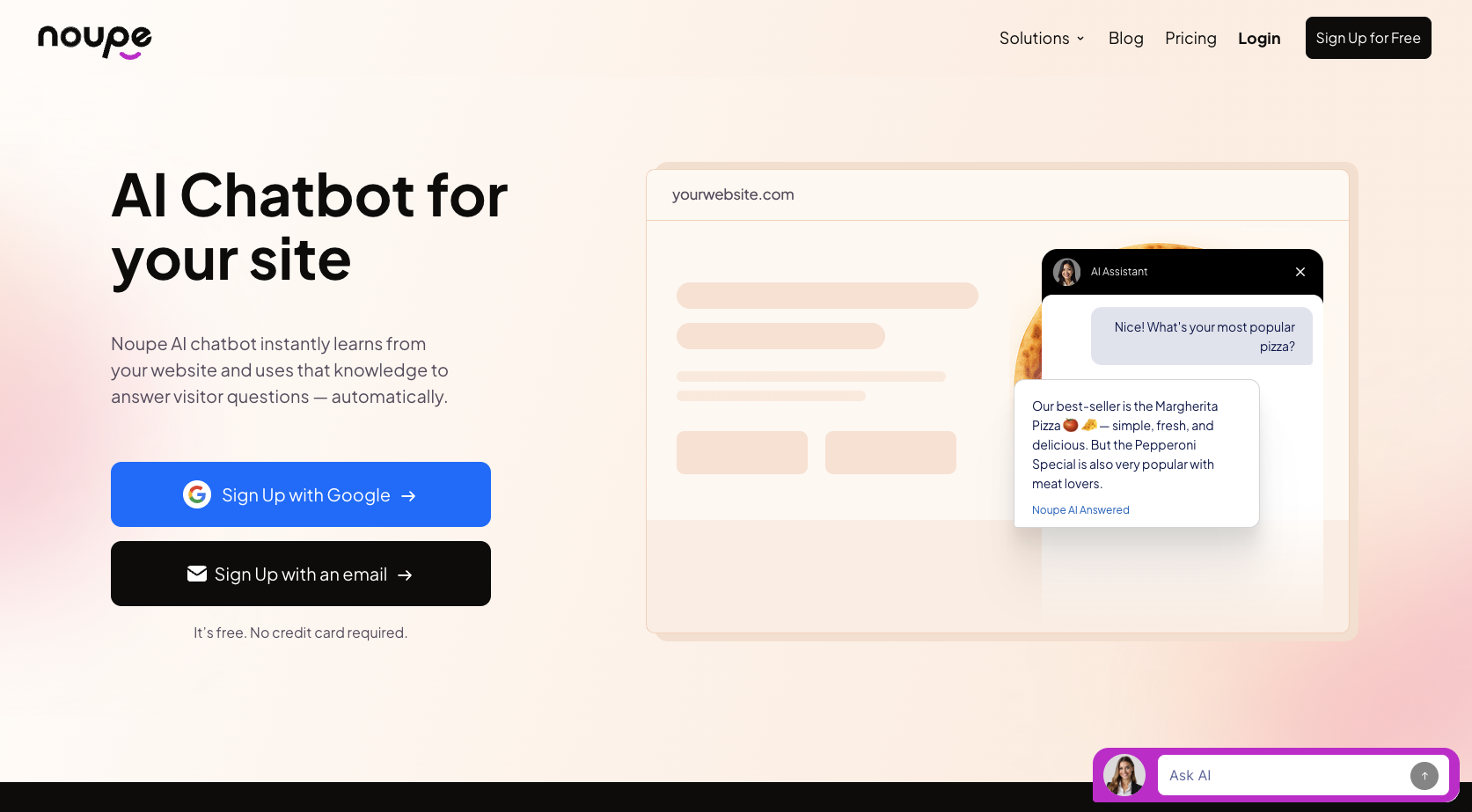
Designing a custom chatbot for your website may sound complex, but with Noupe, it’s simple. Noupe trains on your public website pages and any data you provide, such as internal guides, FAQs, and other resources. It’s a no-code solution, so you don’t need programming knowledge to set it up. Use these tips to get started.
1. Determine the chatbot’s purpose
As you can tell from the earlier chatbot use cases, chatbots can handle many different tasks. However, it’s best to pick a specific task, whether that’s customer support, appointment booking, or something else. Avoid combining multiple, unrelated goals into one chatbot, because that can lead to confusion or inconsistent responses.
2. Understand user intent
Research what customers are looking for when they visit your website. Identify their common questions, such as product details or availability. This can help you design a chatbot that meets user needs.
3. Define a persona and voice
Your chatbot represents your brand. When users interact with it, you want it to feel as if they’re speaking with a real team member. You can accomplish this by training the chatbot on your company’s public content and internal brand guides, which lets the chatbot maintain your brand’s personality in its responses.
Noupe also offers features such as custom avatars and colors that you can tailor to fit your brand.
4. Map dialogues and script conversations
With user intent in mind, create a chatbot flow diagram that covers common questions. Include different ways users might phrase the same request to help the chatbot recognize questions and respond correctly every time.
For example, if a customer wants to book an appointment, they might say
- “Book appointment”
- “I need to schedule an appointment”
- “I want to make a reservation”
- “Reservation”
- “Booking”
- “Schedule a visit”
Each of these has the same goal: appointment scheduling. The chatbot should respond in a way that helps the user choose a time and complete the booking.
Noupe lets you create custom or AI-generated questions and responses. If you prefer a structured, rules-based chatbot, customizing each message is the ideal option. AI-generated responses allow the conversation to move naturally, based on your customer’s prompts. While they’re less controlled, they feel more organic to your visitors.
5. Test and iterate
Before launching your chatbot, test it thoroughly. See how it responds to different questions and make changes where needed. You should also test how it handles unconventional prompts. For example, if a visitor treats the chatbot like a search engine, it should guide them back to questions it can help with. Offering a help menu can make this easier.
Once your chatbot is live, continue monitoring its performance. Real user interactions can give you chatbot ideas that provide greater value for future visitors.
Noupe’s no-code chatbot solution is easy to test and implement. It sends conversations to your inbox, so you can track its performance. Plus, our chatbot pricing includes a free plan, so you can explore all its features without a financial commitment.
Put these chatbot conversation flow examples to work
Your chatbot’s conversation flow is the foundation for an engaging, memorable, and genuinely helpful customer experience. You want visitors to feel as if they’re talking to a member of your team and getting actual help with their concerns.
With a well-planned flow, visitors walk away feeling satisfied. They’ll continue through the whole conversation, which signals that your chatbot is delivering first-class service.
Tools such as Noupe streamline the entire chatbot design and integration process. It offers a no-code builder, flexible conversation flow creation, and AI training capabilities that use your brand’s existing content and resources. Conversations feel natural, personalized, and designed to deliver measurable outcomes. Give Noupe a try! It’s free, and you can build your own chatbot in minutes.