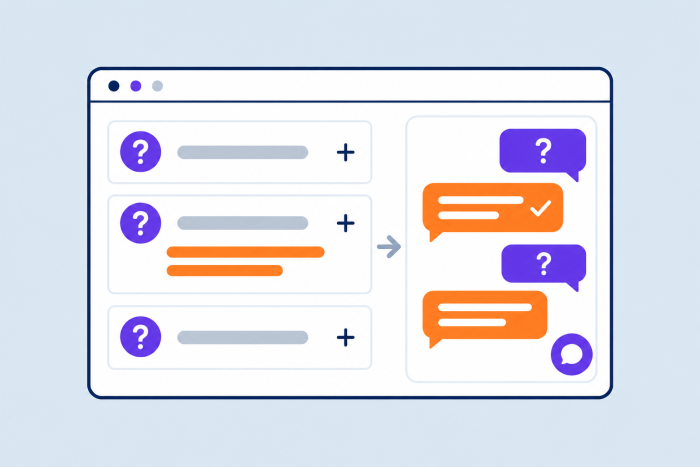
An FAQ chatbot can be a surprisingly useful addition to any website, particularly if your customers are still contacting your team with common questions they just can’t find the answer to themselves. Although they seem simple at a time when everyone seems to be talking about generative AI and agentic AI, FAQ chatbots are a lot more valuable than they seem, especially now.
With this kind of bot, customers don’t have to browse through twenty pages just to find the answers they need, or wait hours to get a response because your team’s clocked off for the night. That’s valuable when 74% of customers now expect 24/7 service, and 88% say they want replies faster than they did a year ago.
At the same time, employees in sales and customer service don’t have to field the same twenty repetitive questions several times a day.
Here’s why an FAQ chatbot could be the ideal upgrade for your website.
What is an FAQ chatbot?
An FAQ chatbot is a bot that takes the information you’ve already published on your website, either on a dedicated FAQ page, or spread across multiple sources, and makes sure it’s delivered to the right people, at the right time.
Someone types a question into a chat box about something like delivery times, and the bot connects the question to the information in your shipping pages to provide a response. Sometimes the bot simply links a customer to a relevant document or article, other times, they summarize the details they might need in chat to prevent them from having to search through multiple paragraphs themselves.
Modern FAQ chatbots don’t just hunt for keywords in a sentence either, they actually interpret what a customer is trying to do. So someone who types “My delivery is missing, can I get a status update?” won’t get the same answer as someone who types, “My delivery hasn’t arrived, can I get a refund?”
In many cases, these bots can also determine whether the query demands an escalation to a human. In the refund example, for instance, the bot wouldn’t issue the refund itself, it would supply information, then, if the customer needs more support, transfer them to the billing department.
Notably, the bot doesn’t replace knowledge, you still need accurate resources for the tool to draw from, the bot simply makes the information you have easier for users to access.
3 types of FAQ chatbots: Which is right for your business?
Just like most types of chatbots, FAQ chatbots have evolved quite a bit over the years, which means there are now different options that companies tend to use for different chatbot use cases.
1. Contextual AI agents
Contextual AI agents are the most advanced version, they’re not just bots that can pull information from your resources, they can actually carry context through a conversation, and use tools or APIs when a discussion requires them to take action.
For instance, Bunnings’ Buddy chatbot can read a photo of a handwritten shopping list, find matching products, check local availability, and add the items to a user’s cart. Contextual bots can:
- Understand and track intent throughout a discussion
- Ask clarifying questions when they don’t understand a request
- Initiate actions
- Personalize responses based on previous interactions
These agents are great for companies that want to help customers complete simple tasks without forcing them to wait for a human agent to become available. Still, they can be risky when they’re permitted to interact with account details, or money.
2. LLM-powered FAQ chatbots
LLM-powered FAQ chatbots are the next step up from the basic chatbot that essentially copies and pastes information from your resources into a conversation with a customer. These bots can understand that two phrases using different language, like “is priority shipping available?” and “can I get this within two days?” are related.
Once they recognize the intent behind a question, they can answer follow-up questions, just like contextual agents, then source the right response. They can also convert the information they find into language that makes more sense for the reader, summarizing multiple concepts at once, or adding in extra details based on the context in a question.
Noupe is a good example of this kind of chatbot, because although it answers questions using the information already on your site, it can still adjust its response to match the brand’s personality or the situation, and it can automatically recognize a customer’s language and respond in the same language.
3. Static rule-based chatbots
These are the simplest types of FAQ chatbot. Rule-based chatbots use pre-determined choices, keywords, and branching paths, identifying a specific request submitted by a user, and sending them to an approved next step. They work well when the questions are very simple and predictable like “I want to track my order”, and the answers are clear.
They’re less helpful if a customer users uncommon language or slang, or the company hasn’t accounted for all of the needs a customer might have when they start chatting to a bot.
5 benefits of an FAQ chatbots
The biggest benefit of an FAQ chatbot is that it’s quick and efficient at a time when customers are eager for instant responses, particularly to common questions. Nobody wants to read through dozens of website pages, or wait for a human to answer the phone when they can send a simple message to a bot and get a quick response instead. In fact, 74% of customers prefer using bots for simple questions.
FAQ chatbots deliver:
- Cost-effective 24/7 support: FAQ chatbots are available around the clock, whether that’s during high-traffic periods or after most team members have already gone home. They work across time zones and respond instantly, which means companies can build a team that’s always available, without having to pay for additional employees.
- Scalable customer service: FAQ chatbots can easily scale across websites, messaging platforms, and even custom apps, using the exact same approved answers and insights to respond to customers every time. That means you can interact with customers anywhere, without having to worry about inconsistencies.
- Lower costs: Not only is it cheaper to use an FAQ chatbot than it is to hire an agent, or outsource customer support to another company, but these bots also require minimal training, and can help to reduce the costs of turnover, because they minimize the amount of repetitive work teams have to do, and reduce burnout.
- Serious time savings: FAQ chatbots lower the number of repetitive queries that employees have to answer every day, but they can also help them save time when they’re searching for information too, surfacing the details they need during a conversation, or sending previous details from a conversation through to a shared inbox.
- Useful insights: Chatbots can track the common questions that customers tend to ask about your business, and give you useful overviews of pages that might need extra information, or problems that people tend to stumble into. Good chatbot analytics can gradually help you improve the overall customer experience.
Essential features to look for in an FAQ chatbot
If you’re designing a chatbot for FAQ management, there are a few worthwhile features you should be prioritizing straight away.
1. Multichannel integrations
People may come to you looking for answers on a range of different channels, from your website, to your business app, or even a tool like WhatsApp. Multichannel support ensures you can respond anywhere.
2. LLM-powered language understanding
LLM technology helps FAQ chatbots understand queries even when they’re worded slightly differently than you’d expect. They can still respond when someone misspells a product name, makes a typo, or uses slang.
3. RAG capabilities
Retrieval-augmented generation lets a chatbot fetch useful information from the sources you approve before it produces an answer. That reduces the risk of hallucinations and mistakes, which is important when your bot is answering crucial questions about refunds or policies.
4. Real-time knowledge updates
Details about your business can change constantly. A good FAQ chatbot should be able to instantly update whenever you make changes to prices, policies, product details, or even opening hours. Tools like Noupe automatically absorb any new information you add to your site, so you don’t have to perform the updates manually.
5. Rich media answers
Some questions need answers that include more than just text. With the right tools, you can create a chatbot that can respond with images, video clips, downloadable files, links, or even forms that add context to the answer.
6. Access control
Internal HR or IT FAQs tend to need different controls from public website questions. You’ll need to ensure you can determine which information can be shared publicly, and what should stay internal only.
7. Multilingual capabilities
If you’re running a global business, then you need to be able to deliver answers in the language your audience is familiar with. Most of the best FAQ chatbots can automatically detect the language a customers typing in and adapt straight away.
8. Escalation options
Gartner says 87% of customers think access to a human is crucial when companies are using AI for customer service. If an FAQ chatbot can’t answer a question or resolve an issue itself, it should be able to pass the situation off to a human with the context attached.
Which FAQ Chatbot Features Does Your Business Need?
| Use case | Features that matter most |
|---|---|
| Customer support management | LLM-powered understanding, multichannel and multilingual capabilities, RAG, current knowledge, and escalation features |
| Sales support | LLM-powered understanding, rich media answers, current product and pricing information, and escalation features |
| Onboarding support | Rich media answers, RAG, current documentation, and multilingual capabilities |
| Internal helpdesk support | Access controls, RAG, LLM-powered understanding, and multichannel support. |
| High-volume peak periods | LLM-powered understanding, multichannel support, multilingual support, reliable knowledge retrieval |
5 FAQ chatbot use cases with real-world examples
So what is a chatbot designed to answer FAQs really good for? Essentially any task that requires answering simple questions quickly and reliably. The best options include:
1. Customer support
FAQ chatbots are best for handling simple customer support requests. Start with common questions that don’t usually need a human’s input, such as queries about delivery times and returns, cancellation rules for subscriptions, basic troubleshooting, or order status.
Air India already uses similar bots to handle more than 40,000 questions a day across 1,300 question types, and they’ve reported only three percent of conversations ever escalate to a person, that shows how helpful FAQ bots can be at dealing with common concerns and reducing call volume.
2. Internal knowledge management
Plenty of companies forget this when they’re looking for chatbot ideas, but customers aren’t the only people who need answers to questions. Lots of team members might occasionally need information about leave policies, benefits, software access, or expense rules, and a bot can answer those straight away, reducing the work of HR and IT teams.
For instance, Hong Leong Bank’s Penny bot serves over 8,000 employees, constantly handling questions related to payroll, or medical benefits. Companies should be cautious here, though, because an ERP AI chatbot that retrieves live salary or financial information could be handling risky data.
3. Sales and presales
Lots of sales questions can easily be answered by an FAQ chatbot. A B2B customer buying software might want to know what kind of tools that system integrates with, or what happens if they exceed the plan limit. A B2C customer might want to know more about what’s included in a promotional bundle.
Having a bot available that can answer those questions easily, can reduce the risk of abandoned carts. Some bots can even proactively reach out to customers to help with lead generation or ask qualification questions before passing someone onto a member of the sales team.
4. General self-service
For universities, associations, SaaS companies, public entities, event operators, and service businesses, FAQ bots offer a fantastic way to simplify self-service. Most of these companies have a lot of useful information spread across dozens of different pages.
That’s a strong chatbot for FAQ use case because the bot can act as the easy conversational connector between a person looking for insights, and the information you already have. Some tools can even handle simple tasks too, like arranging a booking.
5. Regulated or tightly controlled work
In highly regulated businesses, FAQ chatbots can do some of the initial work required to ensure a business stays compliant with relevant rules. It can take a customer through a series of eligibility checks or intake questions, or help them understand specific rules.
This can be very useful in healthcare, financial, government, or legal environments where customers tend to have complicated questions, and accuracy is essential.
How to build an FAQ chatbot in minutes with Noupe
Creating an FAQ chatbot can be a lot simpler than companies realize. The first step is usually figuring out what kind of chatbot you want, because there’s a big difference between a simple menu-based chatbot and a chatbot that uses RAG technology.
Noupe makes it easy to create a bot that uses a combination of AI technology and simple rules to improve customer service and lead generation tasks. Here’s how you can set up your bot.
1. Find the most important questions
Before you start building your chatbot, search through your historical data to find the kinds of questions customers tend to ask. You should be able to gather information from your support email, contact forms, site search, sales calls, or even what people say on social media.
Organize them by how frequently they’re asked, as well as the category they belong to, for instance, you might have several common questions related to billing, shipping requirements, returns, product specifications, or availability.
Then audit your available information, such existing website pages and policies to ensure you have the answers to those questions available.
2. Sign up for Noupe and give it the right information
A tool like Noupe doesn’t ask you to manually script anything or map specific questions to answers. You just sign up for an account, and give the system access to your existing public information with a website URL. It builds its own knowledgebase from your existing content, including product pages, help docs, and policies. Plus, you can add your own custom documents too, if you’ve noticed there are certain things your site doesn’t cover.
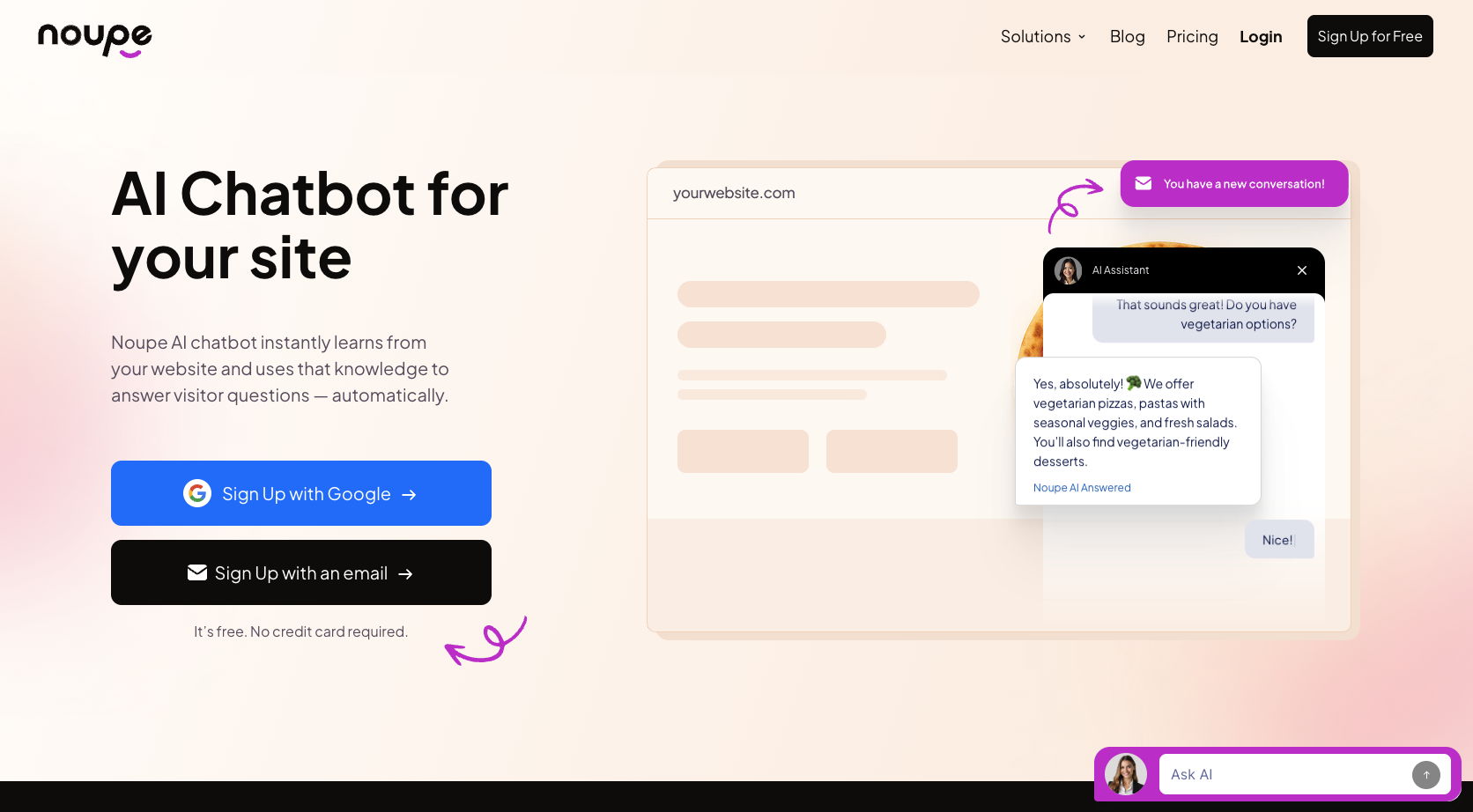
You don’t have to give the system every document you’ve ever created, just make sure there’s enough data to cover all the common questions you know your customers usually ask. If you update your website later, Noupe will automatically update alongside it, so you don’t have to manually update the chatbot’s knowledgebase at a later stage.
3. Customize and test the chatbot experience
Once you’re confident your bot has all the right knowledge to answer FAQs, you can start customizing. Noupe lets you personalize your chatbot with a specific opening message, avatar, and appearance, you can also choose where to place your widget on your website.
Plus, you can set fallback strategies at this stage too, deciding exactly when the bot should stop trying to solve a problem itself and pass the issue onto a human agent.
Before you launch anything it’s worth spending a little time on basic chatbot testing, checking how the bot responds to misspelled product names, old terminology, or mixed language.
4. Add the bot to your website and pay attention
When you’re confident, you can add your bot to your website with a single embed code. After it goes live, watch it carefully. The bot will send conversations straight into a shared inbox for your team, which can help a lot when you need to follow up with a customer later.
Noupe also gives you analytical tools so you can learn a little more about the kind of questions customers keep asking.
Also watch out for any mistakes, like the bot accidentally sharing the wrong answer, that might be a sign that you need to update your knowledge base. Plus, pay attention to what customers say, do they comment on how much they love the speedy customer service, or talk about how hard it is to understand your bot’s terminology.
5. Upgrade when necessary
You don’t necessarily need to upgrade straight away, Noupe’s free plan covers 100 conversations per month, and still includes multilingual support, which is great for an initial test or a very small site with a limited number of customers.
When traffic starts growing, Noupe offers very cost effective chatbot pricing, particularly on an annual plan. If you pay yearly, you can get Basic for $8 per month, which covers 1,000 conversations a month, or Pro for $16 per month, which covers 7,500 conversations a month.
Your next step toward smarter customer support
FAQ chatbots are a lot more helpful than they used to be. Rule-based bots are gradually being replaced with dynamic, contextual AI options like Noupe, and you don’t even need a huge budget or a complete development team to upgrade your website.
If your team or your customers are constantly searching for answers to common questions, Noupe can help you create a bot that still draws accurate information from your website, while adapting to support more personalized, multilingual interactions. All you need to do is get your knowledgebase ready, and Noupe does the rest.
You can get started with a free trial here, and discover just how beneficial FAQ chatbots can be for yourself.
FAQs
Start by collecting common customer questions, and making sure you have the answers to them somewhere in your knowledge base. Then you can use a platform like Noupe to build a chatbot that answers questions intelligently based on your approved resources, and embed it straight into your website. The bot even updates automatically when you add new information to your site.
FAQ stands for “frequently asked questions”, so in the context of an FAQ chatbot, it means a bot that can answer common questions using sources you’ve already approved. Most of those questions will be related to simple things like billing, or shipping queries.
In the AI world, the meaning of FAQ is still “frequently asked questions”, but intelligent tools can do more than recognize frequently used terms. They can interpret user intent and understand context, so even if customers use unexpected language, they can still get a useful response.